Docs
Contact
Get started
LinkedIn Inbox ManagementKondo Desktop
Getting started
Start here 👀Inbox ZeroCommand KKeyboard shortcutsSales Navigator
Access
Install the browser appSharing accessMultiple accountsPause subscriptionSSOChange login emailReset Kondo
Connections
New connectionsCustom feed
Inbox management
ArchiveRemindersLabels🧹 Clean up my inbox
Sending messages
SnippetsVoice notes
Team
Invite to teamSnippetsIntegrationsAnalytics
Integrations
OverviewAttioClarifyClayGoogle SheetsHubSpotMakeNotionSalesforceWebhooksZapier
LinkedIn MCP Server
Kondo's LinkedIn MCP server for Claude Code, Codex & other AI agents
Troubleshooting
TroubleshootingVoice notes, video, or media uploads won't sendChats stuck in a pending stateRemove a duplicate Kondo extensionSales Navigator chats not loading
Troubleshooting

Sales Navigator chats not loading

Chats showing a shimmer skeleton (the grey placeholder rows) instead of a spinner? The session just needs reconnecting.

Open Sales Navigator in the same browser where you use Kondo, and they'll load.
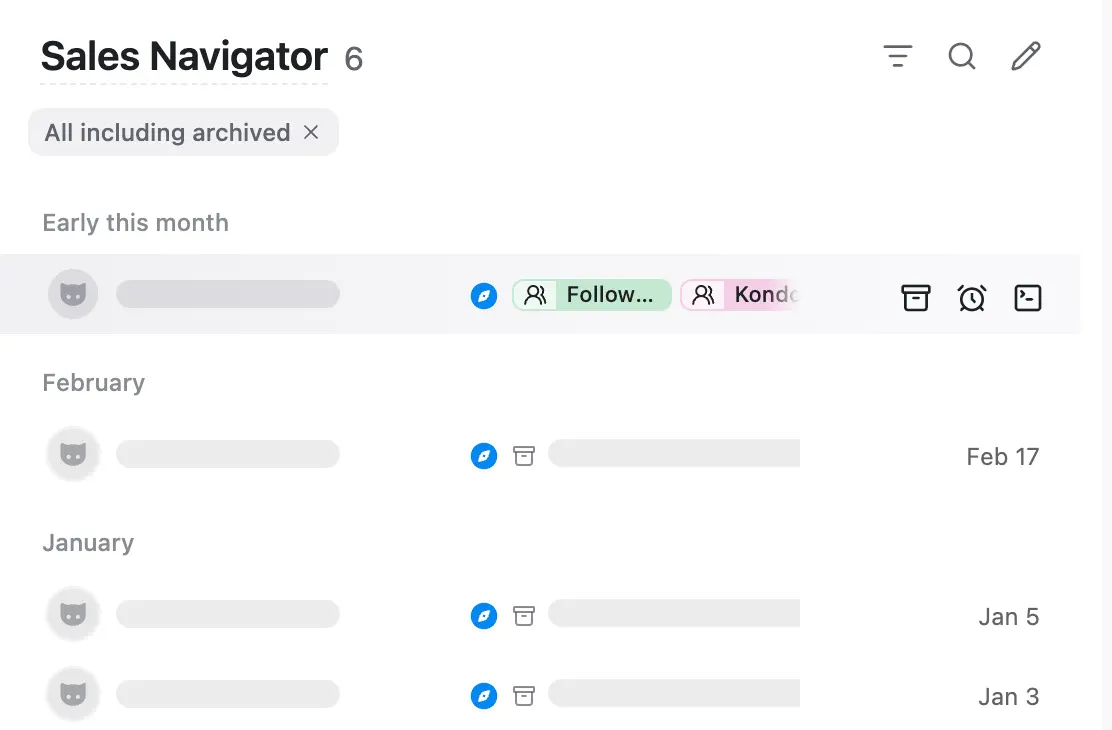
Chats showing a shimmer skeleton instead of loading

Still stuck? Contact us.

Remove a duplicate Kondo extension

The pro DM inbox for you and your AI agents.

Platforms

  • WhatsApp
  • LinkedIn
  • iMessage
  • Telegram
  • Instagram
  • Signal
  • X
  • Facebook Messenger

Product

  • Download
  • MCP
  • Pricing

Resources

  • Docs
  • Blog

More

  • Contact
  • Privacy
  • Terms
Solutions

LinkedIn Solutions

  • Candidate CRM
  • LinkedIn CRM Sync
  • LinkedIn Inbox Management
  • LinkedIn Messaging Tool
  • LinkedIn Prospecting Tool
  • LinkedIn Recruiter Tool
  • Mass Message on LinkedIn
  • Sales Automation Tool
  • Sales Navigator Tool

WhatsApp Solutions

  • WhatsApp Inbox Management
  • WhatsApp Follow-up
  • WhatsApp Web Alternative