
LinkedIn Recruiter Tool for Inbox Zero
Stop losing great candidates in inbox chaos. Kondo helps recruiters organize, label, and prioritize LinkedIn conversations to ensure no top talent falls through the cracks.
What people say
Drowning in LinkedIn Messages?
Recruiting on LinkedIn is powerful, but the native inbox experience creates serious challenges.
Missed Candidate Opportunities
Important candidate messages get buried under notifications and low-priority conversations, leading to missed talent and delayed responses.
Disorganized Conversations
Without proper categorization, tracking candidates at different stages becomes nearly impossible, causing confusion and inefficiency.
Manual Follow-up Burden
Relying on memory or external tools for candidate follow-ups leads to inconsistent communication and dropped conversations.
Transform Your LinkedIn Recruiting Process
Kondo brings structure and speed to your LinkedIn messages, helping you manage candidate conversations with professional precision.
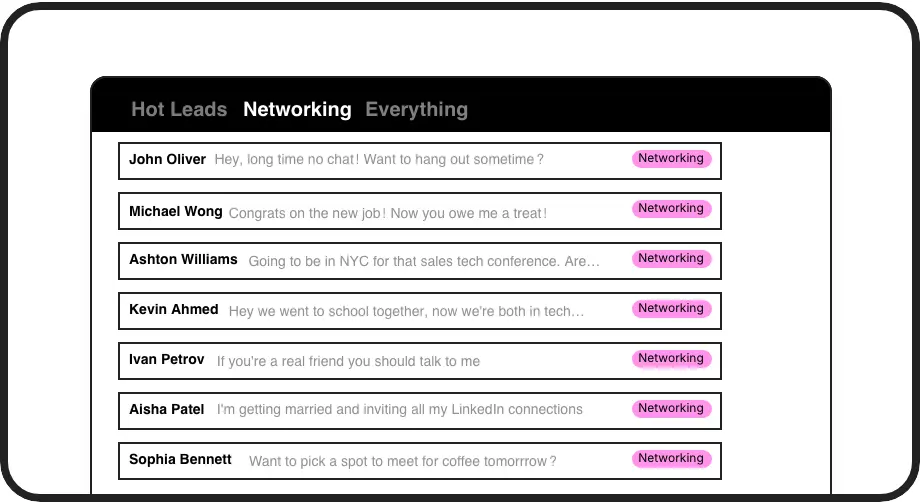
Organize Candidate Conversations
Create custom labels like 'Senior Developer', 'Actively Interviewing', or 'Hiring Manager' to instantly categorize and prioritize your talent pipeline in dedicated inboxes.
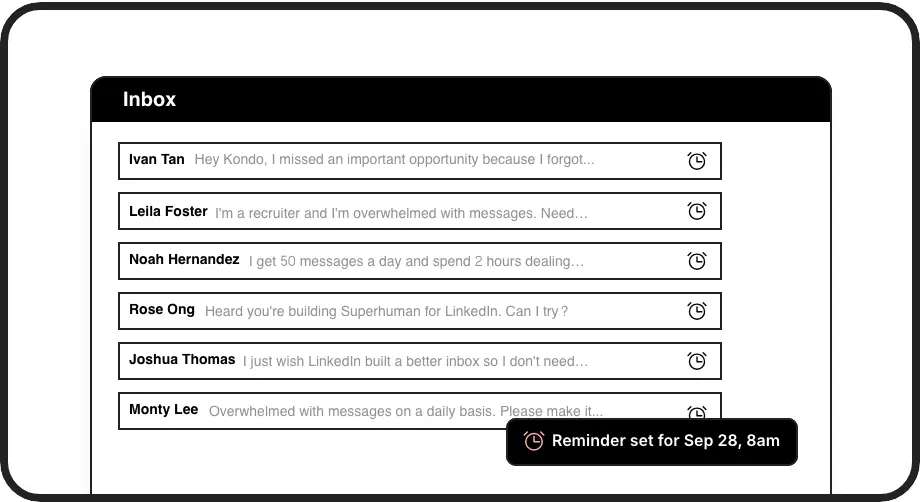
Never Miss Follow-ups
Set reminders on candidate conversations that resurface exactly when needed. Schedule check-ins after interviews or bring promising talent back to your attention at the perfect time.
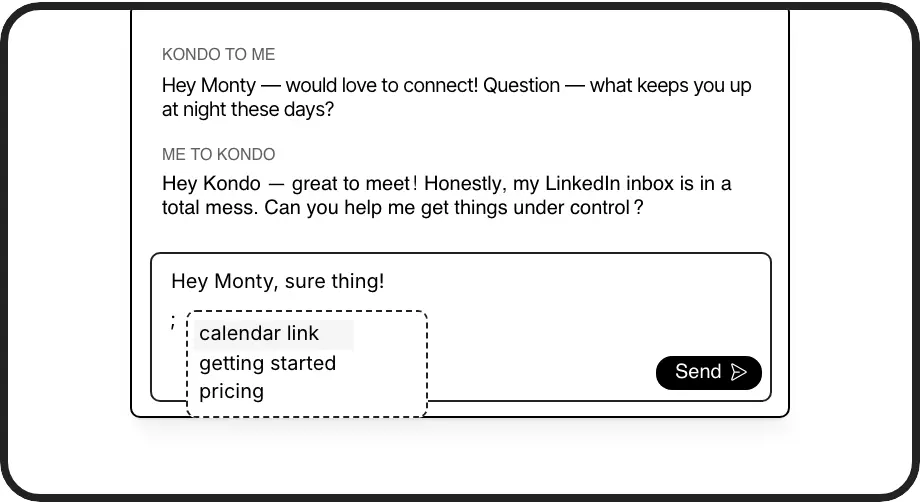
Save Time Responding
Create personalized message templates for common recruiting scenarios. Easily insert custom responses with candidate names automatically filled in, saving hours of repetitive typing.
LinkedIn left your inbox in 2000. Bring it into 2026.
Get the upgrade every power user's been waiting decades for.


Recruit Faster, Better, Smarter
60%
Less Time Managing Messages
100%
Candidate Follow-up Rate
2x
Candidate Response Rate
FAQs
How is Kondo different from LinkedIn's native inbox?
Kondo adds powerful organization features missing from LinkedIn's native experience, including custom labels with split inboxes, snooze/reminder functionality, keyboard shortcuts, and message templates. These tools help recruiters manage high message volumes more efficiently and ensure no candidate conversations are overlooked.
Does Kondo integrate with LinkedIn Recruiter?
Currently, Kondo works alongside LinkedIn's messaging system. While we don't directly integrate with LinkedIn Recruiter at this time, Kondo greatly enhances your ability to manage candidate conversations through the standard LinkedIn messaging interface.
Is Kondo safe and compliant with LinkedIn's terms?
Yes. Kondo is a native desktop application that doesn't scrape data, inject code, or automate prohibited LinkedIn actions. We're built with security and compliance in mind to ensure your LinkedIn account remains in good standing while benefiting from improved message management.
How long does it take to set up Kondo for recruiting?
Getting started with Kondo takes minutes. After installation, you can immediately begin creating custom labels for different candidate types, setting up templates for common recruiting messages, and using keyboard shortcuts. Most recruiters see immediate productivity gains as they start organizing their previously cluttered inbox.
Can I track candidates at different hiring stages with Kondo?
Absolutely! Kondo's labeling system is perfect for tracking candidates through your hiring pipeline. Create custom labels for different stages (e.g., 'Initial Contact', 'Screening', 'Technical Interview', 'Offer Stage') and instantly filter your conversations to focus on candidates at specific points in your process.