Organize Messy WhatsApp Messages
Your WhatsApp is a chaotic mix of client inquiries and personal chats. Kondo gives you labels and split inboxes to finally bring order to the chaos.
Your WhatsApp Inbox Is Broken
A flooded WhatsApp inbox creates background stress and costs you real business opportunities.
Clients Lost in the Chaos
Client WhatsApp messages get buried under group chats and personal threads, causing missed opportunities.
Follow-Ups Slip Through
Without reminders, important WhatsApp conversations get forgotten and follow-ups never happen.
No System, Just Scrolling
Scrolling endlessly through messy WhatsApp chats wastes time and leaves you feeling constantly behind.
The System Your WhatsApp Inbox Needs
Kondo brings professional inbox structure to your WhatsApp, so no client message gets lost in personal noise.
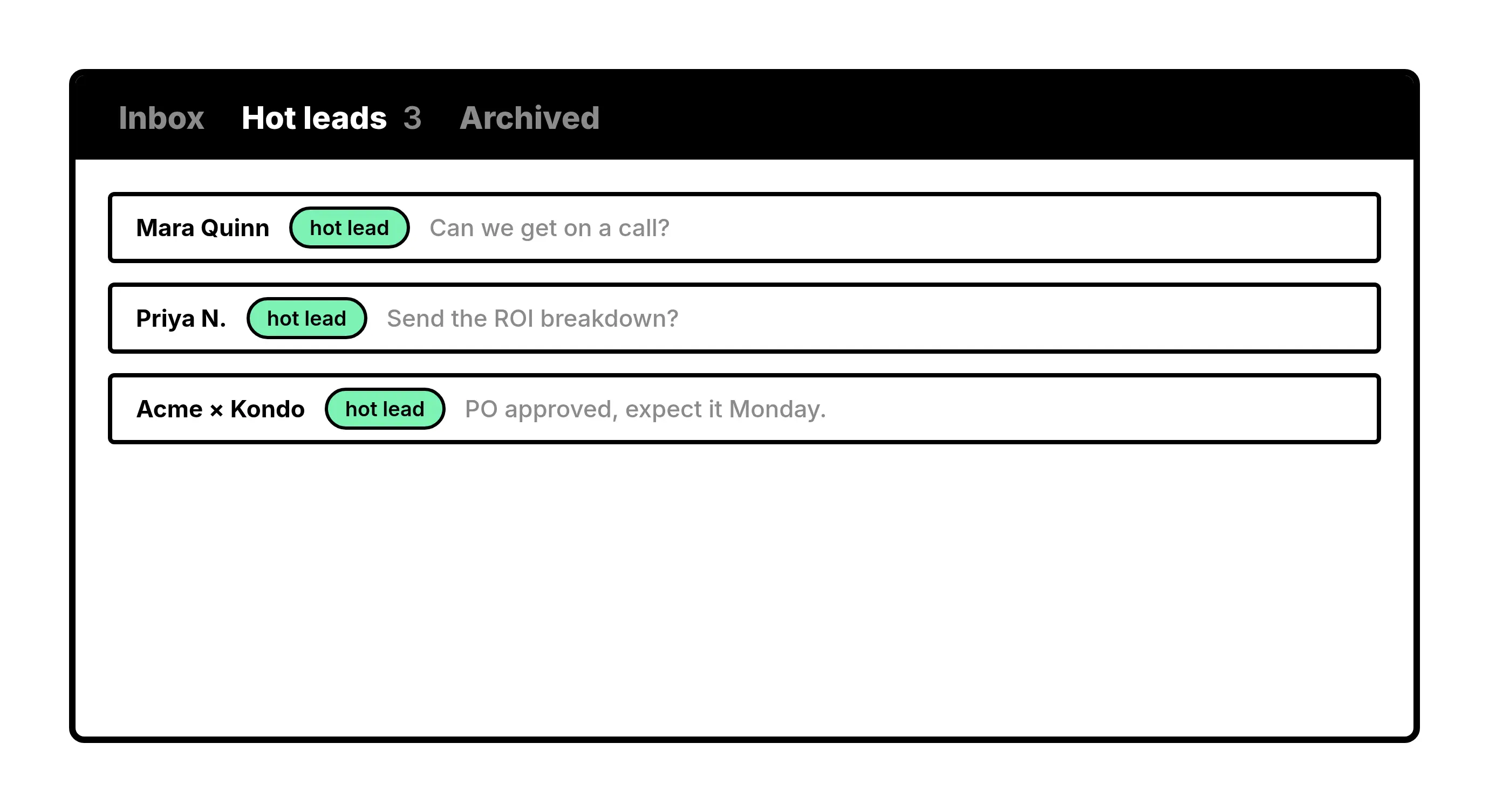
Labels
Label and Split Your Chats
Tag WhatsApp conversations as Client, Lead, or Partner and view each in its own inbox. Separate business from personal instantly.
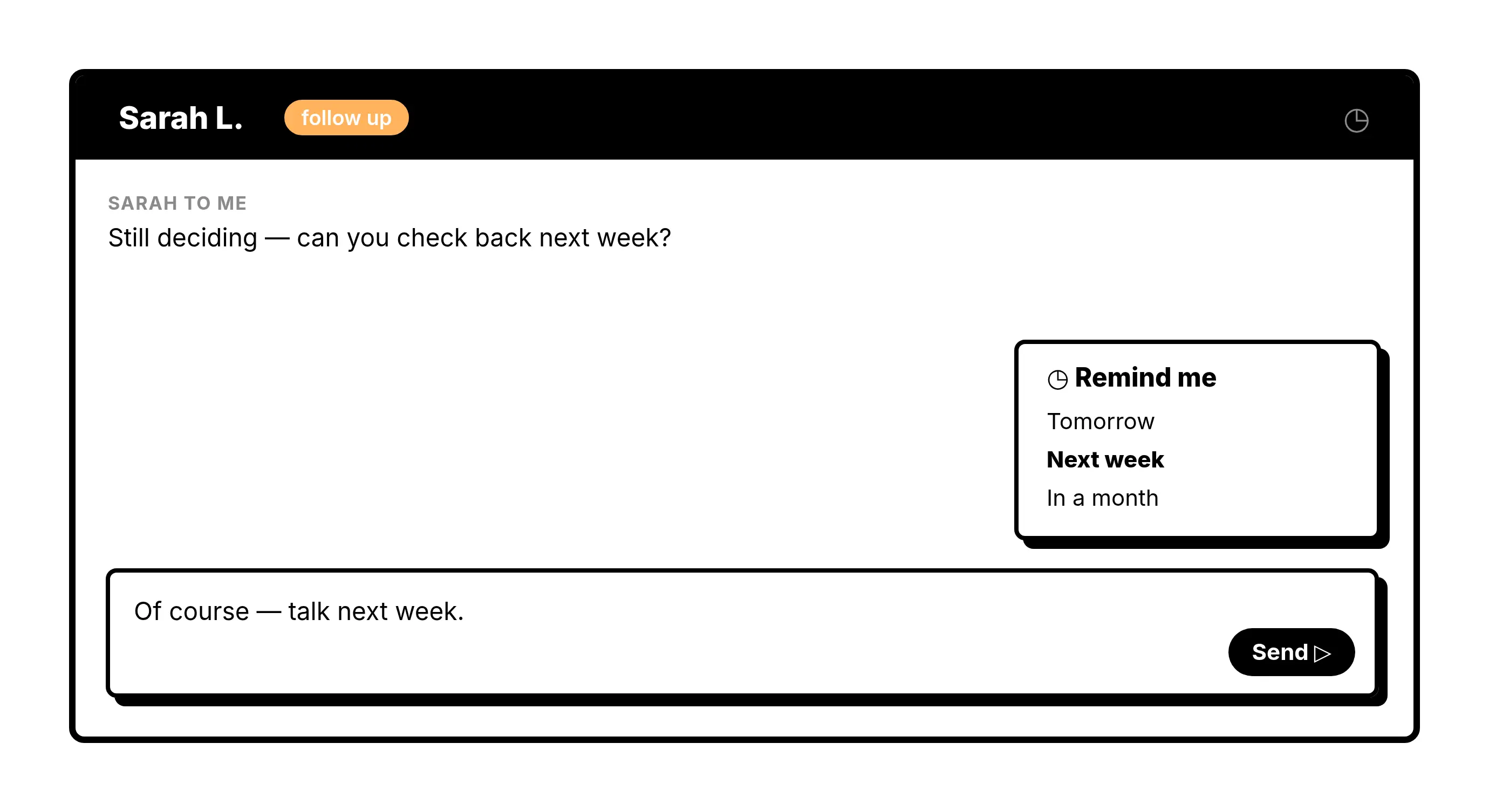
Reminders
Never Miss a Follow-Up
Snooze any WhatsApp thread and it resurfaces at the top of your inbox when you need it. No sticky notes or missed replies.
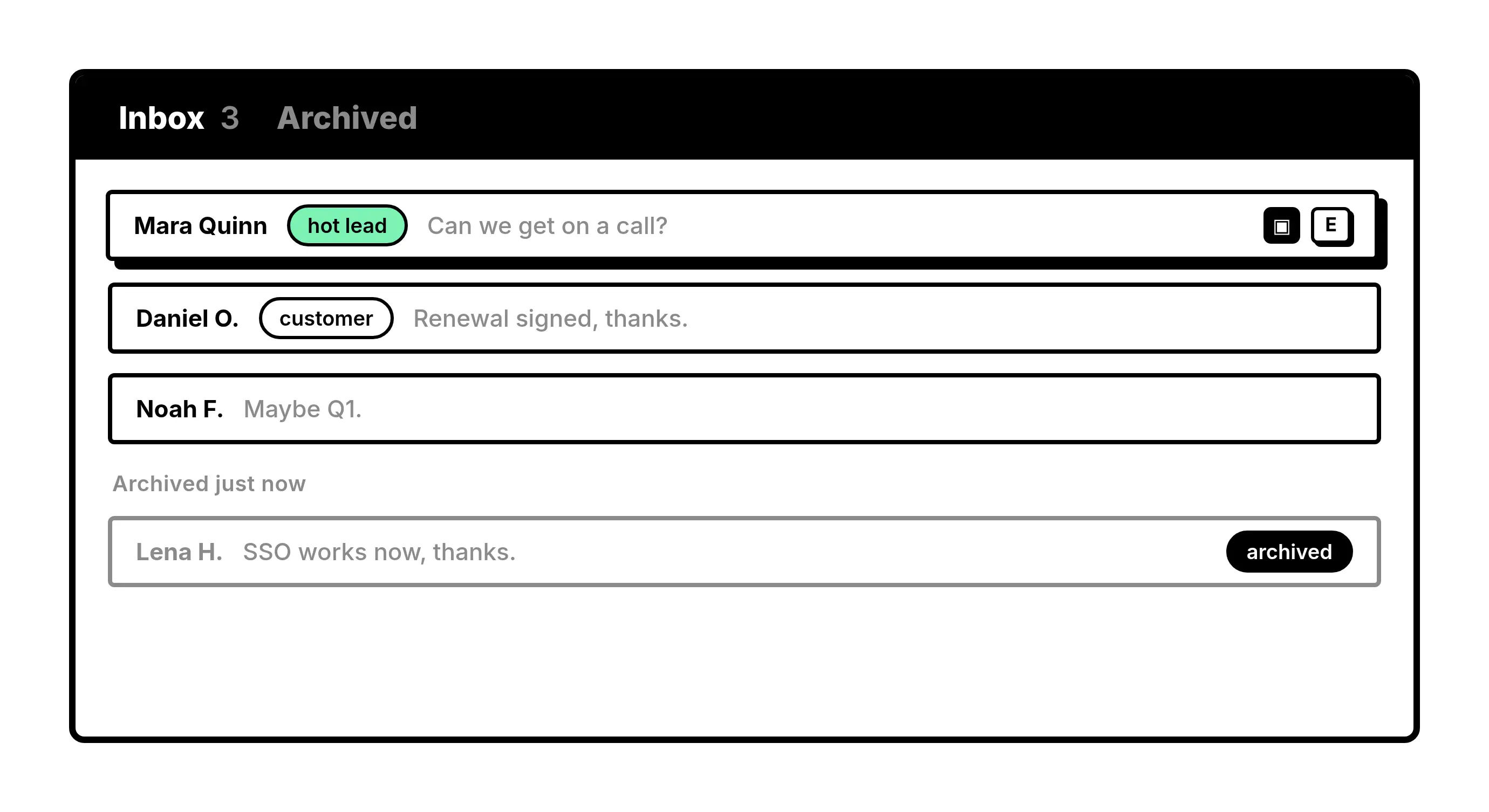
Keyboard Shortcuts
Process Messages in Seconds
Archive, label, and snooze messy WhatsApp chats with a single keypress. Clear your inbox faster than ever before.
Give Your AI Access to Your WhatsApp Inbox
Let Claude, ChatGPT, or Cursor triage your WhatsApp inbox. Your agent reads messages on your computer, can draft replies, add labels, and set reminders.
Explore the WhatsApp MCP serverlist_chats “pricing”6 foundread_chat× 6set_chat_draft× 6set_chat_label “Hot”× 6
What people say
Bring order to your WhatsApp inbox
Download Kondo Desktop and work your chats from one focused inbox.
Requires macOS 13.3 or later, Windows 10 or later, or Linux on x86_64, and a Kondo subscription.
Less Chaos. More Clients. Zero Missed Messages.
3x
Faster inbox processing
0
Client messages missed
1
Organized inbox system
FAQs
Can Kondo actually organize my messy WhatsApp messages?
Yes. Kondo lets you apply custom labels like Client, Lead, or Follow-Up to any WhatsApp conversation and view each category in its own split inbox. This instantly separates business chats from personal ones so you always know where to focus.
How do labels and split inboxes work for WhatsApp?
You assign one or more custom labels to any chat, and Kondo creates a dedicated inbox view for each label. Instead of scrolling through a chaotic WhatsApp thread list, you open the Client inbox or Lead inbox and see only what matters.
What if I forget to follow up on a WhatsApp message?
Kondo's reminder feature lets you snooze any WhatsApp conversation for a set time. The thread disappears from your main view and resurfaces at the top of your inbox when the time is up, so nothing falls through the cracks.
Is Kondo safe for my WhatsApp account?
Kondo is built as a native desktop app and is designed to keep your account safe. It does not scrape data, inject unauthorized code, or send messages automatically, so your WhatsApp usage stays within safe and responsible boundaries.
Who is Kondo built for?
Kondo is built for founders, sales professionals, coaches, consultants, recruiters, and creators who rely on WhatsApp for business. If your WhatsApp inbox is a chaotic mix of client inquiries and personal chats, Kondo is designed specifically for you.