CRM WhatsApp Business
Kondo turns your WhatsApp Business inbox into a CRM. Label leads by stage, set a follow-up on every chat, and keep notes on every customer, all in one app.
WhatsApp Chats Cost You Deals
Unorganized WhatsApp business chats mean missed leads, delayed responses, and zero CRM visibility.
Leads Buried in WhatsApp Chats
Hot leads get lost in cluttered WhatsApp DMs, costing you deals before you even respond.
No Record of Where Each Deal Stands
Chats alone don’t show which leads are new, quoted, or won, so pipeline status lives in your head.
Follow-ups Slip Through the Cracks
Without reminders, missed follow-ups on WhatsApp leads kill deals that were already within reach.
Use Kondo as Your WhatsApp Business CRM
Labels become your pipeline, reminders become your follow-up tasks, and notes become your customer records, all in the inbox where customers already message you.
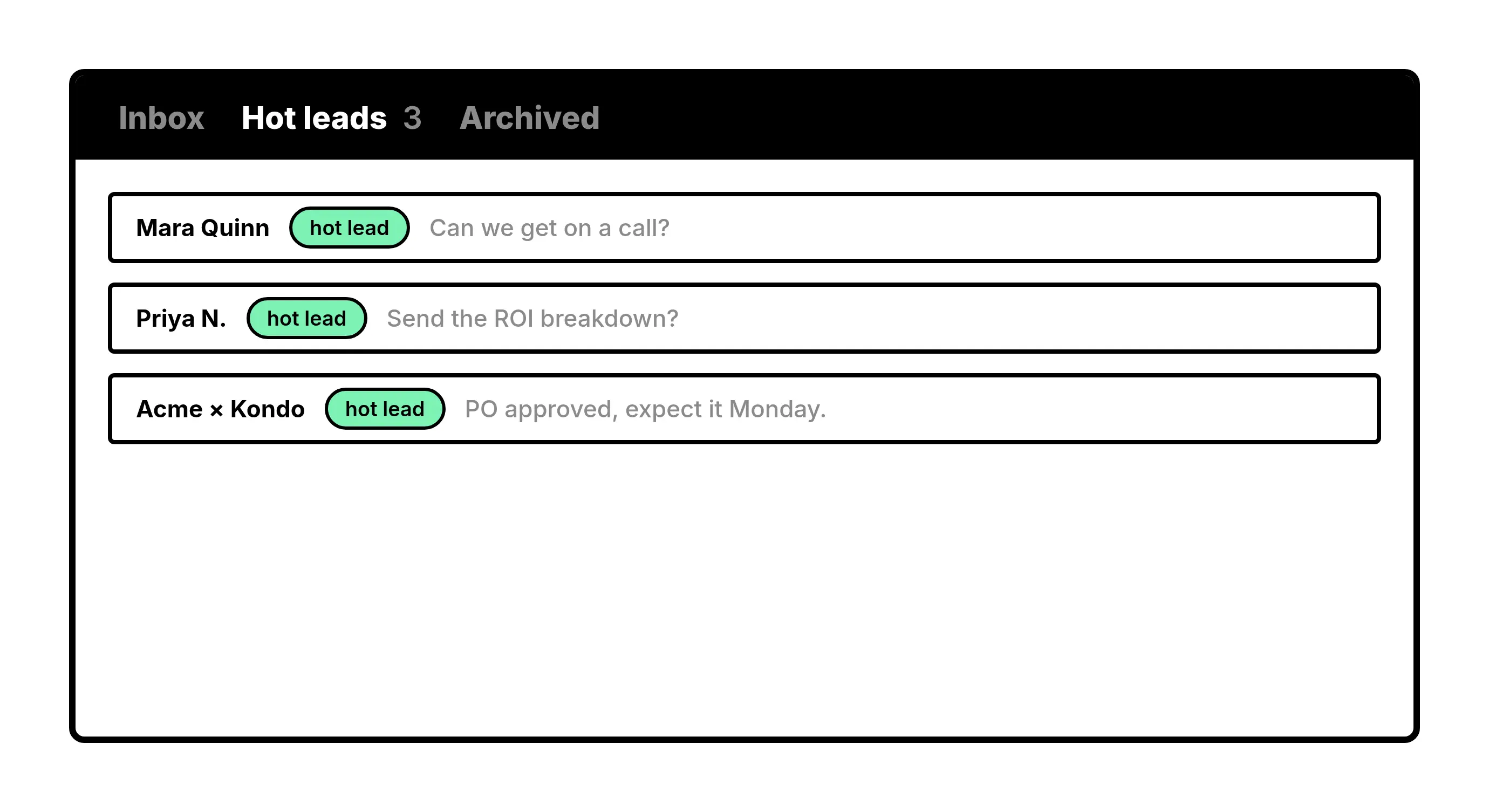
Run Your Pipeline With Labels
Label chats by stage, like New Lead, Quoted, or Won, and open any stage as its own inbox to see every deal that sits there.
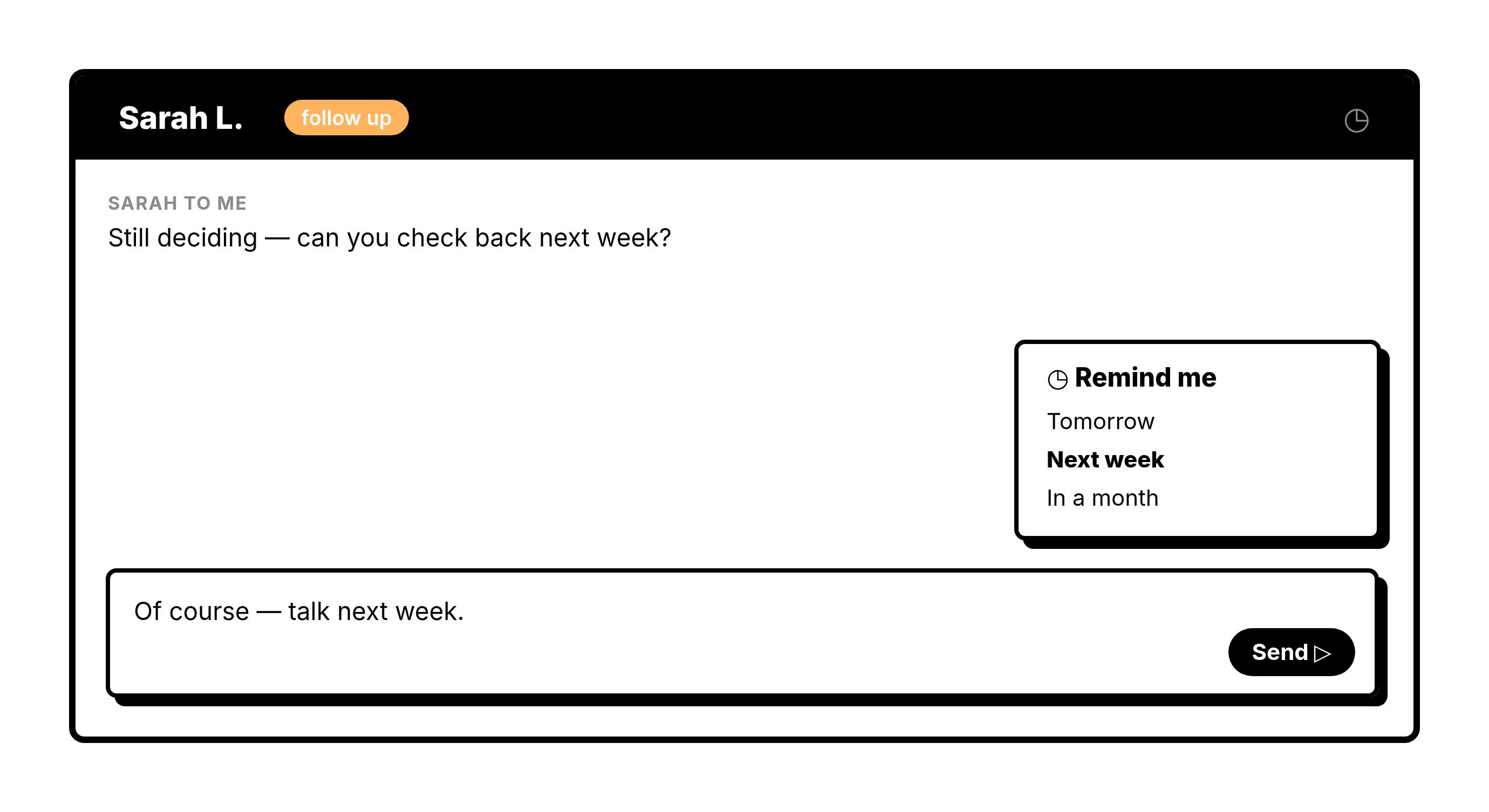
Schedule Every Follow-Up
Set a reminder on a customer’s chat and it returns to the top of your inbox when it is time to reply. If they write back first, the reminder clears itself.
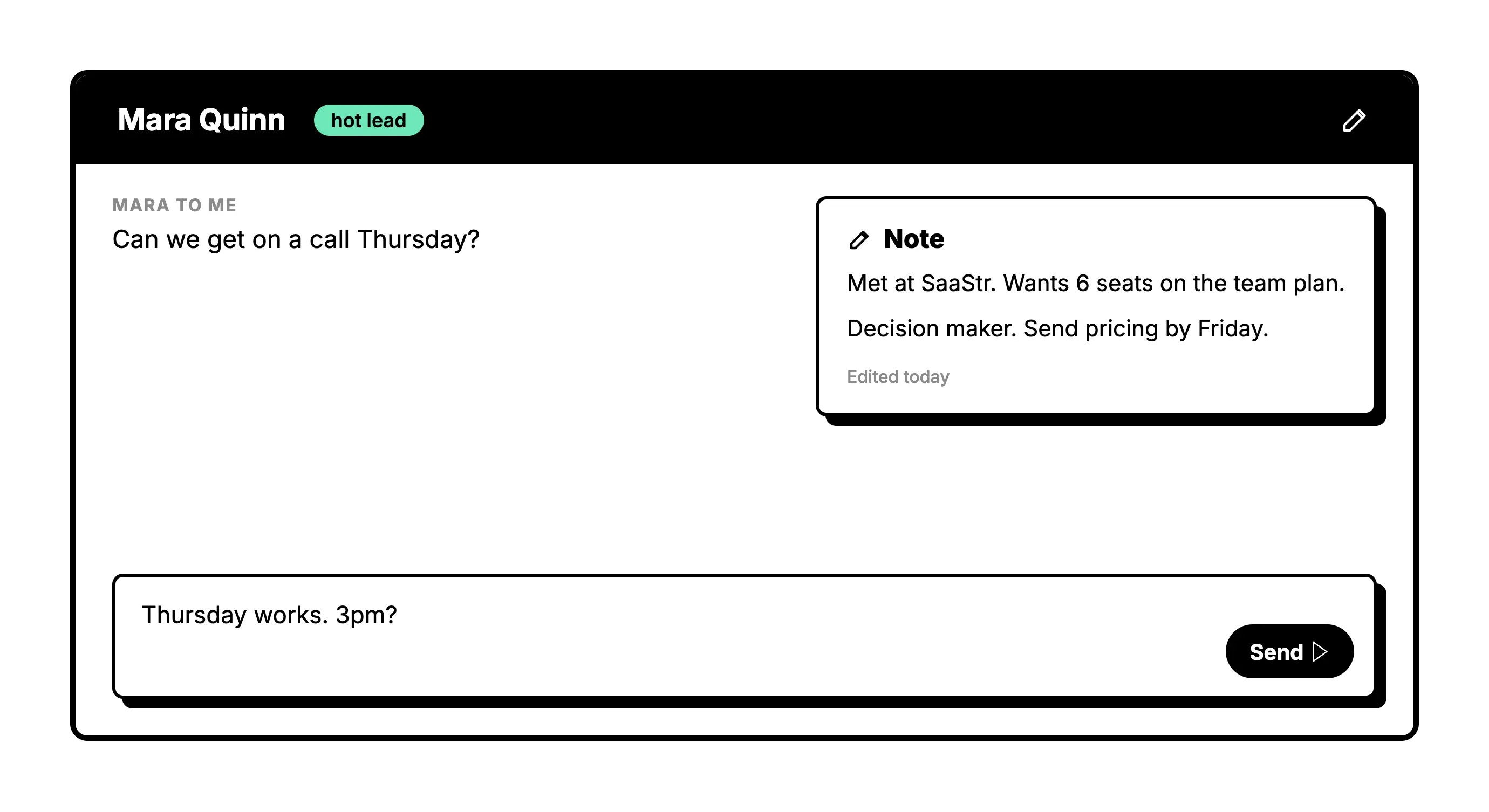
Keep Customer Notes in the Chat
Save details like order size, preferences, or next steps on each contact, so the context is there the moment they message again.
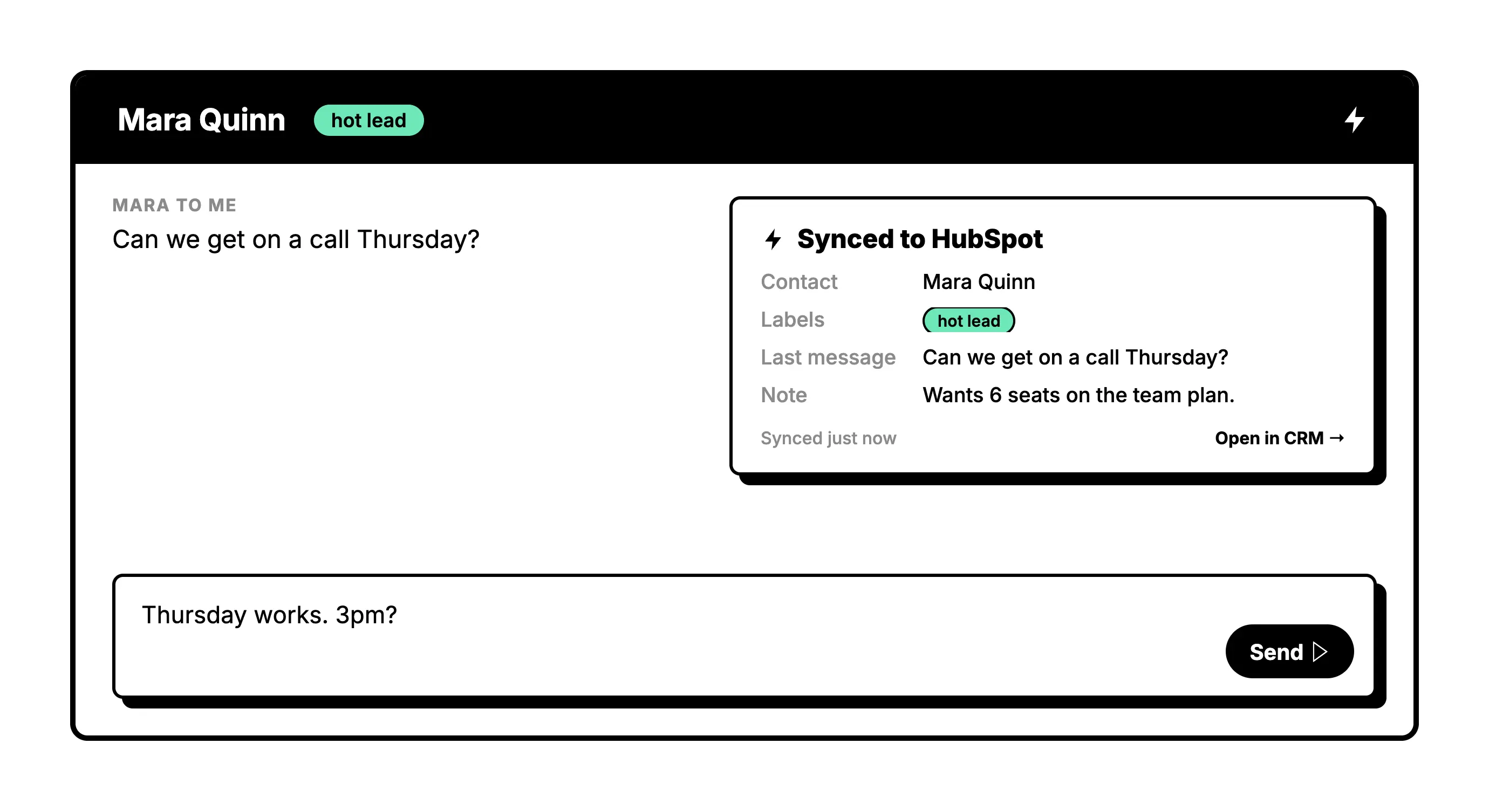
Connect a CRM When You Need One
Growing into HubSpot or Salesforce? Send your WhatsApp conversations, labels, and notes there and keep working from Kondo.
Give Your AI Access to Your WhatsApp Inbox
Let Claude, ChatGPT, or Cursor triage your WhatsApp inbox. Your agent reads messages on your computer, can draft replies, add labels, and set reminders.
Explore the WhatsApp MCP serverlist_chats “pricing”6 foundread_chat× 6set_chat_draft× 6set_chat_label “Hot”× 6
What people say
Run your WhatsApp Business CRM from one inbox
Download Kondo Desktop and pair it with the account you already use.
Requires macOS 13.3 or later, Windows 10 or later, or Linux on x86_64, and a Kondo subscription.
Faster Responses. Fuller Pipeline. Zero Dropped Leads.
0
Leads lost to clutter
1
Inbox for leads, follow-ups, and notes
3
CRM tools built in: labels, reminders, notes
FAQs
Can Kondo work as my WhatsApp Business CRM?
Yes. Kondo turns your WhatsApp Business inbox into a CRM: labels track the stage of each lead, reminders schedule your follow-ups, and notes keep a record on every customer. If you also use a CRM like HubSpot or Salesforce, Kondo can send your conversations there on the Business plan.
Do I need a separate CRM to use Kondo?
No. You can run your WhatsApp pipeline entirely in Kondo with labels, reminders, and notes. If you already use HubSpot, Salesforce, Attio, Clarify, Notion, or Google Sheets, you can connect it, or send data anywhere else with webhooks, Zapier, or Make.
How does Kondo help me organize WhatsApp leads without a messy inbox?
Kondo lets you apply custom labels like Hot Lead or Client to WhatsApp chats and view them in separate, prioritized inboxes. This instantly removes clutter from your main view and keeps high-priority conversations front and center where they belong.
Can I set follow-up reminders for WhatsApp business conversations?
Yes. You can snooze any WhatsApp thread and choose when it should resurface at the top of your inbox. If a contact replies before the reminder fires, the snooze is automatically cancelled so you never get a duplicate nudge.
Is Kondo safe to use with my WhatsApp Business account?
Kondo is built as a native desktop app and is designed to keep your account safe. It does not scrape data, inject unauthorized code, or automate prohibited messaging actions, so your WhatsApp Business account integrity is protected while you work.