
Stop losing candidates in LinkedIn. Your Candidate CRM is here.
Kondo organizes DMs, sets reminders, and syncs to your ATS, never missing top talent.
What people say
Losing Top Candidates in LinkedIn Chaos?
Your dream hires are slipping through the cracks of a disorganized, overwhelming LinkedIn inbox.
Inbox Overload
Juggling multiple roles, your LinkedIn inbox is overflowing. Finding specific candidate threads or follow-ups is a nightmare, costing you hours.
Missed Follow-ups
Promising candidates go cold because critical messages get buried. You worry about appearing unresponsive and losing great talent.
Manual Data Entry
Wasting precious time manually copying candidate notes and conversation details from LinkedIn to your ATS (e.g., Greenhouse).
Your LinkedIn Candidate CRM Supercharger
Kondo brings order and efficiency to your LinkedIn recruiting workflow, so you can focus on building relationships and hiring the best.
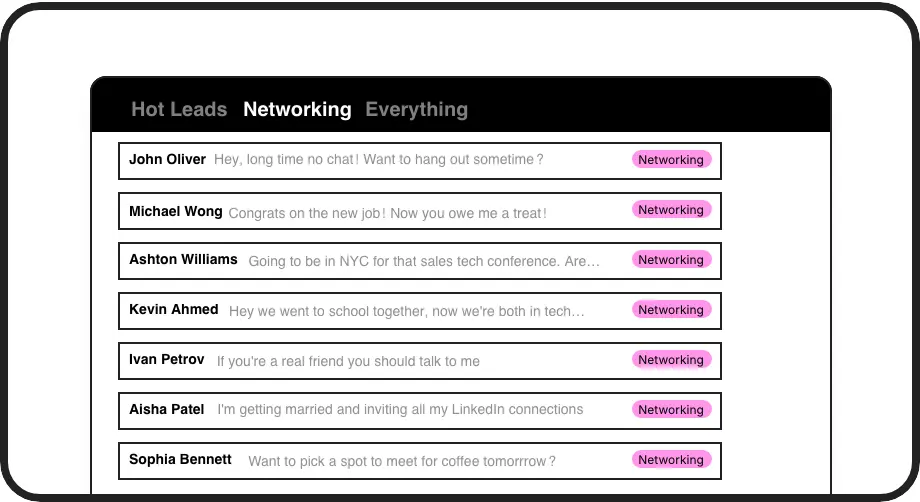
Candidate Labels
Organize candidates by role, stage, or priority with custom labels. Instantly see who needs attention and ensure no one gets lost. This helps you categorize candidates directly within LinkedIn.
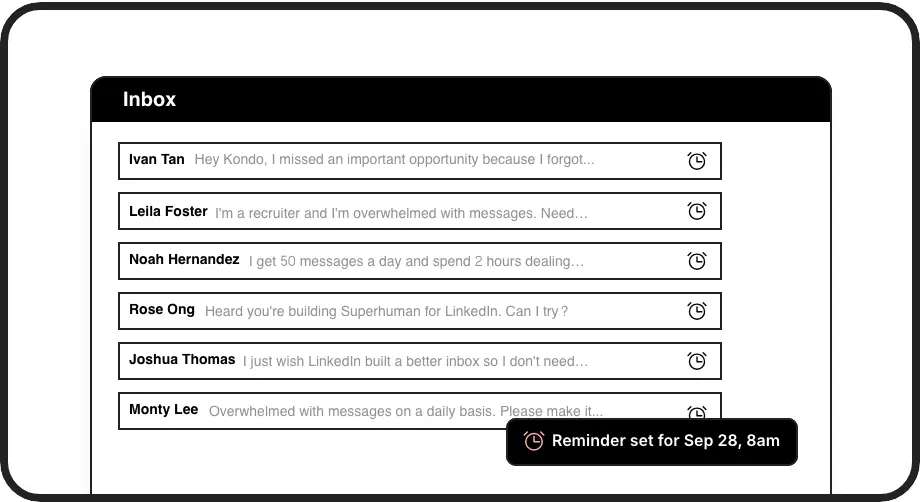
Smart Reminders
Set follow-up reminders for any candidate conversation. Kondo brings them back to your attention at the perfect time, so you never miss a crucial touchpoint.
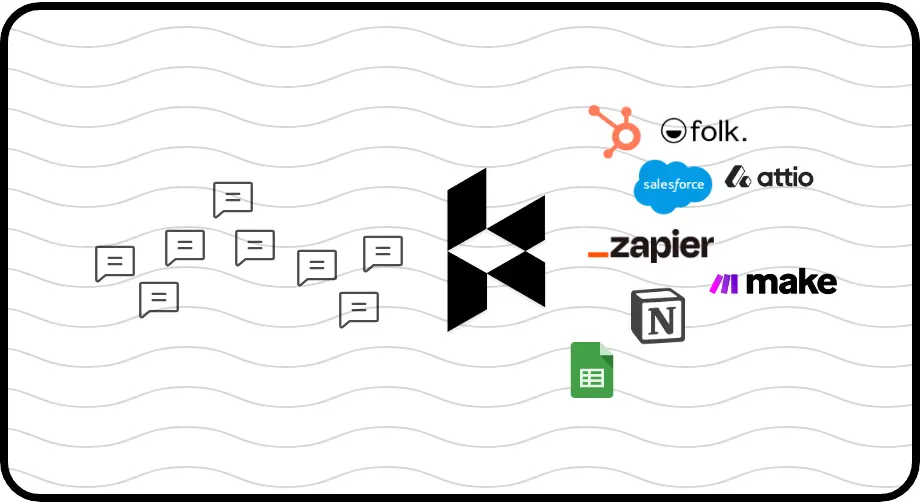
Seamless ATS Sync
Automatically sync candidate conversations and notes from LinkedIn to your ATS (like Greenhouse) via webhooks or integrations. Keep your candidate records up-to-date without manual work.
LinkedIn left your inbox in 2000. Bring it into 2026.
Get the upgrade every power user's been waiting decades for.


Hire Faster, Stress Less
50%
Less Time Sorting
2x
Candidate Engagement
10hrs
Saved Weekly
FAQs
Can Kondo integrate with my ATS like Greenhouse?
Yes! Kondo offers CRM & System Sync (Business Tier) using webhooks, Zapier, or Make.com, allowing you to push conversation data from LinkedIn to systems like Greenhouse. You can sync the latest message or full history, helping keep your ATS updated with candidate interactions without manual data entry. Native integrations like Notion are also available.
How does Kondo help manage multiple candidate pipelines?
Kondo's 'Labels & Split Inboxes' feature is perfect for this. You can create custom labels for different roles (e.g., 'Java Dev', 'DevOps Lead') or stages ('Screening', 'Interview Scheduled'). This allows you to view candidates in dedicated, organized inboxes, making it easy to track progress and prioritize outreach for each pipeline.
Will Kondo get my LinkedIn account flagged?
Kondo is designed with safety in mind. It doesn't scrape profiles, modify LinkedIn's UI directly in a way that's detectable, or perform automation prohibited by LinkedIn. It operates using your existing browser session and IP. Kondo focuses on enhancing your inbox experience, not on automated outreach that could risk your account.
Can I use Kondo to message new candidates?
While Kondo doesn't have a separate list for new connections, you can easily initiate conversations. Use the compose button within Kondo, which searches all your 1st-degree connections (your candidate pool). You can efficiently manage these new conversations with labels, reminders, and snippets once started.
How do reminders help with candidate follow-up?
Kondo's reminder (snooze) feature lets you temporarily archive a candidate conversation and set a specific time for it to reappear at the top of your inbox. This ensures you follow up with promising candidates systematically, even if they don't reply immediately, preventing them from getting lost in a busy inbox.