The WhatsApp Web alternative that keeps your number
Kondo is a desktop app that pairs with the WhatsApp account your customers already message and turns it into an inbox, with labels, reminders, snippets and voice notes you can read.
WhatsApp Web wasn't built for selling
It mirrors your phone in a browser tab. Selling on it means one pile of chats and no follow-up.
Every chat in one pile
Leads, customers and group chats share one list. The chat that matters sinks.
Follow-ups that slip
You read a message, mean to answer later, and nothing brings it back.
The same answer, typed again
Pricing, availability, next steps. You retype them in chat after chat.
Kondo turns your number into an inbox
It runs on your computer as a linked device, next to WhatsApp on your phone.
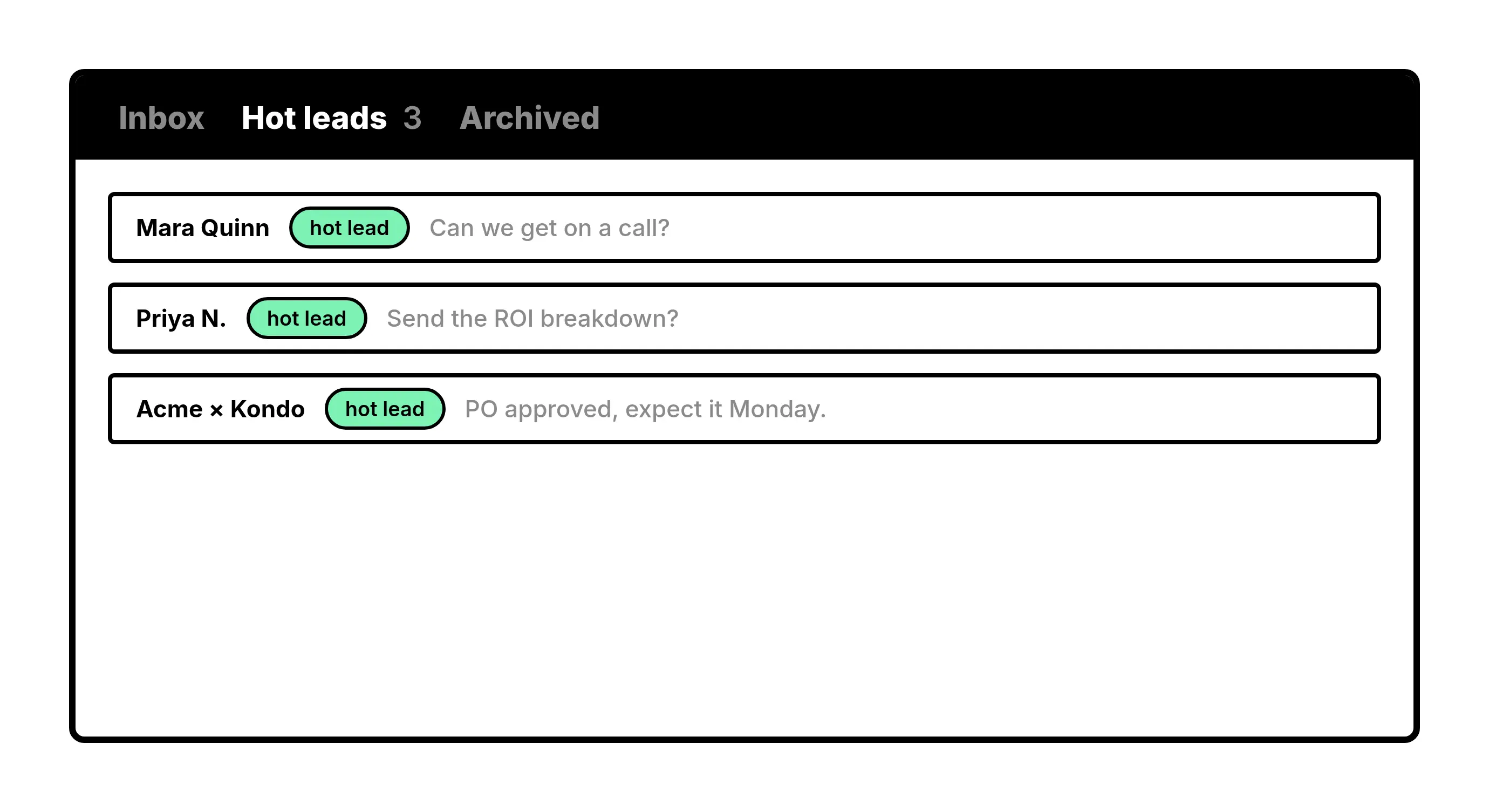
Labels
Split one list into inboxes
Label chats by stage or client and open each label as its own inbox. Today's leads stop competing with everything else.
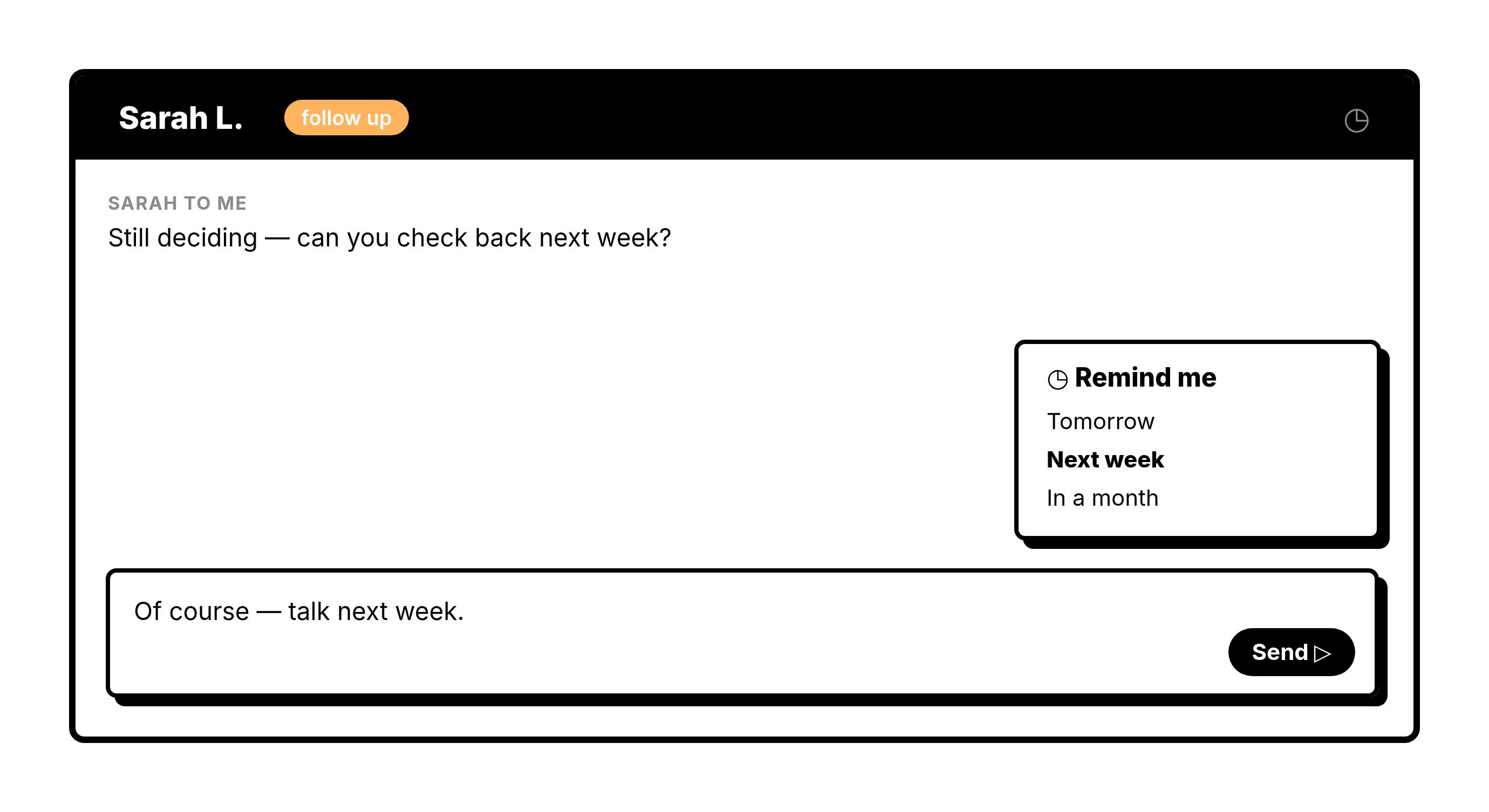
Reminders
Bring a chat back when it's due
Set a reminder on any chat and it returns to your inbox, unread, at the time you picked.
Give Your AI Access to Your WhatsApp Inbox
Let Claude, ChatGPT, or Cursor triage your WhatsApp inbox. Your agent reads messages on your computer, can draft replies, add labels, and set reminders.
Explore the WhatsApp MCP serverlist_chats “pricing”6 foundread_chat× 6set_chat_draft× 6set_chat_label “Hot”× 6
Know before you download
About a month of history
WhatsApp shares roughly the last 30 days with a newly linked device. New messages live on that computer.
No CRM sync, no shared number
Kondo does not log chats to a CRM or put several people on one number.
No bulk sending
Kondo organizes the chats you have. It does not send campaigns or automate outreach.
Start with Basic
- Keep the number your customers already message
- Pair under Linked devices, then scan the QR code
- 14-day money back guarantee
Kondo Basic
Billed yearly, or $35 monthly
- WhatsApp on your computer
- Unlimited labels and snippets
- Voice notes
Keep your WhatsApp number
Download Kondo and pair it under Linked devices, the same place WhatsApp Web connects.
Requires macOS 13.3 or later, Windows 10 or later, or Linux on x86_64, and a Kondo subscription.
FAQs
Can my team keep their existing WhatsApp numbers?
Yes. Kondo connects as a linked device, the same way WhatsApp Web does, so each person keeps the number their customers already message.
Does my phone need to stay on?
Not while you work, but it has to connect to WhatsApp at least once every 14 days to keep the link active.
Does Kondo sync WhatsApp chats to a CRM?
No. Kondo keeps WhatsApp messages on your computer and organizes them with labels, reminders and snippets. If logging WhatsApp in a CRM is a must, TimelinesAI or an API inbox fits better.
Is Kondo a shared inbox for one WhatsApp number?
No. Each person pairs their own WhatsApp account. Teams share labels and snippets, but there is no assignment queue across a single number.
Is there a free plan?
No. Plans start at $28 per user a month billed yearly, with a 14-day money back guarantee.