
Stop Drowning in Replies from Mass Message on LinkedIn?
Kondo organizes your LinkedIn DMs so you never miss a lead.
What people say
Your LinkedIn DMs: A Black Hole for Opportunities?
High-volume LinkedIn outreach means critical replies get lost, follow-ups are missed, and deals slip.
Crucial Replies Buried
Hot leads and important messages disappear in a flood of notifications, costing you deals and opportunities daily.
Follow-ups Forgotten
Without a system, timely follow-ups are impossible, prospects go cold, and your hard work is wasted.
Hours Lost Sorting
Manually sifting through LinkedIn's clunky inbox steals hours better spent on selling or engaging.
Kondo: Your LinkedIn Inbox, Supercharged for Outreach.
Stop drowning in DMs. Organize, prioritize, and automate with Kondo to finally conquer your LinkedIn outreach.
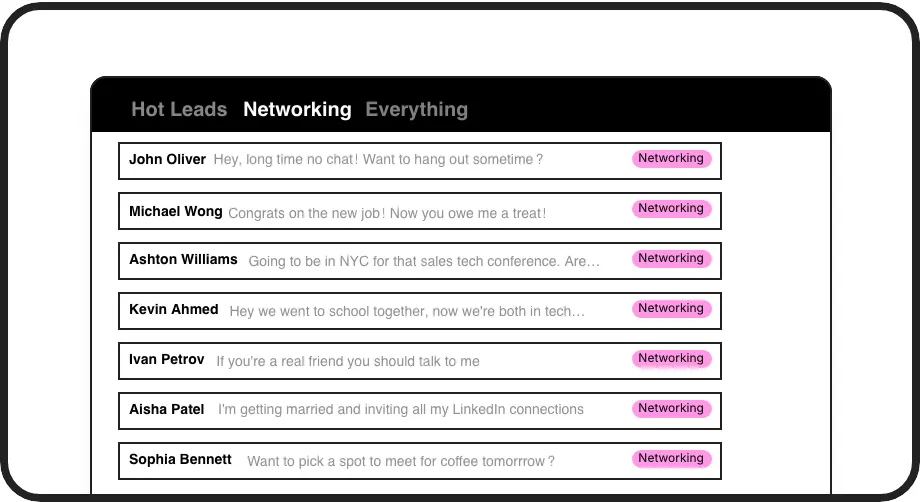
Triage Outreach Replies
Instantly categorize DMs from mass outreach using custom labels (e.g., 'Hot Lead', 'Demo Request'). Separate inboxes keep your replies organized, so you always focus on the highest priority conversations first.
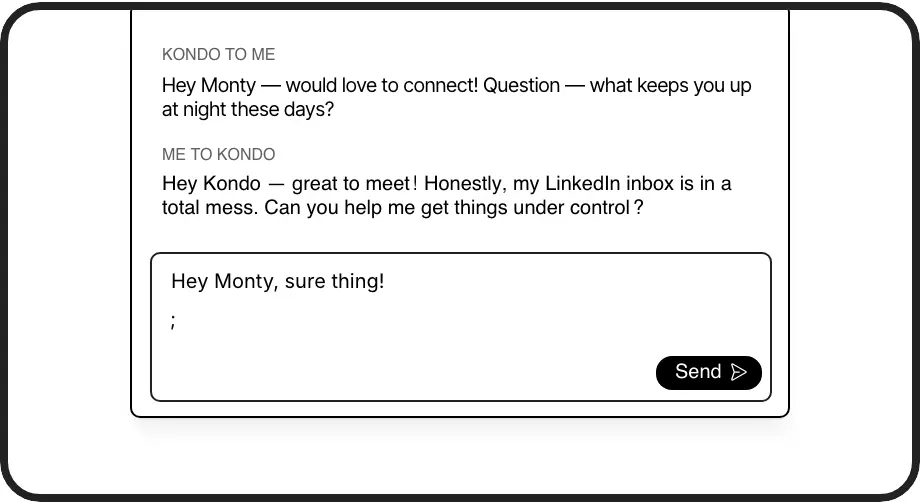
Respond Faster: Snippets
Blast through common replies from your campaigns. Use pre-written, personalized snippets for FAQs, next steps, or meeting links. Slash response times and maintain consistency across hundreds of conversations.
Log Outreach to CRM
Automatically sync LinkedIn DM activity from your campaigns to HubSpot, Salesforce, etc. Ensure every lead interaction is tracked without manual data entry, providing full visibility and better reporting.
LinkedIn left your inbox in 2000. Bring it into 2026.
Get the upgrade every power user's been waiting decades for.


Boost Outreach ROI. Save Time. Close More.
5+ hrs
saved per week
2x
faster response speed
Zero
missed hot leads
FAQs
Does Kondo send mass messages on LinkedIn?
Kondo focuses on managing your LinkedIn inbox *after* your outreach. While Kondo itself doesn't send mass messages, it's designed to help you efficiently handle the high volume of replies that result from large-scale campaigns or active networking. It helps you organize, prioritize, and respond faster, ensuring you don't miss opportunities generated by your outreach efforts. For sending, you'd use LinkedIn's native features or other specialized tools.
How does Kondo help if I message many people?
If you're messaging many people, your inbox can get chaotic. Kondo helps by allowing you to label conversations (e.g., 'Interested Prospect,' 'Needs Follow-Up'), set reminders so no one slips through, and use snippets for quick, personalized replies. This means you can manage hundreds of conversations efficiently, focusing on the most important ones first and ensuring timely follow-ups, which is crucial for converting outreach into results.
Is Kondo safe to use with LinkedIn?
Yes, Kondo is designed with safety in mind. It works like a layer on top of your existing LinkedIn session and doesn't perform actions that violate LinkedIn's Terms of Service, such as automated messaging or profile scraping. Kondo focuses on enhancing your inbox management efficiency. For more details, we have resources explaining our approach to safety and compliance.
Can I track different outreach campaigns with Kondo?
Absolutely. You can use Kondo's labeling feature to tag conversations related to specific outreach campaigns (e.g., 'Webinar Follow-Up,' 'Q3 Prospecting'). This allows you to create dedicated views for each campaign, monitor responses, and manage follow-ups in an organized way, directly within your LinkedIn inbox.
How does CRM sync help with mass outreach?
When conducting mass outreach, logging interactions into your CRM is vital but time-consuming. Kondo's CRM sync (e.g., HubSpot, Salesforce via Zapier/Make) automates this. It pushes conversation details from your LinkedIn DMs to your CRM, ensuring lead activity is captured, your team has visibility, and you save hours of manual data entry, making your outreach efforts more trackable and effective.