WhatsApp Business Inbox Management Tool
End inbox chaos on WhatsApp Business with labels, reminders, and CRM sync. Keep your team organized and every customer conversation on track.
WhatsApp Was Not Built for Teams
Managing customer chats across a team leads to missed messages, duplicate replies, and zero visibility.
Messages Slip Through the Cracks
WhatsApp chats pile up fast, and without a system, high-priority customer messages get buried and missed.
No One Knows Who Owns What
Multiple agents in the same WhatsApp inbox leads to duplicate replies and confused customers with no accountability.
Follow-Ups Are Forgotten
Without reminders, WhatsApp conversations that need a follow-up get lost, costing you sales and customer trust.
Bring Order to Your WhatsApp Business Inbox
Kondo gives your team the structure, speed, and visibility needed to manage WhatsApp Business conversations without dropping the ball.
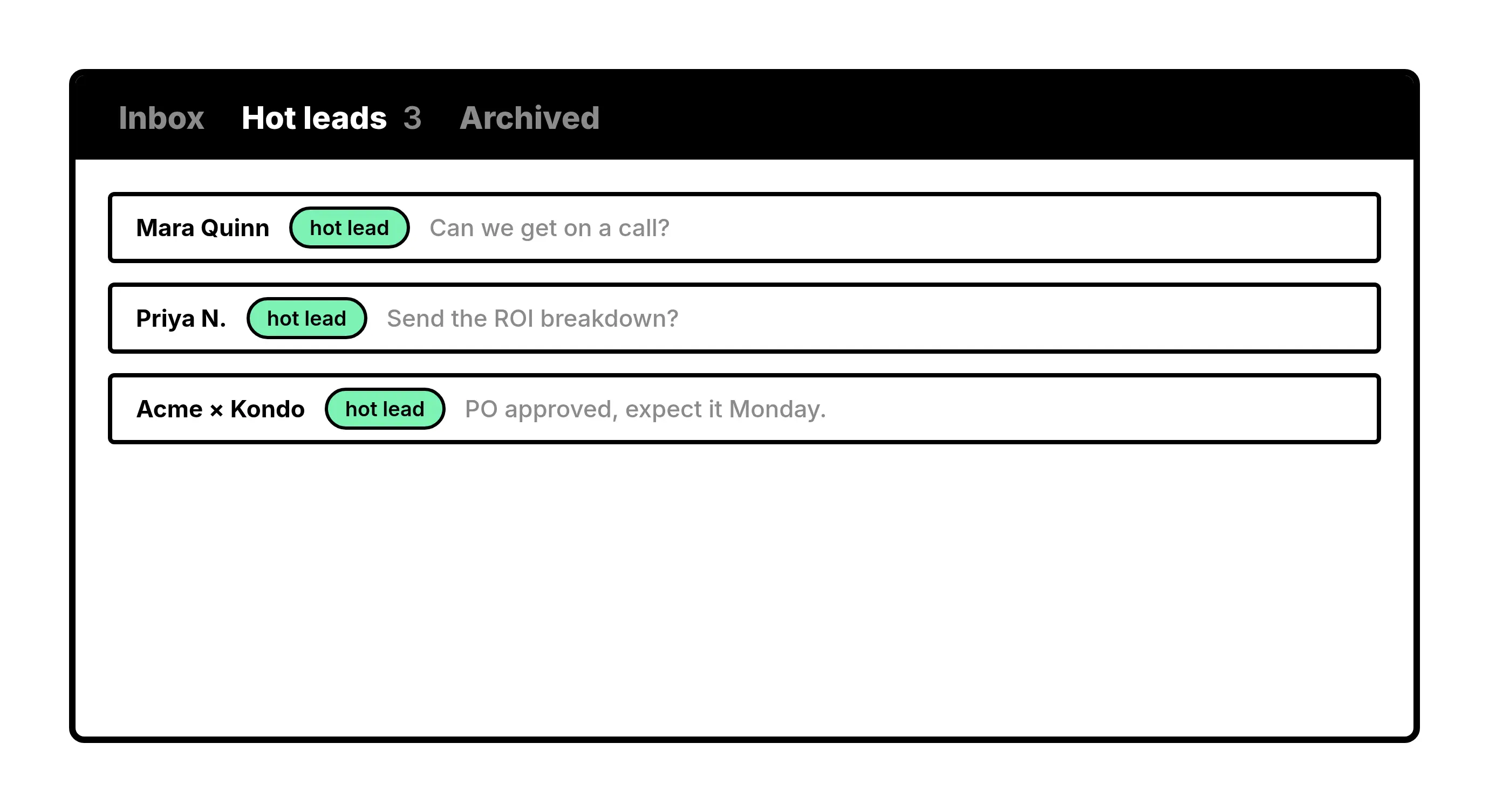
Labels
Label and Triage Chats
Assign custom labels like Hot Lead or Client to WhatsApp chats and view them in separate inboxes. Prioritize what matters and stop losing conversations in the noise.
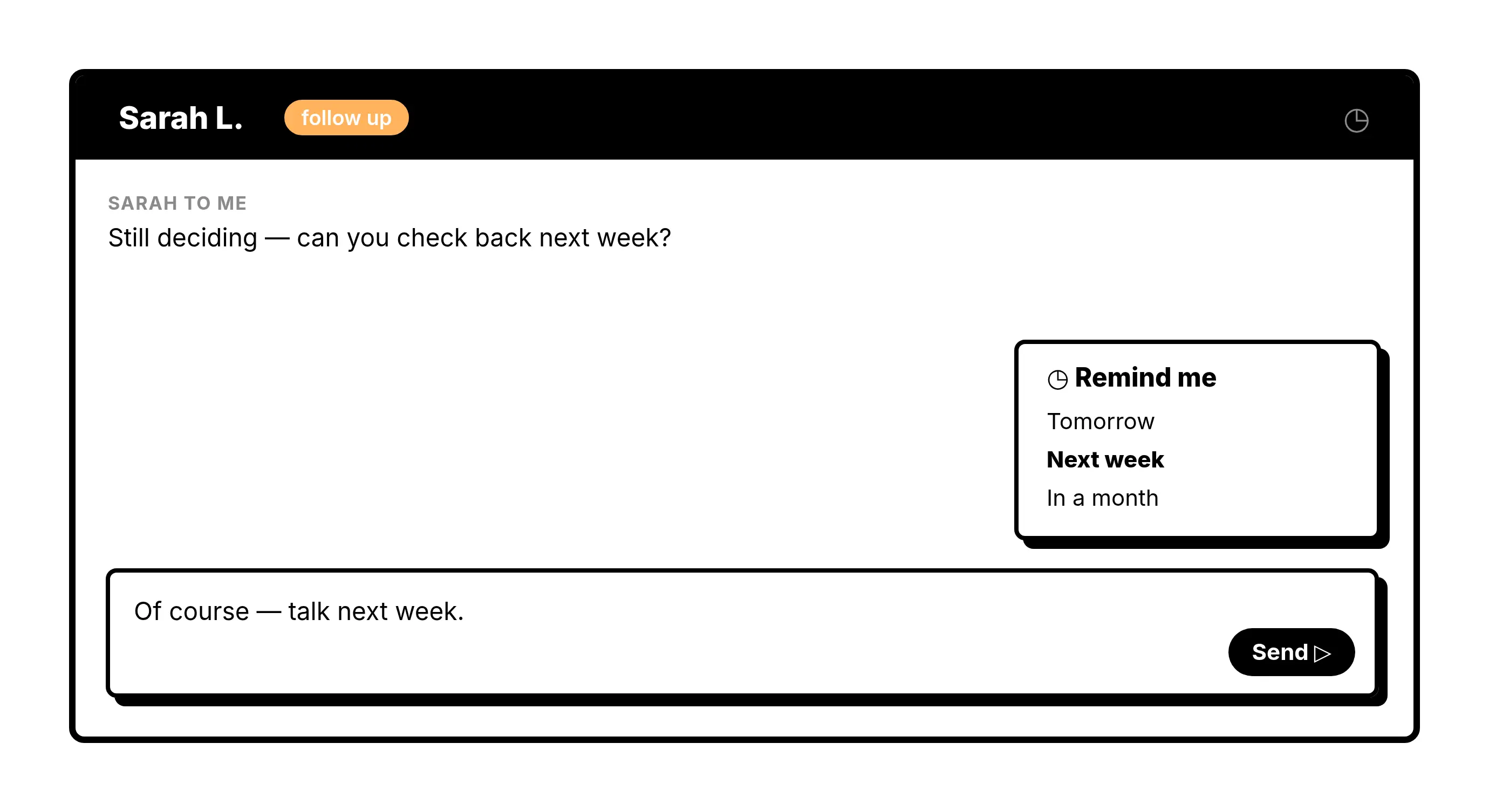
Reminders
Never Miss a Follow-Up
Snooze any WhatsApp Business conversation and it resurfaces at the top of your inbox exactly when you need it. Build a reliable follow-up cadence without external tools.
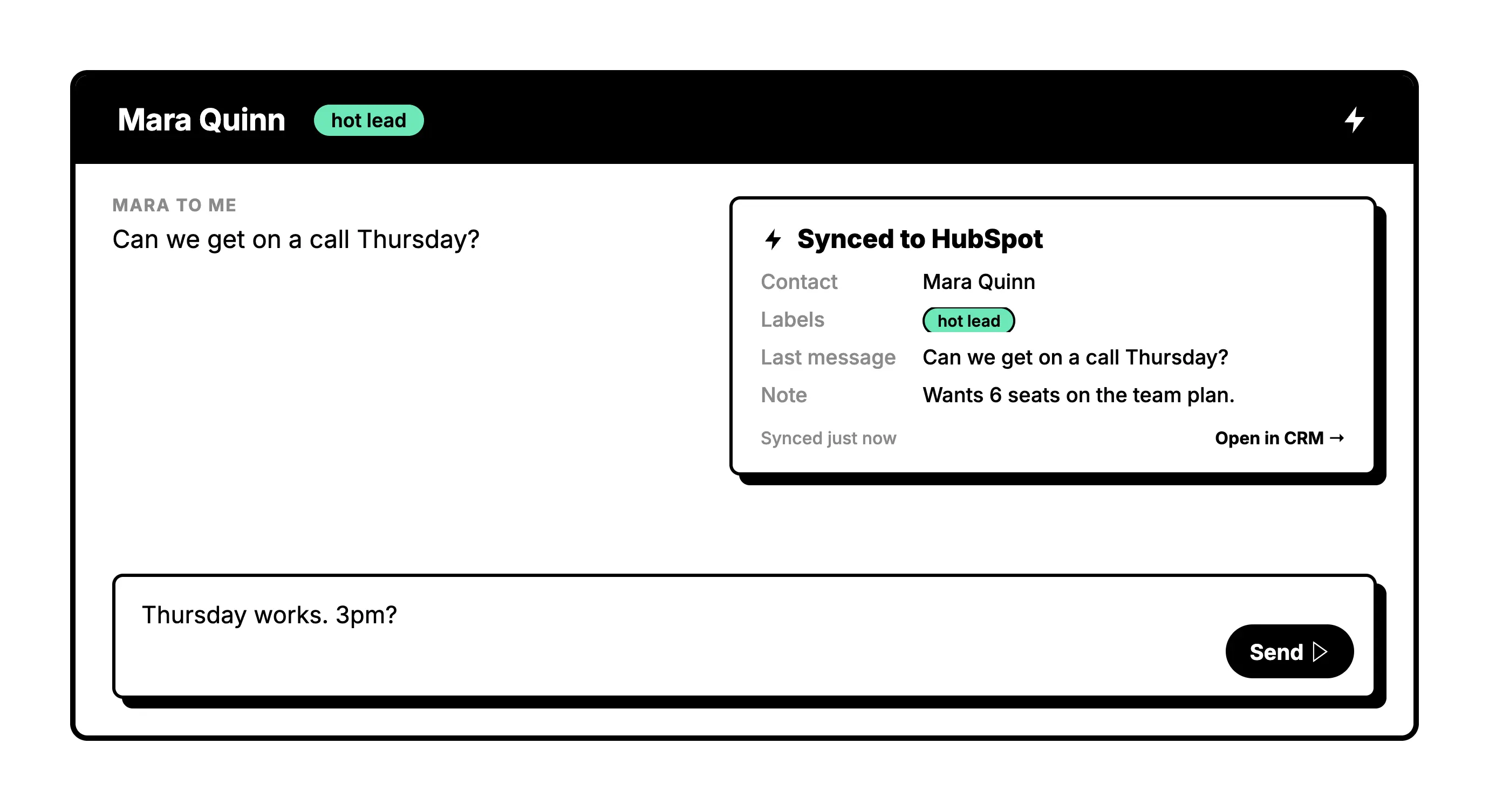
CRM Sync
Sync Chats to Your CRM
Push WhatsApp conversation data directly to HubSpot, Salesforce, Notion, or Google Sheets. Full visibility into customer interactions without manual data entry.
Give Your AI Access to Your WhatsApp Inbox
Let Claude, ChatGPT, or Cursor triage your WhatsApp inbox. Your agent reads messages on your computer, can draft replies, add labels, and set reminders.
Explore the WhatsApp MCP serverlist_chats “pricing”6 foundread_chat× 6set_chat_draft× 6set_chat_label “Hot”× 6
What people say
Give your WhatsApp Business inbox a system
Download Kondo Desktop and pair it with the account you already use.
Requires macOS 13.3 or later, Windows 10 or later, or Linux on x86_64, and a Kondo subscription.
Less Chaos. More Conversations. More Customers.
3x
Faster inbox triage
0
Follow-ups forgotten
1
Unified inbox for all
FAQs
Can multiple agents manage the same WhatsApp Business inbox in Kondo?
Yes, as long as your team shares one WhatsApp number. Each agent links that number to Kondo Desktop on their own computer. With labels and split inboxes, each agent can focus on their assigned conversations, reducing overlap and ensuring every customer message is handled by the right person.
How does Kondo help prevent duplicate replies on WhatsApp?
By labelling conversations and splitting them into dedicated inboxes, Kondo gives each team member a clear view of which WhatsApp chats they own. This structure eliminates the ambiguity that causes duplicate responses and miscommunication across agents.
Does Kondo sync WhatsApp Business conversations to a CRM?
Yes. On the Business tier, Kondo integrates with HubSpot, Salesforce, Google Sheets, Notion, and more via native integrations, webhooks, Zapier, or Make.com. Conversation data is logged, removing the need for manual copy-pasting.
Is Kondo safe to use with my WhatsApp Business account?
Kondo is built as a native desktop app and is designed to keep your account safe. It does not scrape data, inject unauthorized code, or automate prohibited actions, so your WhatsApp Business account stays protected while your team works faster.
What types of businesses benefit most from a WhatsApp Business inbox management tool?
Sales teams, customer support teams, and operations leads at small to mid-sized businesses benefit most. If your team is managing high volumes of WhatsApp customer conversations and struggling with missed messages or unclear ownership, Kondo is built for that workflow.