Integrations
HubSpot
Overview
The Kondo <> HubSpot integration allows you to
- Sync DMs to the contact activity feed as LinkedIn Message objects
- Sync fields from Kondo such as labels, notes, and URL to HubSpot contact properties
- Add links to HubSpot and other HubSpot fields to the Kondo side panel
Configuration
- To connect Kondo to HubSpot, go to Settings -> Integrations -> HubSpot or click this link to connect and authenticate with a HubSpot admin account
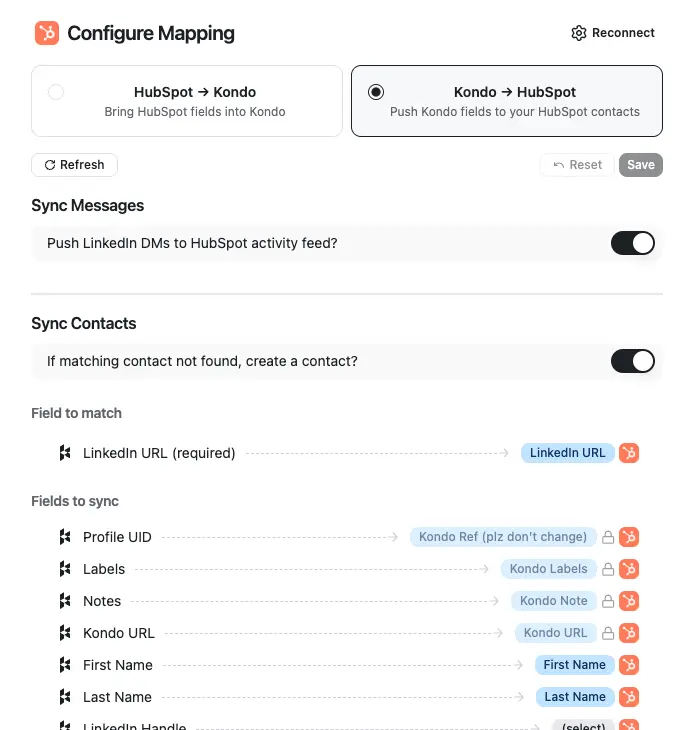
- Configure mapping for Kondo -> HubSpot
- Toggle 'Enable sync to HubSpot' to turn the sync on.
- We map records in Kondo to HubSpot records by using the contact's Profile URL as an identifier.
- Toggle 'Create contacts if not found' if you want new Contacts to be created if one with a matching Profile URL is not found.
- Toggle 'Sync messages' if you want to add DMs to the activity feed. If you leave this toggled off, only fields will sync.
- Note on message syncing:
- New messages sent or received while Kondo is open will sync to a LinkedIn message object in the HubSpot activity feed. If you leave Kondo and return later, only the latest / newest message will sync
- In addition, Kondo will create a Note in the HubSpot contact record with the entire chat history. This note will update automatically whenever you step into a chat in Kondo
- Note on message syncing:
- Set 'Sync frequency'
- Auto-sync labeled — only chats with at least one Kondo label sync automatically; unlabelled chats never sync
- Auto-sync all — every chat syncs automatically
- Manual only — sync runs only when you click ⚡ Sync chat history on a chat
- Edit optional field mapping below if you want to map other Kondo properties to your own HubSpot custom fields
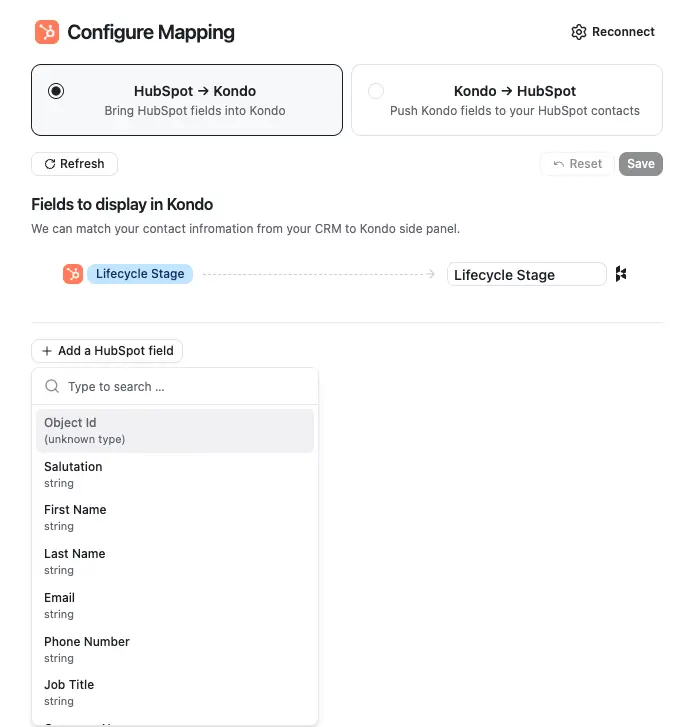
- Configure fields to pull from HubSpot -> Kondo
- Kondo will display a link to the matching HubSpot contact in the right side panel by default. You can optionally add additional fields to pull from HubSpot contact records into the Kondo side panel.