Integrations
Make
Webhooks require a Business plan to be enabled
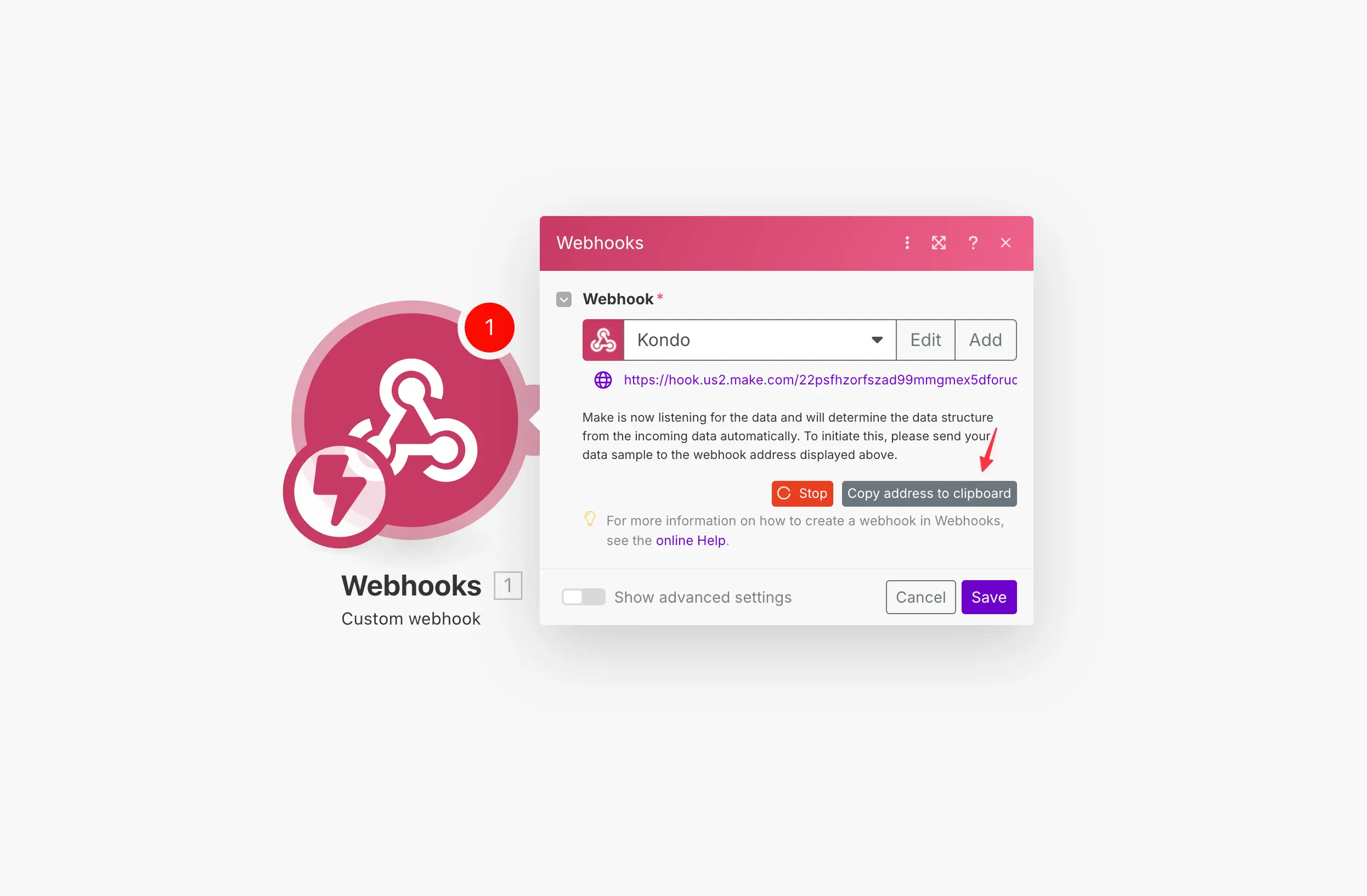
Step 1: Create a Custom Webhook trigger in Make and copy the URL
Step 2: Paste the URL in Kondo
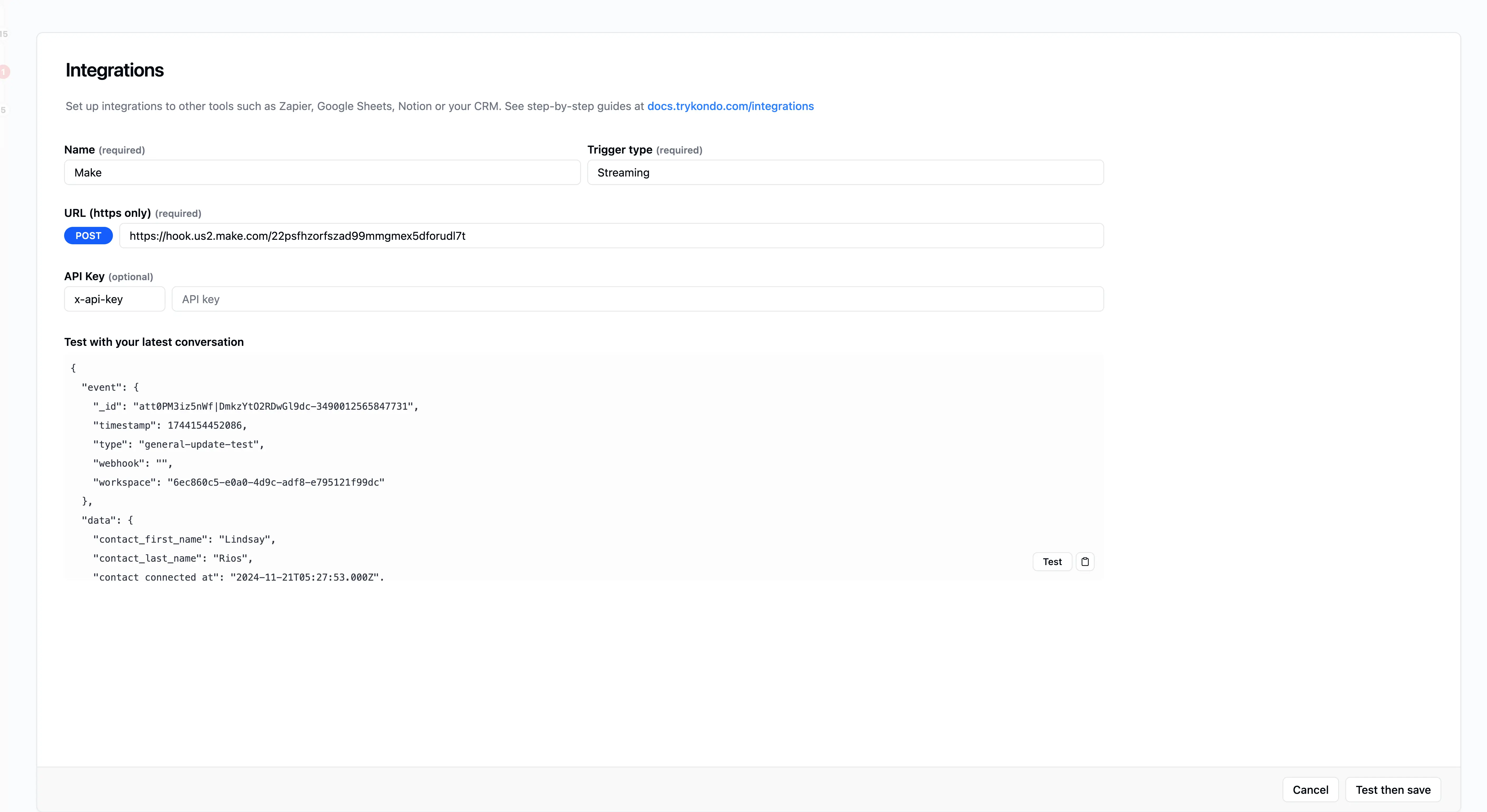
Go to app.trykondo.com/integrations/new or click the ⚡ Integrations button in the bottom right menu in the app and paste in the URL, then click "Test then save"
Step 3: Check Make for the test event
Go back to Make and click 'find new records', then use the test payload to continue your workflow