Docs
Contact
Get started
LinkedIn Inbox ManagementKondo Desktop
Getting started
Start here 👀Inbox ZeroCommand KKeyboard shortcutsSales Navigator
Access
Install the browser appSharing accessMultiple accountsPause subscriptionSSOChange login emailReset Kondo
Connections
New connectionsCustom feed
Inbox management
ArchiveRemindersLabels🧹 Clean up my inbox
Sending messages
SnippetsVoice notes
Team
Invite to teamSnippetsIntegrationsAnalytics
Integrations
OverviewAttioClarifyClayGoogle SheetsHubSpotMakeNotionSalesforceWebhooksZapier
LinkedIn MCP Server
Kondo's LinkedIn MCP server for Claude Code, Codex & other AI agents
Troubleshooting
TroubleshootingVoice notes, video, or media uploads won't sendChats stuck in a pending stateRemove a duplicate Kondo extensionSales Navigator chats not loading

Changing label icons

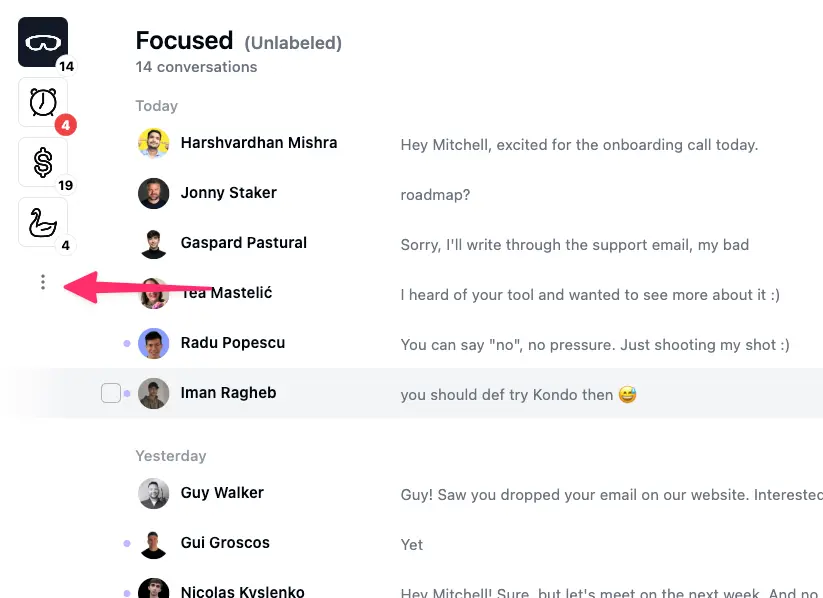
You can change the appearance and color of labels in the organize tabs menu. Open the menu with the "..." on the left
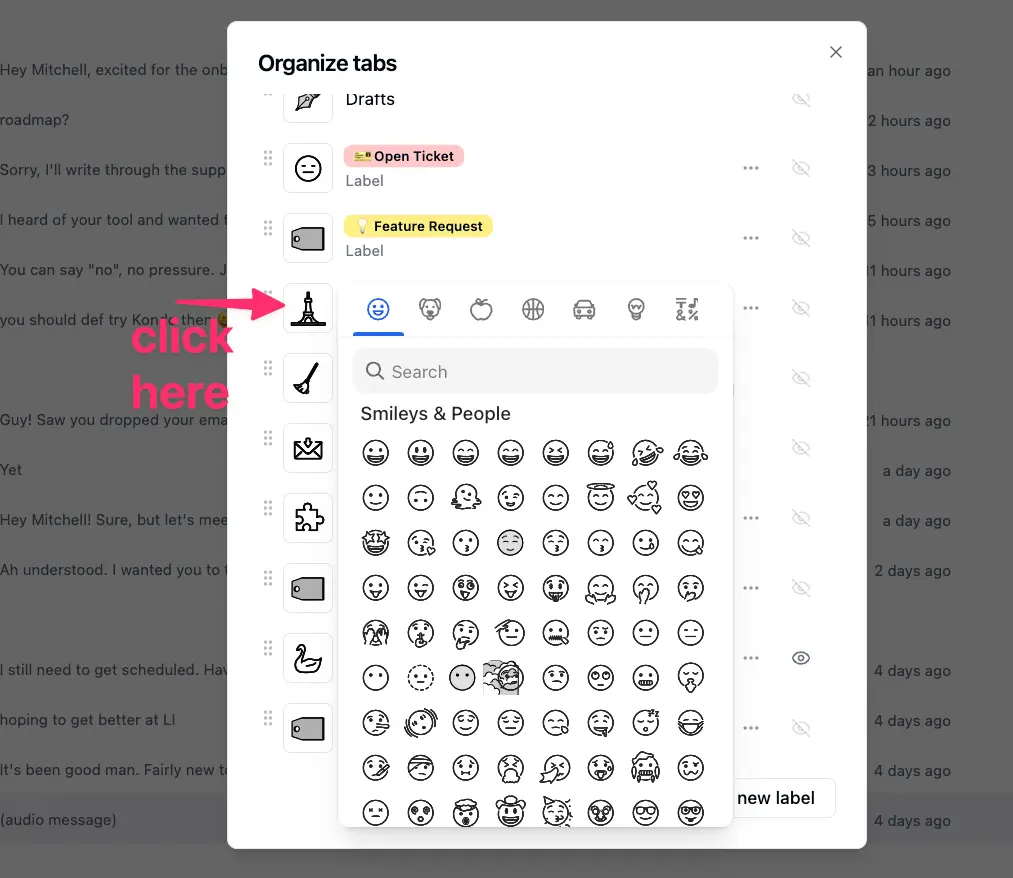
Then click the icon pictures to pick a better one
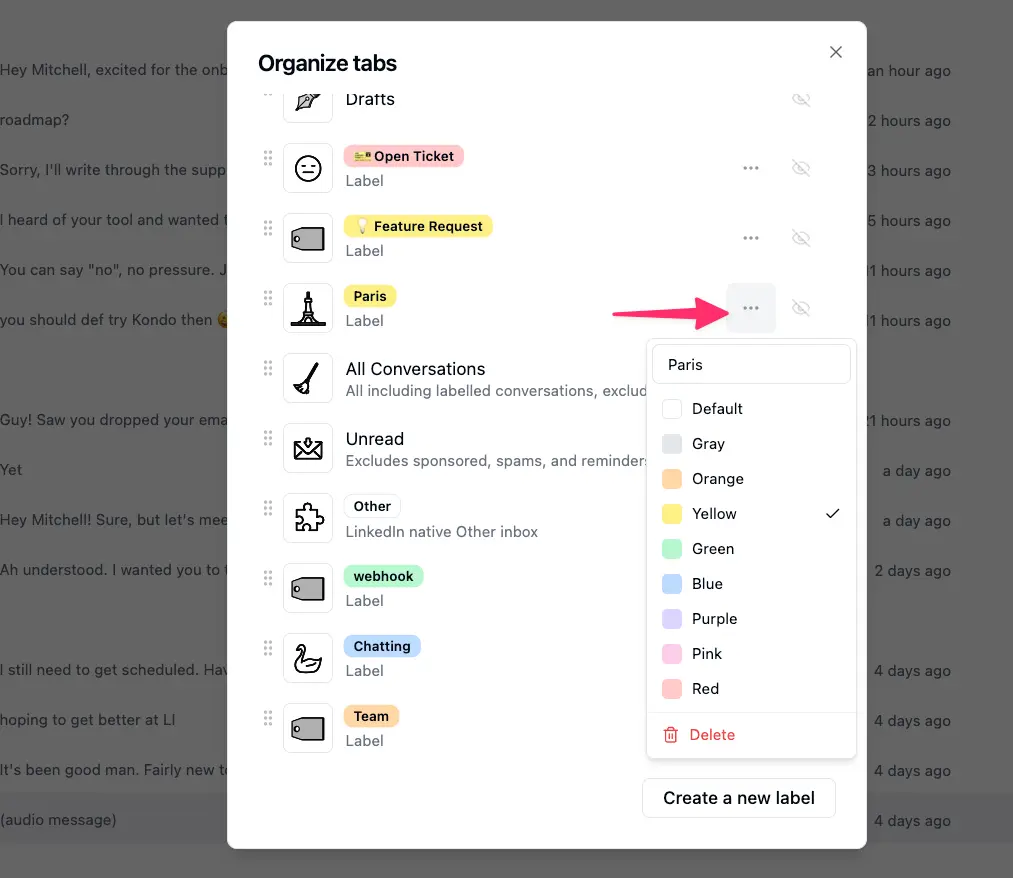
You can change the tab colors on the right
The pro DM inbox for you and your AI agents.

Platforms

  • WhatsApp
  • LinkedIn
  • iMessage
  • Telegram
  • Instagram
  • Signal
  • X
  • Facebook Messenger

Product

  • Download
  • MCP
  • Pricing

Resources

  • Docs
  • Blog

More

  • Contact
  • Privacy
  • Terms
Solutions

LinkedIn Solutions

  • Candidate CRM
  • LinkedIn CRM Sync
  • LinkedIn Inbox Management
  • LinkedIn Messaging Tool
  • LinkedIn Prospecting Tool
  • LinkedIn Recruiter Tool
  • Mass Message on LinkedIn
  • Sales Automation Tool
  • Sales Navigator Tool

WhatsApp Solutions

  • WhatsApp Inbox Management
  • WhatsApp Follow-up
  • WhatsApp Web Alternative