6 Best Apps to Manage WhatsApp Notifications for Important Messages
Published On November 13, 2026
Summary
- WhatsApp’s free custom notifications break through Do Not Disturb for specific chats, but only after that notification category is also allowed at the device level.
- On Android, BuzzKill (~$4 one-time) adds phrase-level keyword filtering for muted group chats, with no internet permission or data collection.
- Notification Booster is a free Android alternative with DND override, but it requires broad notification access and can log the last 50 notifications.
- Kondo (~$12/unlimited per month) is the only app here that keeps working after the notification disappears: reminders resurface the chat at the hour you choose, with labels and split inboxes to sort client conversations from personal ones.
- iOS lacks third-party notification-content filtering; use Focus modes and test WhatsApp's contact allow-list.
- For teams that would rather have an assistant read the inbox than filter it themselves, the WhatsApp MCP server connects the user's own session to Claude or any other MCP client.
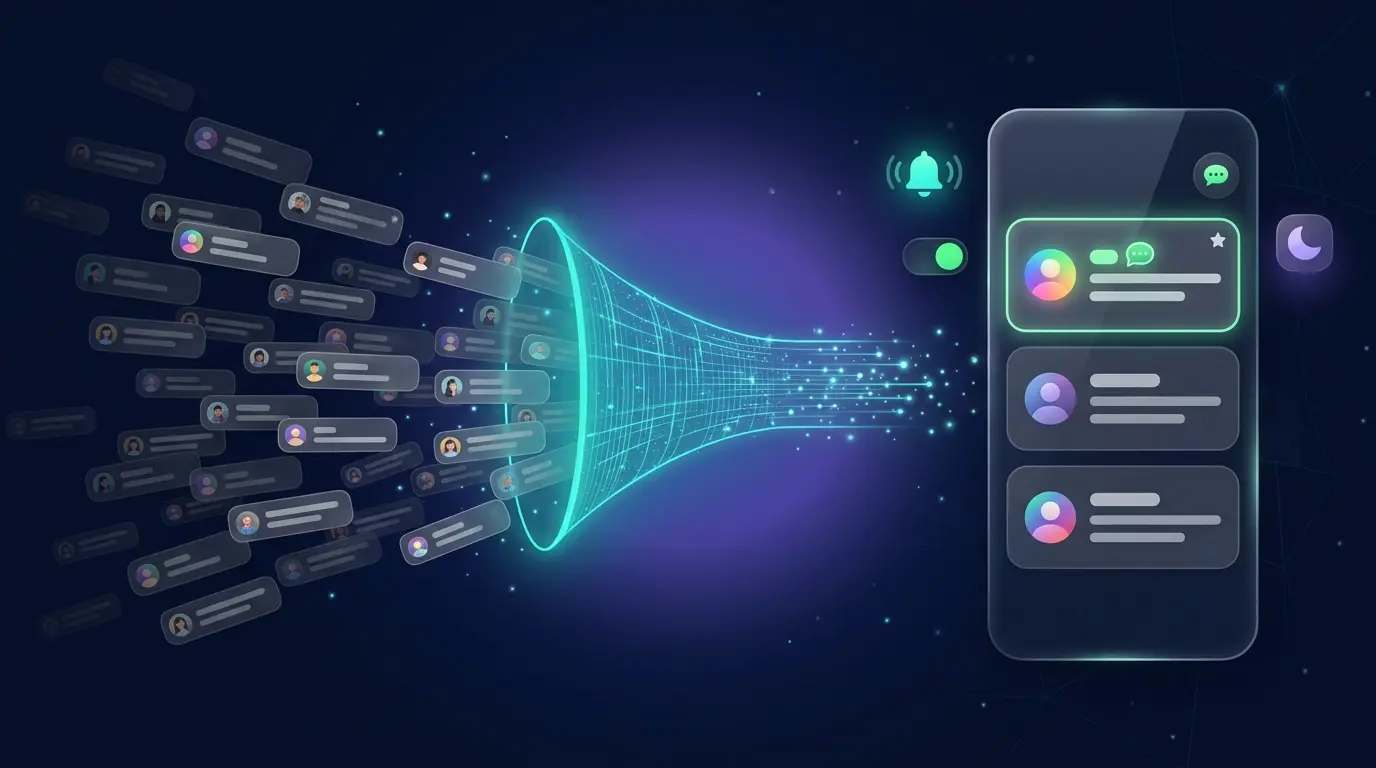
WhatsApp groups generate a constant stream of noise. For users who must silence the chatter while still receiving messages from a son, a sister, or a parent in an emergency, the default notification settings fall well short. The problem is not silencing WhatsApp entirely; it is filtering it so that only the messages that matter break through.
That requires a layered approach, because "don't miss it" is two problems, not one. The first is interruption: a message needs to break through silence while it is still on screen. The second is memory: a message you saw, meant to answer, and then lost under a day of group chat. Notification filters solve the first. Only the second problem is where most important messages actually go missing.
The list below is ordered along that line. WhatsApp's free built-in tools come first, then Kondo for the conversations that survive past the notification, then the Android programs that filter and automate interrupts, then Apple's own tools for iPhone users.
1. WhatsApp Custom Notifications (Free, Android and iOS)
The controls already inside WhatsApp come before any installation. The app allows custom notification settings at the individual chat level, and this is more powerful than it first appears.
According to WhatsApp's official help centre, turning on a custom notification for a single chat creates a new device-level notification category. That category can then be configured in the device's system settings to bypass Do Not Disturb, which means a message from a specific contact can ring through even when the phone is fully silenced.
How to set it up:
- Open the WhatsApp chat you want to prioritise.
- Tap the contact or group name at the top of the screen.
- Select "Custom notifications."
- Check the "Use custom notifications" box.
- Assign a unique ringtone, vibration pattern, or notification light colour.
One critical constraint applies. WhatsApp's own documentation states that device-level settings always take precedence. If WhatsApp or all messages are silenced at the system level in the phone's Settings app, changes made inside WhatsApp do not override that. The custom notification category only works when it is also configured to break through at the device level.
This method costs nothing and requires no additional permissions. For users who need a handful of contacts to ring through while everything else stays silent, it is the right starting point.
2. Kondo (Mac, Windows and Linux, from $12/month)
Every entry above and below this one ends when the notification ends. If you saw the message, meant to reply after lunch, and then lost it under a day of group chat, a filter cannot help you, because there is nothing left to filter.
Kondo is the pro DM inbox for WhatsApp and iMessage, and it is the only app on this list that handles that second problem. It runs as a desktop app through your own existing WhatsApp session, so there is no second number, no Business API, and no per-message fee.
How the reminders work: any WhatsApp chat can be snoozed with a shortcut (H). The chat leaves your inbox and comes back at the top at the time you pick — later today, tomorrow, next week, or a custom date. If the other person replies first, the reminder cancels itself, because there is no longer anything to remember.
That difference matters more than it sounds. Android's rule engines can re-alert you about a notification that is still sitting in the shade. Kondo re-surfaces the conversation — with the message history attached — which is what you need to actually reply three days later.
The rest of the inbox is built for the same job: labels like Client or Hot Lead open as their own filtered inboxes so personal group chats stop competing with the contact who is ready to sign, incoming voice notes are transcribed to text, and CRM sync pushes the conversations you choose into HubSpot, Salesforce or Google Sheets. Message content stays on your own computer; the only outside service that sees it is the AI provider you choose to connect.
Where it falls short for this audience: it is a desktop app for Mac, Windows and Linux. It does not intercept or retrigger Android notifications, and it will not make your phone buzz louder. If your problem is a phone that stays silent during an emergency, entries 3 through 6 are the right tools. Kondo is for the reader whose phone is already quiet and whose inbox is still losing messages.
3. BuzzKill (Android, ~$4 one-time)
For Android users who need more than per-contact alerts, specifically keyword filtering inside muted group chats, BuzzKill is the most capable and privacy-clean option in this comparison.
BuzzKill operates through Android's Notification Listener API. It reads incoming notifications and applies rules defined by the user. A rule can trigger a custom alert sound or vibration when a message arrives from a specific contact, or when a message in any chat contains a phrase such as "urgent," "payment," or "invoice." Phrase-level keyword matching is the feature that sets it apart from WhatsApp's native tools, and it extends to experimental conditions such as "Is urgent."
Rules can also dismiss unwanted notifications, create reminder loops, or snooze alerts. The combination of contact-based and content-based triggers means businesses and freelancers can filter a muted project group for client messages without surfacing every other conversation in that group.
A reviewer at MakeUseOf described it as the best-value fix for notification flooding after paying the one-time $4 fee to manage WhatsApp notifications this way.
Privacy posture: BuzzKill collects no data, carries no ads, and has no internet permission. The Google Play Data safety section confirms no data is collected or shared. The developer does not offer a free trial, citing the app's lack of internet access as the reason, but provides refunds on request.
Known limitation: Some rules do not execute if another rule has already been applied to the same notification, and users cannot manually sequence rule priority. For complex rule sets, this is a genuine trade-off to plan around.
4. Notification Booster (Android, Free with In-App Purchases)
Notification Booster is the free entry point for keyword-based filtering on Android. It is explicitly engineered to override Do Not Disturb and muted states, triggering a beep, flashlight, vibration, or screen wake when a matched notification arrives.
Keyword configuration is profile-based. In "Profile Settings > Match Keywords," users enter one keyword per line. When an incoming notification's title or content matches a listed word, it is "boosted" with the alert type configured for that profile. Multiple profiles can be created to handle different contexts.
The permission trade-off is significant. To function, Notification Booster requires the "Read Notifications" permission. The developer's own FAQ describes this as a "dangerous" permission because it allows the app to read the content of every notification on the device. The developer states that no data leaves the device and there are no ads or analytics, but the diagnostic log export can contain the last 50 notifications received, which may include personal information.
Reliability requires active configuration. Android's battery optimisation can stop the background service unless the following steps are completed:
- Disable battery optimisation for the app.
- Grant autostart permission.
- Enable a persistent notification to keep the service running.
Without these settings, the app can fail silently. For users who prefer a free tool and are comfortable with the permission scope, Notification Booster delivers genuine DND override capability. For users who handle sensitive communications, BuzzKill's privacy model is the stronger choice.
5. MacroDroid (Android, Free Tier and Paid Pro)
MacroDroid is an automation platform rather than a dedicated notification manager, and it belongs on this list because it handles cases that purpose-built apps do not.
A MacroDroid "macro" follows an IF/THEN structure. For WhatsApp notification filtering, a macro might read: IF a notification is received from WhatsApp AND the content contains "emergency," THEN play a specific sound at maximum volume. Triggers, conditions, and actions can be layered to a degree that BuzzKill and Notification Booster do not support.
The interface is considerably more approachable than Tasker, the reference point for Android automation. Setup still takes more time than a dedicated notification app, but the logic is presented visually and does not require scripting. A free tier exists with a limit on the number of macros; the Pro version removes that limit.
MacroDroid suits Android users who want to manage WhatsApp notifications as part of a broader automation system, or who have a requirement too specific for a rules engine with fixed options.
6. iOS Focus Modes and Scheduled Summary (iOS, Free)
iOS does not have an equivalent of Android's Notification Listener API. Third-party apps cannot read notification content for filtering purposes, which is why BuzzKill and Notification Booster do not exist on iPhone. The tools available are Apple's own.
Focus modes, available in Settings > Focus, let users define which apps and contacts are permitted to send notifications during a given Focus period. All other notifications are collected silently in Notification Centre. A "Work" Focus might allow only specific messaging apps; a "Sleep" Focus might allow only starred family contacts. Scheduled Summary, in Settings > Notifications, batches non-urgent notifications into set delivery times, so lower-priority WhatsApp chats arrive in a single digest rather than trickling through the day.
A practical limitation applies to WhatsApp specifically. WhatsApp does not fully implement Apple's Focus filter API. In practice, the contact allow-list inside a Focus mode often defaults to an all-or-nothing permission for the WhatsApp app rather than filtering by individual contact within it. Businesses relying on iOS Focus modes to manage WhatsApp notifications at the contact level should test this before depending on it.
For iPhone 15 Pro and iPhone 16 and newer, Apple has added two features that address this gap partially:
- Prioritise Notifications: A per-app setting that uses on-device learning to surface notifications the system determines are more relevant to a given user.
- Intelligent Breakthrough and Silencing: A Focus feature that scans notification content to decide whether a message is urgent enough to deliver immediately, even during an active Focus.
These features are automatic rather than rule-based. They do not offer the explicit keyword matching available on Android, and they are limited to the newest hardware.
If You Want an AI Assistant to Take the First Pass
The other option is to hand over the inbox rather than the notifications. Kondo exposes the user's WhatsApp session as an MCP server, which lets an MCP client such as Claude read conversations, search history, draft replies, and set reminders from inside tools already in use.
The trade-off differs from that of a notification filter and is worth naming. A filtering app asks for visibility into everything the device displays; an MCP connection asks the user to trust a model with the messages themselves. Both require deliberate scoping. Kondo keeps message data on the local machine, sends only what the assistant actually requests to the model provider the user chooses, and never automates sending. For the fuller safety picture, read how Kondo keeps your account safe.
Comparison at a Glance
| WhatsApp Custom Notifications | Kondo | BuzzKill | Notification Booster | MacroDroid | iOS Focus Modes
Platform | Android and iOS | Mac, Windows, Linux | Android only | Android only | Android only | iOS only
Price | Free | From $12/month | ~$4 one-time | Free with in-app purchases | Free tier, paid Pro | Free
DND Breakthrough | Yes, via notification category | No, not a notification tool | Yes, via custom alert | Yes, explicitly overrides DND | Yes, configurable | Yes, for allowed contacts and apps
Keyword Filtering | No | No | Yes, phrase-level rules | Yes, keyword list per profile | Yes, highly customisable | No (AI-assisted on newest hardware only)
Reminders after the notification is gone | No | Yes, snooze a chat and it returns when due | Re-alert loops only | No | Yes, via macros | No
Labels and filtered inboxes | No | Yes, a filtered inbox per label | No | No | No | No
Key Permission Required | None | Your existing WhatsApp session | Notification Listener | Notification Listener ("dangerous") and DND access | Notification Listener | None
Privacy Impact | Low | Low - messages stay on your computer | Low - no internet permission; developer declares no data collected | High - reads all notifications; diagnostic logs may contain personal data | Moderate | Low
The Permission Trade-Off
Every app that filters notification content must first read that content. That is the fundamental constraint of the category.
BuzzKill and Notification Booster both require Notification Listener access, which grants the app visibility into every notification on the device, not just WhatsApp. The difference lies in what each app does with that access. BuzzKill has no internet permission and, per its developer's Play Store declaration, collects no data. Notification Booster says it processes data on-device, but its diagnostic log export can include the last 50 notifications received across all apps.
A tool that reads every notification on the device is the real cost of keyword filtering. That cost is worth naming before granting the permission.
Where to Start
The recommended sequence for most users:
- Set WhatsApp custom notifications for your most important contacts. This is free, requires no additional permissions, and solves the per-contact problem immediately.
- If you already keep WhatsApp quiet and still lose messages, the fix is not another filter. Work from a desktop inbox that lets you snooze a chat and bring it back — Kondo is built for that, on WhatsApp and iMessage at once.
- If you need keyword filtering in muted group chats on Android, invest the ~$4 in BuzzKill. It delivers phrase-level rules with the strongest privacy posture in the category.
- If cost is the constraint on Android, Notification Booster provides genuine DND override and keyword matching for free, but requires careful setup and a clear-eyed assessment of its permission scope.
- For complex, context-dependent rules on Android, MacroDroid handles automation that dedicated notification apps cannot.
- On iOS, configure Focus modes, test the WhatsApp contact allow-list behaviour on your specific device, and use Prioritise Notifications if your hardware supports it.
- If filtering stops being enough, connect an assistant through the WhatsApp MCP server and let it handle the first pass instead of you.
The goal of each layer is the same: to manage WhatsApp notifications so that the messages that require a response reach you, and everything else waits.
Frequently Asked Questions
How do I get WhatsApp notifications through Do Not Disturb?
Open the chat, tap the contact or group name, choose Custom notifications, and enable them. Then go to your phone's system settings and allow that notification category to bypass Do Not Disturb. WhatsApp settings alone cannot override DND; device-level settings take precedence.
Can I filter WhatsApp group messages by keyword?
Not in WhatsApp itself. On Android, BuzzKill, Notification Booster and MacroDroid can read notifications and alert the user when a muted chat contains words like “urgent” or “invoice.” On iPhone, third-party apps cannot read notification content, so use Focus modes and Apple's newer priority features instead.
Do WhatsApp custom notifications work for one person in a group?
No. WhatsApp custom notifications apply to the whole chat, not to an individual member inside a group. To be alerted when one person posts in a muted group on Android, use a keyword-filtering app that matches their name or message text. iOS does not offer equivalent third-party filtering.
What is the difference between a WhatsApp notification reminder and a chat reminder?
A notification reminder re-alerts you about a notification that is still sitting in your notification shade, which is what BuzzKill's reminder loops and MacroDroid's macros do. A chat reminder snoozes the conversation itself and brings it back to the top of an inbox at the time you choose, with the full message history attached. The second kind is what lets you answer three days later, and on this list only Kondo (and MacroDroid, via a macro) offers it.
What is the best app to filter WhatsApp notifications on Android?
For most people, BuzzKill is the best Android choice: it offers phrase-level rules and collects no data. Notification Booster is a free alternative with broader permission trade-offs. MacroDroid suits users who need complex, IF/THEN automation beyond notification filtering.
Why is there no BuzzKill equivalent for iPhone?
Apple does not let third-party apps read notification content, so apps like BuzzKill cannot filter WhatsApp messages on iPhone. Use Focus modes to allow specific apps or contacts, and on iPhone 15 Pro and iPhone 16 or newer, enable Prioritise Notifications and Intelligent Breakthrough where available.
Is it safe to give a notification app access to my WhatsApp messages?
These apps can read every notification on the device. Prefer tools with no internet permission and no data collection, such as BuzzKill. Notification Booster says it processes data on-device, but its diagnostic log can include the last 50 notifications received, so review that risk before granting access.
Can an AI assistant read and answer my WhatsApp messages?
Yes, if it is connected to the user's own session rather than to WhatsApp's servers. The WhatsApp MCP server lets an MCP client such as Claude read conversations, search history, draft replies, and set reminders, while message data stays on the local computer and nothing is sent without the user. That is a heavier permission decision than a notification filter, so scope it deliberately.