
LinkedIn Sales Tool That Prevents Missed Opportunities
Organize DMs, set reminders, and sync to CRM so your sales team never loses a hot lead again
What people say
LinkedIn DM Chaos
Your sales team is drowning in unorganized LinkedIn messages, missing opportunities and delaying responses.
Buried Hot Leads
Critical lead messages get lost under networking chats and notifications, resulting in missed opportunities.
Follow-up Failures
Without a system for tracking conversations, sales reps forget to follow up with promising prospects at the right time.
CRM Disconnect
LinkedIn conversations stay isolated from your CRM, creating blind spots in your sales pipeline and extra manual work.
Transform LinkedIn into a Sales Conversion Machine
Kondo brings 'Superhuman for LinkedIn' productivity with features designed specifically for sales teams focused on LinkedIn outreach.
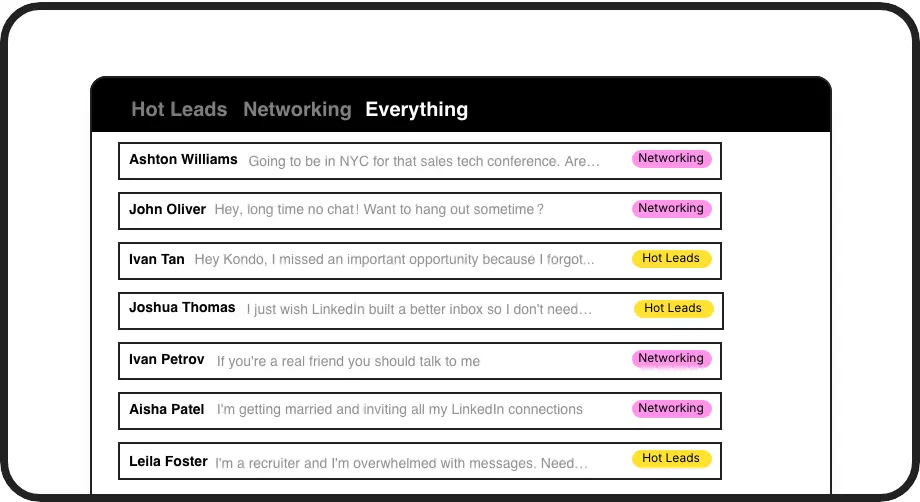
Organize Sales Pipeline
Label leads as Hot, Warm, or Client and view them in separate inboxes. Prioritize your most promising opportunities without hunting through a cluttered inbox.

Never Miss Follow-ups
Set follow-up reminders with one keystroke. Conversations reappear at the top of your inbox exactly when needed, ensuring perfect timing for closing deals.
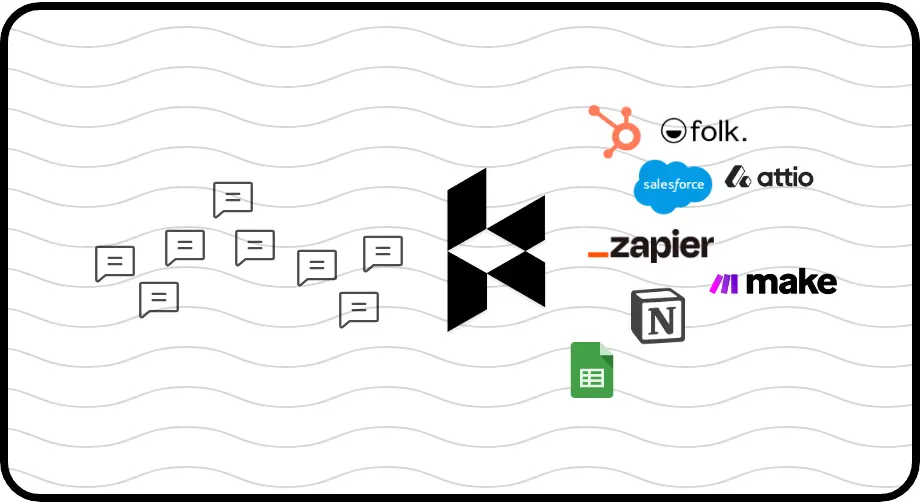
Automate CRM Updates
Sync LinkedIn conversations directly to HubSpot, Salesforce, or other systems. Eliminate manual data entry and maintain complete visibility of sales activities.
LinkedIn left your inbox in 2000. Bring it into 2026.
Get the upgrade every power user's been waiting decades for.


More Leads, Less Work, Better Results
85%
Fewer missed opportunities
2x
Faster response time
5hrs
Saved weekly per rep
FAQs
How does Kondo help sales teams organize LinkedIn messages?
Kondo lets sales teams apply custom labels (like Hot Lead, Prospect, Client) to LinkedIn conversations and view them in separate inboxes. This prevents important messages from getting buried and ensures your team focuses on high-priority leads first.
Can Kondo integrate with our existing CRM system?
Yes, Kondo's Business Tier offers CRM integration through webhooks, Zapier, Make.com, or native integrations with systems like HubSpot, Salesforce, Notion, Google Sheets, Attio, and Clarify. You can sync either the latest message or entire conversation histories automatically.
How does the reminder feature work for sales follow-ups?
With a simple 'H' keyboard shortcut, you can set a reminder for any LinkedIn conversation. Choose preset times or custom dates. The message temporarily disappears and automatically resurfaces at the top of your inbox when it's time to follow up, ensuring no lead falls through the cracks.
Is Kondo compliant with LinkedIn's terms of service?
Yes, Kondo is designed as a native desktop application that doesn't scrape LinkedIn data, inject code, or automate prohibited actions. It works alongside LinkedIn to enhance the messaging experience while maintaining compliance with LinkedIn's terms.
How can keyboard shortcuts improve my sales team's efficiency?
Kondo offers extensive keyboard shortcuts that let your team navigate the inbox (J/K), archive messages (E), set reminders (H), apply labels (L), view profiles (I), and insert snippets (;) without touching the mouse. This dramatically speeds up message processing, allowing reps to handle more leads in less time.