
Software Sales Follow-Up That Closes More Deals
Never lose track of LinkedIn leads again with Kondo's automated reminders and organized inbox system.
What people say
LinkedIn Sales Chaos
Software sales reps lose valuable opportunities buried in messy LinkedIn inboxes every day.
Missed Follow-Ups
Important leads get buried in your LinkedIn inbox, leading to forgotten follow-ups and lost deals.
Disorganized Leads
Without proper categorization, high-value prospects blend with low-priority messages, causing prioritization chaos.
Manual Tracking
Relying on memory or external tools for follow-ups wastes time and creates gaps in your sales process.
Transform Your LinkedIn Sales Follow-Up Process
Kondo turns your chaotic LinkedIn inbox into a powerful sales tool with these essential features:
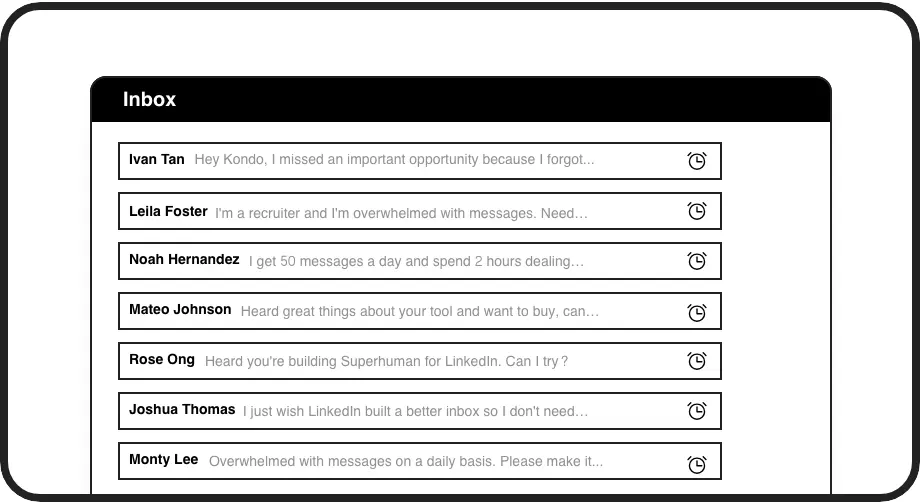
Never Miss Follow-Ups
Set precise follow-up reminders that bring conversations back to the top of your inbox exactly when needed. No more missed opportunities or manual tracking.
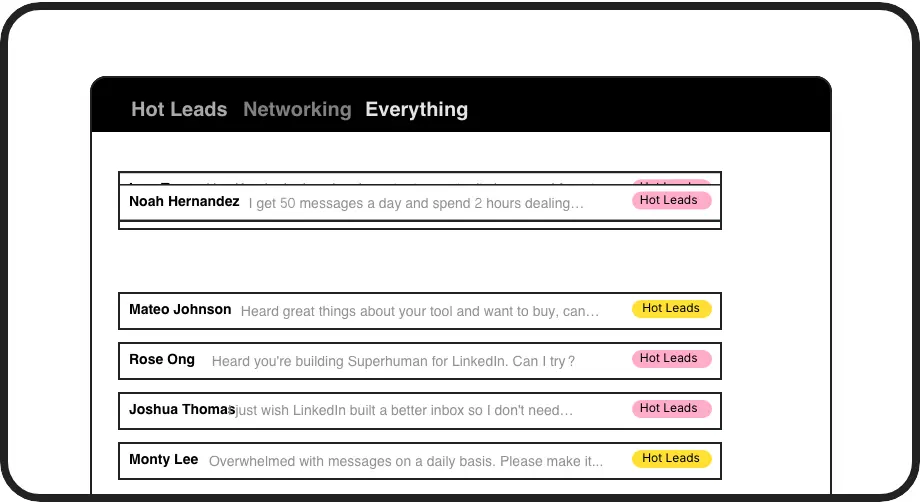
Organize Sales Leads
Label conversations as 'Hot Lead', 'Qualified', or 'Nurturing' to create separate, prioritized inboxes that ensure high-value prospects get immediate attention.
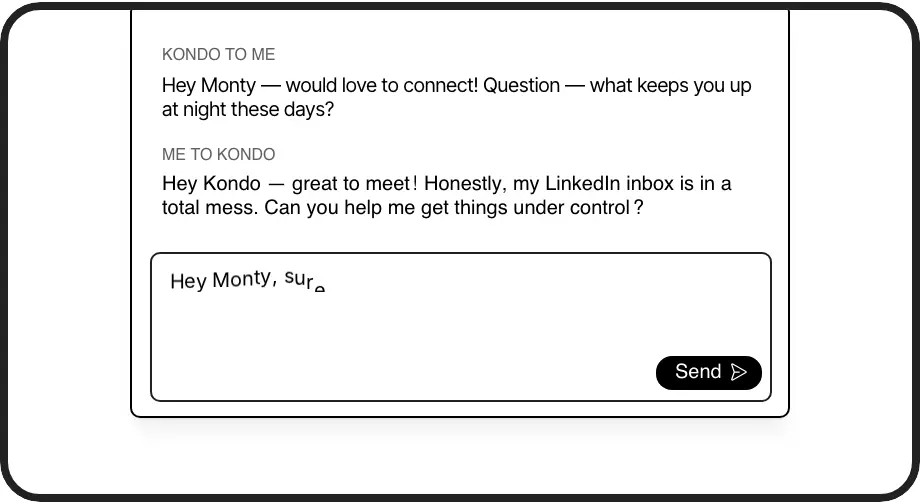
Personalized Templates
Save your winning follow-up messages as snippets with auto-fill name variables. Maintain personalization while saving time on repetitive typing.
LinkedIn left your inbox in 2000. Bring it into 2026.
Get the upgrade every power user's been waiting decades for.


Faster Replies. Better Organization. More Deals.
100%
Follow-ups completed
5x
Faster response time
8hrs
Saved weekly
FAQs
How does Kondo help with software sales follow-ups specifically?
Kondo transforms LinkedIn into a sales-optimized inbox by letting you set follow-up reminders that resurface conversations at the perfect time, organize leads with custom labels, and use templated responses for consistent follow-up. This ensures no software sales lead falls through the cracks and your follow-up process becomes systematic rather than chaotic.
Can Kondo integrate with my existing CRM system?
Yes. Kondo's Business tier offers CRM integration capabilities through webhooks, Zapier, Make.com, and native integrations with systems like HubSpot, Salesforce, Google Sheets, Notion, and others. You can sync your LinkedIn conversations, labels, and notes, either manually or automatically with streaming updates.
How much time will Kondo save in my sales follow-up process?
While results vary by user, sales professionals typically save hours each week by eliminating manual tracking, reducing context switching, and streamlining their LinkedIn workflow. Keyboard shortcuts, automated reminders, and message templates all contribute to a significantly faster and more reliable follow-up process.
Is Kondo compliant with LinkedIn's terms of service?
Yes. Kondo is a native desktop application that works alongside LinkedIn without scraping data or injecting code. It doesn't automate prohibited actions and operates within LinkedIn's terms of service, making it a safe solution for sales professionals who rely on LinkedIn.
How does the reminder feature work for sales follow-ups?
When you need to follow up with a prospect later, simply use the 'H' keyboard shortcut to set a reminder. Choose from preset times (tomorrow, 3 days, next week) or set a custom date/time. The conversation disappears until your chosen time, when it automatically reappears at the top of your inbox. If the prospect replies before then, the reminder automatically cancels.