
The Social Selling Tool for LinkedIn That Saves Deals
Stop losing leads in a chaotic inbox. Organize DMs with labels and set follow-up reminders to close more deals.
What people say
LinkedIn DM Chaos
Your valuable leads and opportunities are getting buried in your LinkedIn inbox, costing you real money.
Lost Opportunities
Important messages from hot prospects get buried under notifications and low-priority chats, resulting in missed deals.
Delayed Responses
Without a system to prioritize messages, your response time suffers, causing leads to lose interest or go to competitors.
Wasted Time
Hours spent scrolling through your inbox trying to find important conversations that need follow-up, killing your productivity.
Transform Your LinkedIn Inbox Into a Deal-Closing Machine
Kondo brings 'Superhuman for LinkedIn' efficiency to your messaging, helping you organize, prioritize, and never miss a valuable lead again.
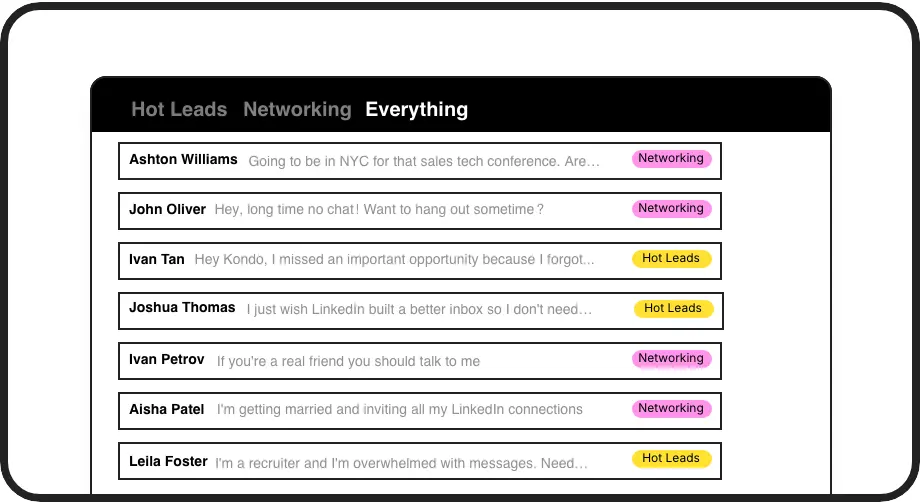
Smart Inbox Organization
Apply custom labels to sort conversations by priority, category, or status. View them in separate inboxes to focus on your hottest leads first.
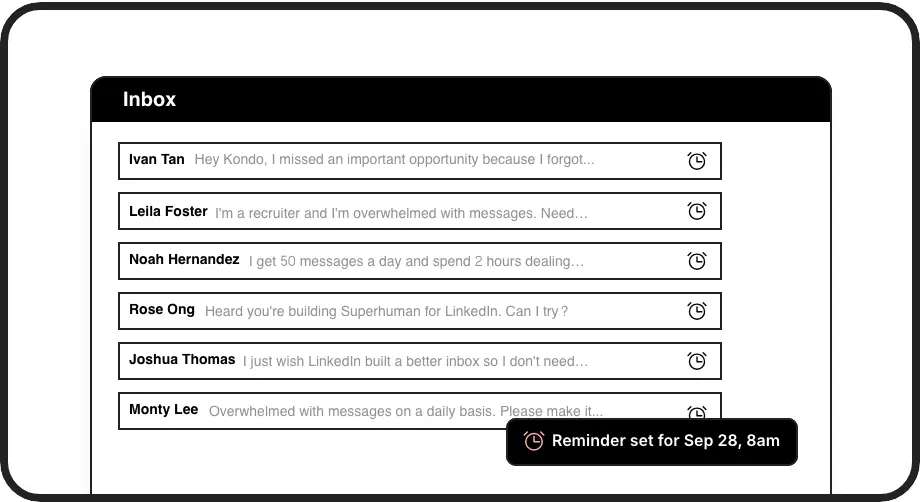
Perfect Follow-ups
Set reminders that bring important conversations back to the top of your inbox at exactly the right time. Never forget to follow up with a prospect again.
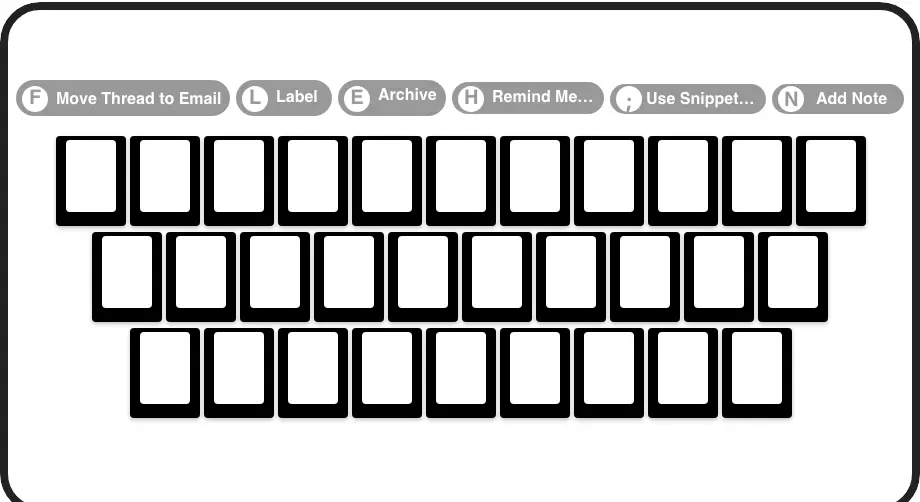
Lightning Speed
Process your LinkedIn messages in seconds with keyboard shortcuts for every action. Archive, snooze, label, and respond without touching your mouse.
LinkedIn left your inbox in 2000. Bring it into 2026.
Get the upgrade every power user's been waiting decades for.


Close More Deals, Save Time, Stay Organized
50%
less time in inbox
100%
follow-up rate
Zero
missed opportunities
FAQs
How does Kondo compare to LinkedIn's native messaging experience?
Unlike LinkedIn's basic inbox, Kondo adds organization tools like labels, reminders, and keyboard shortcuts that transform your chaotic inbox into a streamlined sales tool. It brings Superhuman-like efficiency to LinkedIn messaging, helping you prioritize conversations and never miss important leads.
Is Kondo safe to use with my LinkedIn account?
Yes, Kondo is completely safe. It's a native desktop app that doesn't scrape LinkedIn, inject code, or automate prohibited actions. Kondo respects LinkedIn's terms of service and focuses on enhancing the messaging experience without any risky practices.
Can Kondo integrate with my existing CRM system?
Yes, Kondo's Business tier offers CRM integration through webhooks, Zapier, Make.com, and native integrations with systems like HubSpot, Notion, Google Sheets, Attio, and Clarify. You can sync your LinkedIn conversation data (messages, labels, notes) either manually or automatically.
What kind of time savings can I expect using Kondo?
Users typically save hours each week by eliminating time spent scrolling through messages, manually tracking follow-ups, or copy-pasting information between systems. The combination of keyboard shortcuts, organized inboxes, and automated reminders dramatically speeds up your LinkedIn workflow.
How does the Snooze/Reminder feature work?
With a simple keyboard shortcut (H), you can set a reminder for any conversation to reappear at the top of your inbox at a specific time. Choose preset times (tomorrow, 3 days) or custom dates. The reminder cancels automatically if a new message arrives before the due time, keeping your inbox clean and your follow-ups timely.