
Send Mass LinkedIn Messages with Personalization at Scale
Use Kondo's Snippets to send unique, personalized outreach that gets responses, not spam flags.
What people say
LinkedIn Outreach Struggles
Generic mass messages get ignored while manual personalization takes too much time.
Low Response Rates
Generic templates feel spammy, leading to ignored messages and wasted outreach efforts.
Time-Consuming Process
Manually personalizing each message slows down your outreach and limits your potential reach.
Disorganized Follow-ups
Important leads get buried in your LinkedIn inbox, causing missed opportunities and lost deals.
Scale Personalized LinkedIn Outreach with Kondo
Turn your LinkedIn inbox into a high-performance outreach machine with these powerful features.
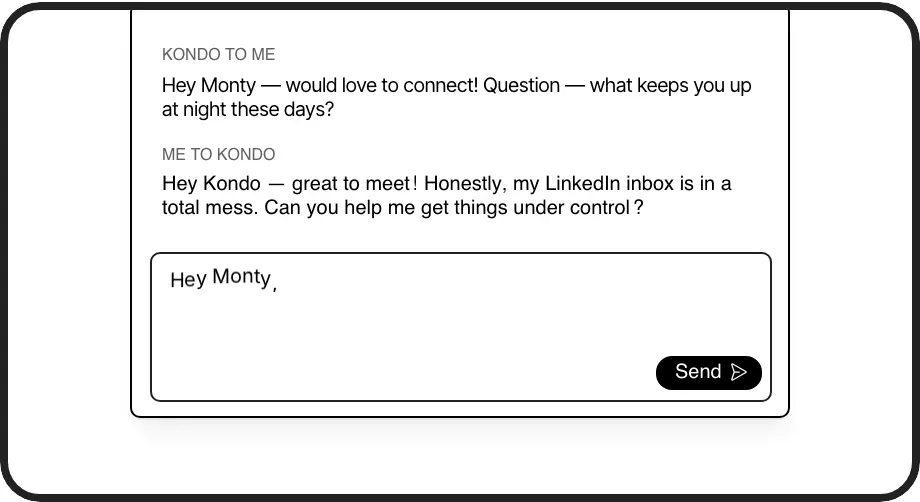
Smart Message Templates
Create reusable templates with variables like {firstName} for instant personalization. Send custom outreach in seconds, not minutes.
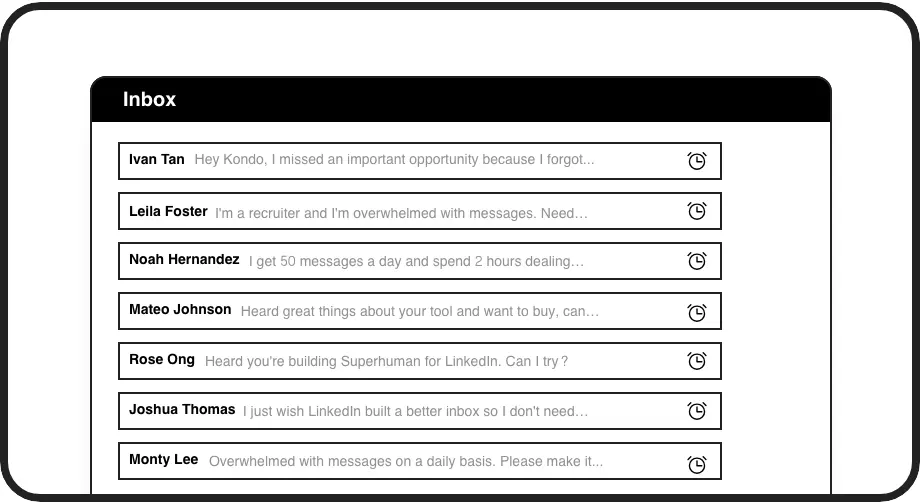
Automated Follow-ups
Schedule messages to resurface at the perfect time. Never miss a follow-up opportunity with leads who haven't responded.
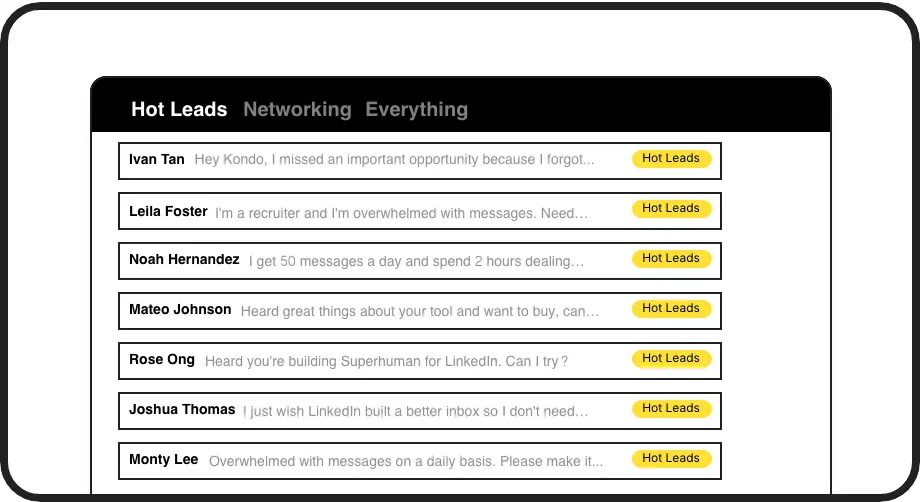
Lead Organization
Label conversations as 'Hot Lead', 'Interested', or 'Qualified' and view them in separate inboxes. Keep your sales pipeline organized and visible.
LinkedIn left your inbox in 2000. Bring it into 2026.
Get the upgrade every power user's been waiting decades for.


Send More, Personalize Better, Convert Faster
5x
Faster Message Creation
3x
Higher Response Rates
100%
Follow-up Completion
FAQs
How does Kondo help with personalized mass messaging on LinkedIn?
Kondo's Snippets feature lets you create message templates with variables like {firstName} that automatically personalize each message. This allows you to quickly send customized messages to multiple recipients while maintaining a personal touch that generates better responses.
Is using Kondo for outreach compliant with LinkedIn's terms of service?
Yes. Kondo is a desktop app that enhances your LinkedIn messaging experience without scraping data or automating prohibited actions. It helps you personalize and organize your outreach efforts while remaining fully compliant with LinkedIn's terms.
Can I track which leads have responded to my outreach?
Absolutely. Kondo's labeling system lets you categorize conversations (e.g., 'Hot Lead', 'Needs Follow-up') and view them in separate inboxes. This makes it easy to track who has responded and who requires additional follow-up.
How does Kondo's reminder feature help with follow-ups?
Kondo's reminder feature lets you set a specific time for conversations to resurface at the top of your inbox. This ensures timely follow-ups with prospects who haven't responded. The reminder automatically cancels if they reply before the scheduled time.
Can I use keyboard shortcuts to speed up my outreach process?
Yes. Kondo offers keyboard shortcuts for all common actions. Insert snippets with ';', set reminders with 'H', apply labels with 'L', navigate through messages with 'J/K', and more. These shortcuts significantly speed up your outreach workflow.