
See All 1st Degree Connections & Find Untapped Leads on LinkedIn
Filter your network for uncontacted connections and discover new sales opportunities with Kondo.
What people say
LinkedIn Message Chaos
Valuable connections get lost in your network, leading to missed opportunities and inefficient outreach.
Hidden Opportunities
Potential leads buried in your connections list with no easy way to identify who you haven't contacted yet.
Manual Tracking
Hours wasted trying to remember which connections you've messaged and which ones you haven't reached.
Scattered Focus
No way to filter connections by job title, company, or location makes targeted outreach nearly impossible.
Unlock Your LinkedIn Network Potential
Kondo transforms how you navigate your LinkedIn connections, helping you find and message the right people at the right time.
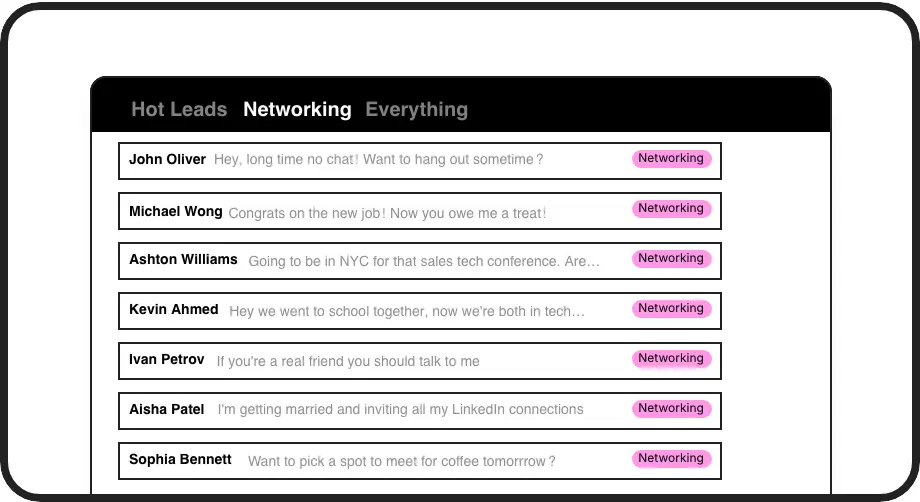
Smart Connection Filtering
View all your 1st degree connections and instantly filter for those with no message history. Never miss an opportunity to connect with potential leads again.
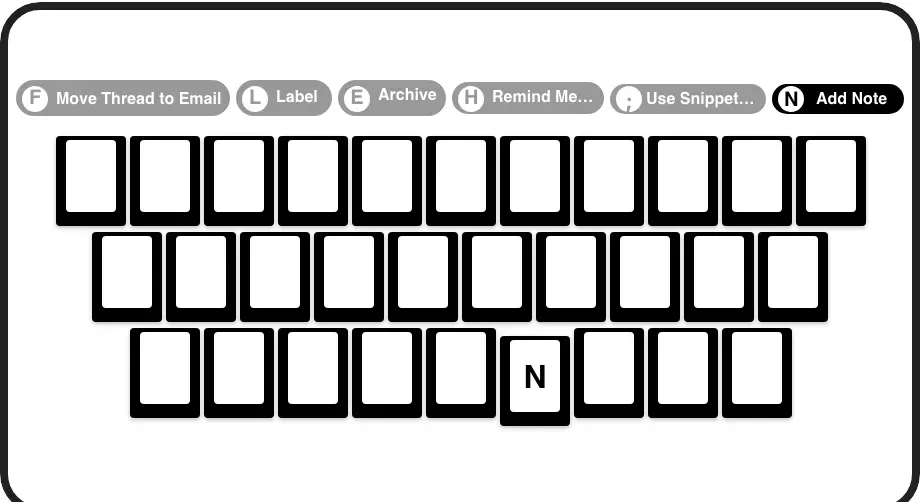
Lightning Fast Search
Search connections by name, job title, company, or location with keyboard shortcuts. Find exactly who you need to contact in seconds, not minutes.
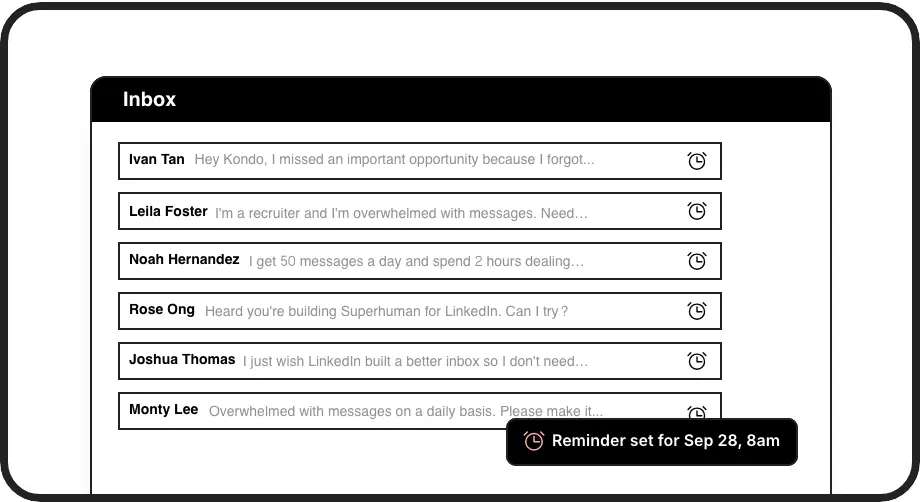
Follow-up Reminders
Set reminders for important connections to ensure timely follow-ups. Messages reappear at the top of your inbox when it's time to reconnect.
LinkedIn left your inbox in 2000. Bring it into 2026.
Get the upgrade every power user's been waiting decades for.


Connect Faster. Engage Better. Sell More.
100%
Network Visibility
3x
Outreach Efficiency
Zero
Missed Opportunities
FAQs
How does Kondo help me see all my LinkedIn 1st degree connections?
Kondo's connections tab provides a complete view of all your 1st degree LinkedIn connections in one place. You can easily filter to see connections you've never messaged before, helping you identify untapped networking and sales opportunities.
Can I search for specific connections based on job title or company?
Yes! Kondo lets you search your connections using keywords that fuzzy search their entire LinkedIn profile. You can search by name, company, job title, or location. You can even combine multiple keywords with spaces between them (e.g., 'founders san francisco').
How does Kondo's connection filtering work with LinkedIn's interface?
Kondo works alongside LinkedIn, enhancing its functionality rather than replacing it. Our connections tab organizes your network more effectively, allowing you to filter for uncontacted connections and search by keywords, making it significantly easier to find relevant contacts.
Is Kondo safe to use with my LinkedIn account?
Absolutely. Kondo is a native desktop app that does not scrape, inject code, or automate prohibited LinkedIn actions. We prioritize account safety and comply with LinkedIn's terms of service while providing enhanced productivity features.
What other features does Kondo offer besides connection filtering?
Kondo offers a complete LinkedIn messaging productivity suite including labels and split inboxes, reminders, keyboard shortcuts, message snippets, and CRM integration. These features work together to help you manage LinkedIn communications efficiently and never miss important opportunities.