
Schedule Follow Ups on LinkedIn & Never Miss a Lead Again
Set reminders directly in your inbox with Kondo's snooze feature to ensure timely follow-ups without external tools.
What people say
LinkedIn Follow-Up Challenges
Hot opportunities get buried in your chaotic LinkedIn inbox, leading to missed deals and revenue loss.
Buried Messages
Important leads get lost in the clutter of notifications and less important conversations, resulting in missed opportunities.
Delayed Responses
Without a reliable follow-up system, response times lag and potential deals cool off or go to competitors.
Manual Tracking
Relying on memory or external tools to track LinkedIn follow-ups wastes time and creates gaps in your process.
Schedule LinkedIn Follow-Ups With Precision
Kondo transforms your cluttered LinkedIn inbox into a streamlined, high-speed communication hub with powerful follow-up tools.
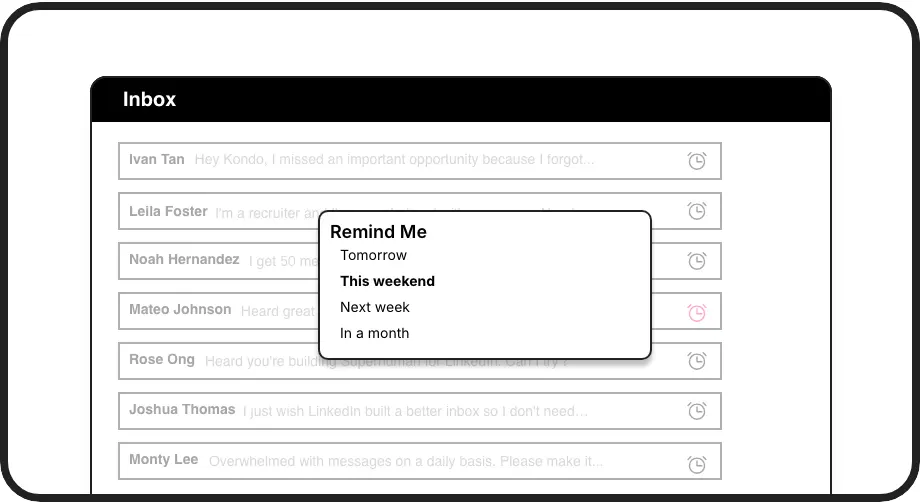
Smart Follow-Up Reminders
Set perfectly timed follow-ups that resurface conversations exactly when needed. Messages disappear until the reminder date, keeping your inbox clean.
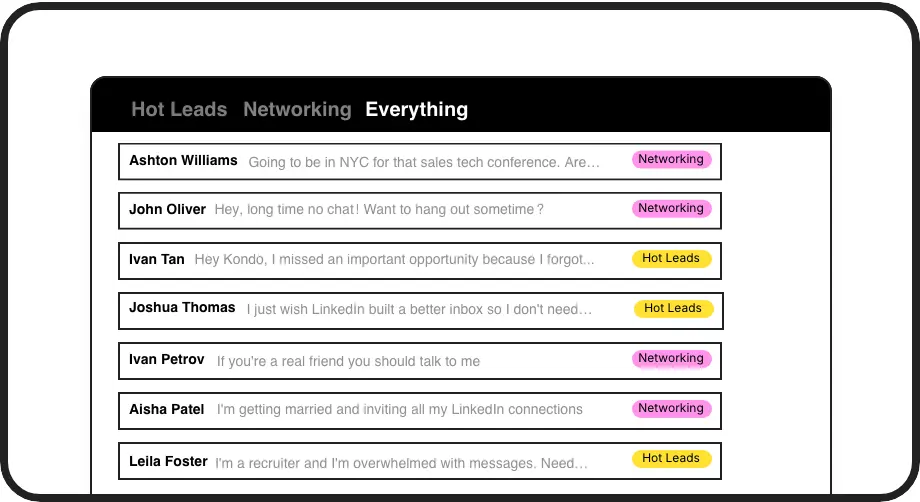
Prioritize Hot Leads
Label important conversations as 'Hot Lead' and view them in a dedicated inbox. Never let a promising opportunity get buried under less important messages.
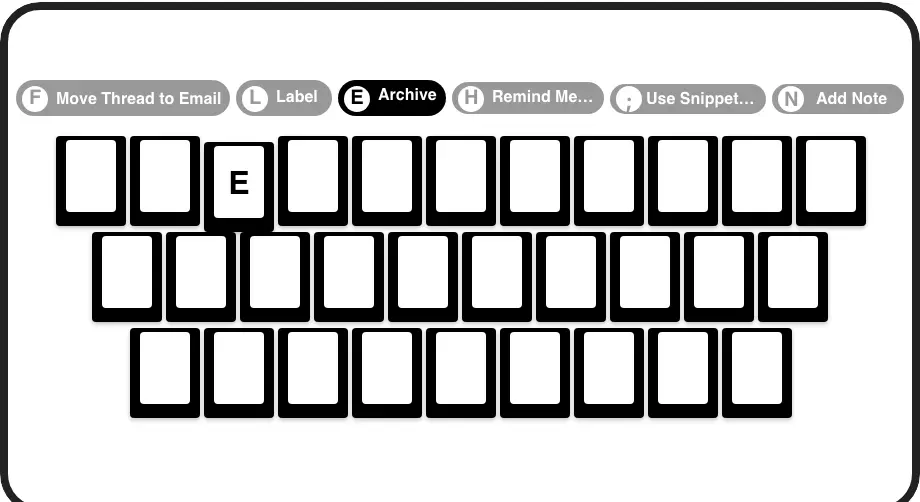
Lightning-Fast Follow-Ups
Schedule follow-ups with a single keystroke. Process your entire inbox without touching your mouse, saving hours each week.
LinkedIn left your inbox in 2000. Bring it into 2026.
Get the upgrade every power user's been waiting decades for.


Follow Up Faster. Close More. Stress Less.
100%
Follow-up completion
2x
Response rate
5hrs
Saved weekly
FAQs
How does Kondo's follow-up reminder feature work?
Kondo's reminder feature (also called Snooze) lets you temporarily archive LinkedIn conversations and set a specific time for them to reappear at the top of your inbox. Simply press 'H' on any conversation, select a preset time (tomorrow, weekend, next week) or choose a custom date. The message disappears until it's time to follow up, automatically resurfacing when due.
Can I organize my LinkedIn follow-ups by priority or lead status?
Yes! Kondo's Labels & Split Inboxes feature lets you categorize conversations with custom labels like 'Hot Lead', 'Client', or 'Candidate' and view them in separate, prioritized inboxes. You can apply multiple labels to create hierarchies (e.g., Lead > Hot) and customize label colors and icons for visual organization.
How does Kondo help me follow up faster than native LinkedIn?
Kondo's keyboard shortcuts dramatically speed up follow-up scheduling. Press 'H' to set a reminder, 'L' to apply labels, 'E' to archive, and navigate with 'J/K'. This allows you to process your entire inbox without touching your mouse. Pair this with Snippets (';' shortcut) for template responses, and you'll handle follow-ups in seconds rather than minutes.
Is Kondo safe to use with my LinkedIn account?
Yes, Kondo is a native desktop app that respects LinkedIn's terms of service. It doesn't scrape data, inject code, or automate prohibited LinkedIn actions. Kondo simply enhances your LinkedIn messaging experience with productivity tools while maintaining complete account security.
Can Kondo sync my LinkedIn follow-ups with my CRM system?
Yes, on the Business tier, Kondo offers CRM & System Sync capabilities. You can push LinkedIn conversation data (messages, labels, notes) to systems like HubSpot, Salesforce (via Zapier/Make), Google Sheets, or Notion using webhooks or native integrations, ensuring your follow-up activities are properly documented.