
Save Time on LinkedIn Messaging & Never Miss Hot Leads
Label, snooze, and automate your LinkedIn inbox to close more deals in less time.
What people say
LinkedIn Inbox Chaos
A cluttered inbox costs you valuable opportunities and wastes precious time.
Buried Hot Leads
Critical messages from potential clients get lost under less important chats, resulting in missed opportunities.
Follow-up Failures
Without a systematic way to track conversations, you forget to follow up with prospects at the right time.
Time-Consuming Tasks
Hours wasted daily copy-pasting responses and manually organizing conversations across your inbox.
Streamline Your LinkedIn Messaging Workflow
Kondo transforms your chaotic LinkedIn inbox into a productivity powerhouse with tools designed for sales professionals.
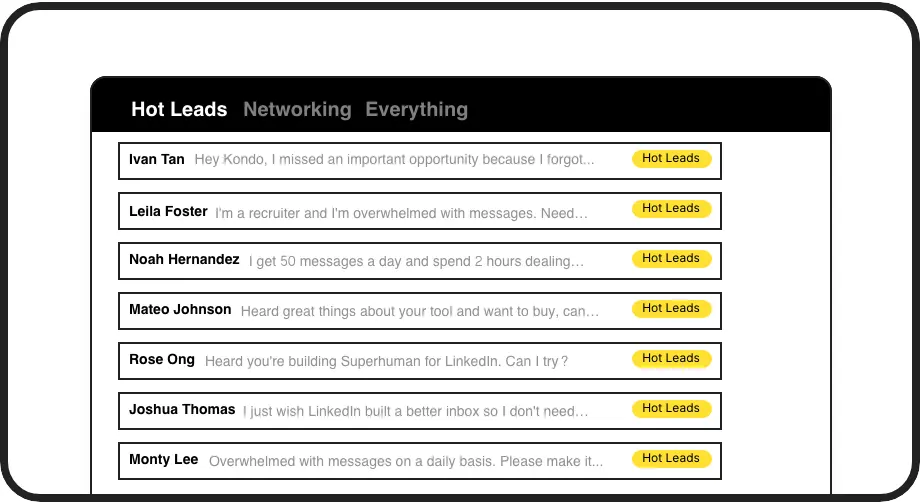
Prioritize Hot Leads
Apply custom labels like 'Hot Lead' or 'Client' to categorize conversations into separate inboxes, ensuring important messages are always visible.

Never Miss Follow-ups
Set reminders with a single keystroke and watch conversations automatically resurface at the perfect time for follow-up, keeping your sales pipeline moving.
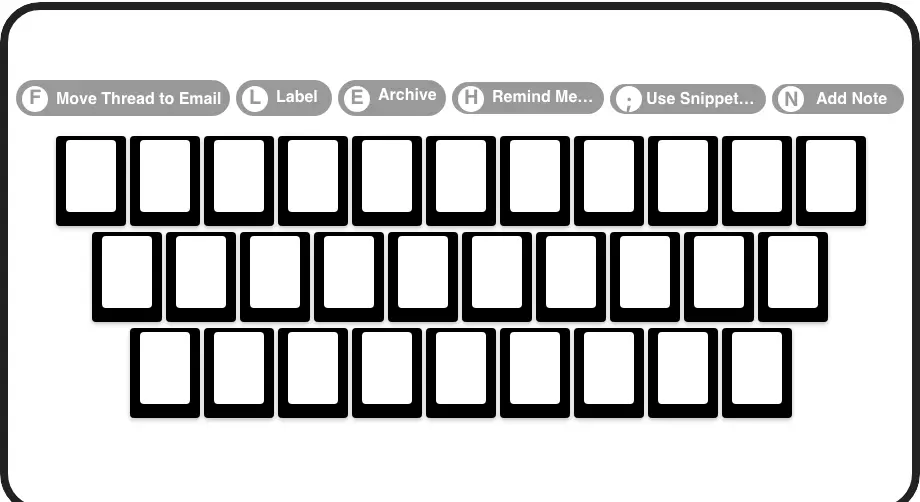
Lightning-Fast Navigation
Process your inbox at superhuman speed with keyboard shortcuts for archiving, labeling, and setting reminders without touching your mouse.
LinkedIn left your inbox in 2000. Bring it into 2026.
Get the upgrade every power user's been waiting decades for.


Save Time. Close Deals. Stay Organized.
70%
Less Time Messaging
100%
Follow-up Completion
Zero
Missed Opportunities
FAQs
How does Kondo help me save time on LinkedIn messaging?
Kondo saves time through keyboard shortcuts for rapid navigation, labels for instant organization, reminders for automatic follow-up prompts, and snippets for quick message templates. These features combine to create a streamlined workflow that eliminates manual sorting, reduces repetitive typing, and ensures important messages don't get lost.
Is Kondo compliant with LinkedIn's terms of service?
Yes. Kondo is a native desktop app that doesn't scrape data, inject code, or automate prohibited LinkedIn actions. It respects LinkedIn's platform rules while enhancing the messaging experience.
Can I integrate Kondo with my existing CRM system?
Yes, Kondo's Business Tier offers CRM & System Sync capabilities. You can integrate with tools like HubSpot, Salesforce (via Zapier/Make), Google Sheets, or Notion using webhooks or native integrations. This logs LinkedIn activity and conversation details automatically.
What kind of professionals benefit most from Kondo?
Kondo is particularly valuable for sales development representatives (SDRs), recruiters, founders, and consultants who rely heavily on LinkedIn messaging for business communication and lead generation. Anyone who processes high volumes of LinkedIn DMs will see significant time savings.
How do I get started with organizing my LinkedIn inbox?
Kondo helps you implement an 'Inbox Zero' workflow through its core features like Labels, Reminders (Snooze), and Archive. You can immediately start categorizing conversations, setting follow-up reminders, and cleaning up your inbox to maintain a clear, actionable view of your LinkedIn messages.