
Stop Losing Candidates: Recruitment Marketing Automation for LinkedIn.
Kondo organizes LinkedIn DMs: find, engage, and hire top talent faster.
What people say
LinkedIn Inbox Chaos Costing You Top Hires?
Overflowing DMs, missed follow-ups, and lost candidates mean your best talent slips away daily.
Buried Candidate Messages
Key candidate replies get lost in noise, delaying hires and frustrating your hiring managers.
Missed Follow-Ups
Promising candidates go cold as follow-ups are forgotten, costing you valuable talent and wasted sourcing efforts.
Manual ATS Updates
Hours wasted copy-pasting notes to your ATS, leading to data gaps and inefficient team collaboration.
Kondo: Your Recruitment Marketing Automation Hub for LinkedIn
Streamline candidate outreach, never miss a follow-up, and sync effortlessly to your ATS. Don't let top talent slip away.
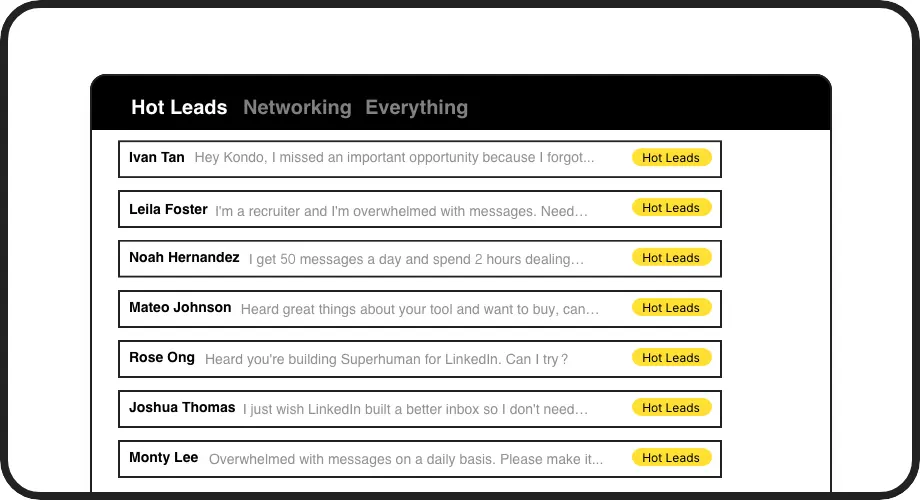
Organize Candidate Pipelines
Kondo lets you label LinkedIn chats by role or stage (e.g., 'Java Dev - Screening', 'UX Lead - Offer'). View them in dedicated inboxes, ending inbox chaos and ensuring you always find the right candidate conversation instantly.
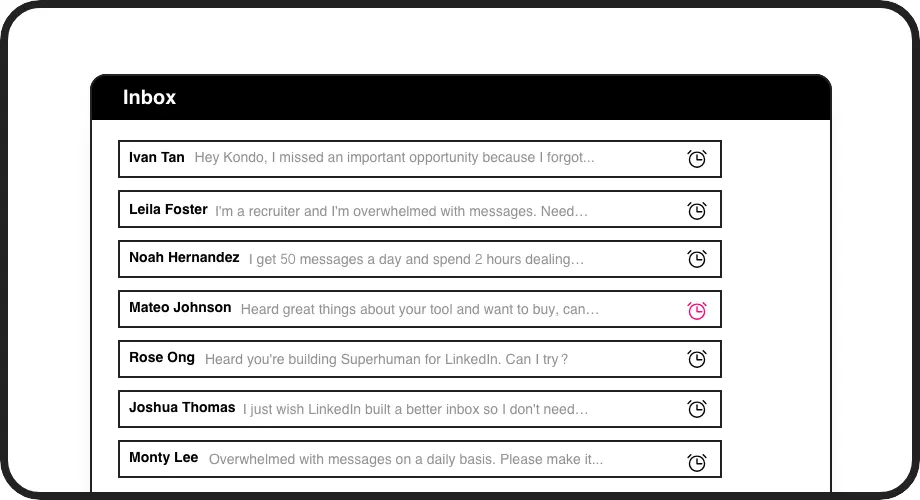
Never Miss Follow-ups
Set reminders directly in LinkedIn conversations with Kondo. Snooze chats to reappear when needed, ensuring timely candidate engagement. Never let a warm candidate go cold due to a forgotten follow-up again.
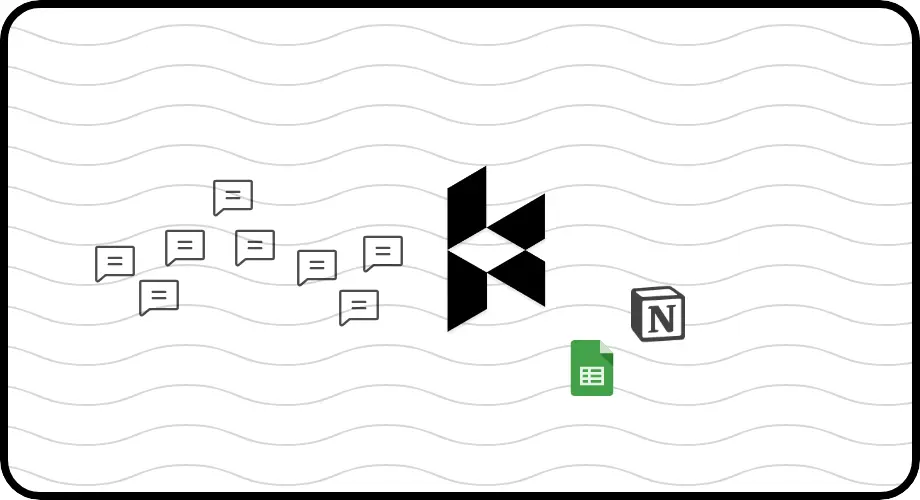
Automate ATS Sync
Automatically push LinkedIn conversation data, notes, and labels to your ATS (like Greenhouse). Kondo's integrations save hours of manual entry, ensuring your team has full visibility and up-to-date candidate records.
LinkedIn left your inbox in 2000. Bring it into 2026.
Get the upgrade every power user's been waiting decades for.


Hire Faster, Smarter, with Less Effort.
50%
Faster Candidate Sourcing
10hrs+
Saved Weekly
0
Missed Hot Candidates
FAQs
How does Kondo help with recruitment marketing?
Kondo automates key parts of your LinkedIn recruitment marketing. It helps organize candidate outreach with labels, ensures timely follow-ups with reminders, and syncs conversation data to your ATS. This streamlines your workflow, prevents missed opportunities, and helps you build a stronger talent pipeline faster by ensuring no promising candidate engagement is lost. You can focus on building relationships, not fighting your inbox.
Can Kondo integrate with my ATS (e.g., Greenhouse)?
Yes, Kondo offers integrations, including native ones and through platforms like Zapier or Make.com. You can automatically sync LinkedIn conversation data, notes, and labels to popular ATS like Greenhouse. This keeps your candidate records up-to-date without manual data entry, ensuring your entire team has visibility into the recruitment pipeline and candidate interactions happening on LinkedIn.
Is Kondo safe to use with LinkedIn Recruiter?
Kondo is designed with safety in mind. It doesn't perform prohibited automation like scraping profiles or modifying LinkedIn's UI in unapproved ways. It uses your existing browser session and IP, focusing on enhancing your inbox experience. Our users, including many recruiters using LinkedIn Recruiter, manage their DMs efficiently without issues. We prioritize adhering to LinkedIn's terms.
How much time can I save using Kondo?
Recruiters using Kondo typically save several hours per week. By streamlining inbox management with features like keyboard shortcuts, labels for candidate stages, reminders for follow-ups, and snippets for common replies, you significantly reduce time spent on manual organization and repetitive tasks. This allows you to focus more on sourcing, engaging, and hiring top talent rather than inbox admin.
Can I use Kondo to manage multiple roles?
Absolutely. Kondo's labeling feature is perfect for recruiters managing multiple roles. You can create custom labels for each position (e.g., 'DevOps Engineer Q3', 'Product Manager Role A') and even stages within those roles. This allows you to have separate, organized views for each search, ensuring you can easily track candidates and conversations per role, preventing mix-ups and keeping your various talent pipelines distinct and manageable.