
Supercharge Your Sales Navigator Inbox with Kondo
Prioritize hot leads, never miss follow-ups, and turn your cluttered LinkedIn inbox into a revenue engine.
What people say
LinkedIn Inbox Chaos
Sales professionals lose valuable opportunities buried in cluttered Sales Navigator inboxes.
Missed Hot Leads
Critical messages get buried under notifications and less important chats, resulting in lost sales opportunities.
Follow-up Failures
Without a system for tracking conversations, follow-ups fall through the cracks, damaging prospect relationships.
Productivity Drain
Hours wasted searching through unorganized conversations instead of focusing on high-value sales activities.
Transform Your Sales Navigator Experience
Kondo brings speed, structure, and efficiency to your LinkedIn messaging workflow with powerful productivity tools.
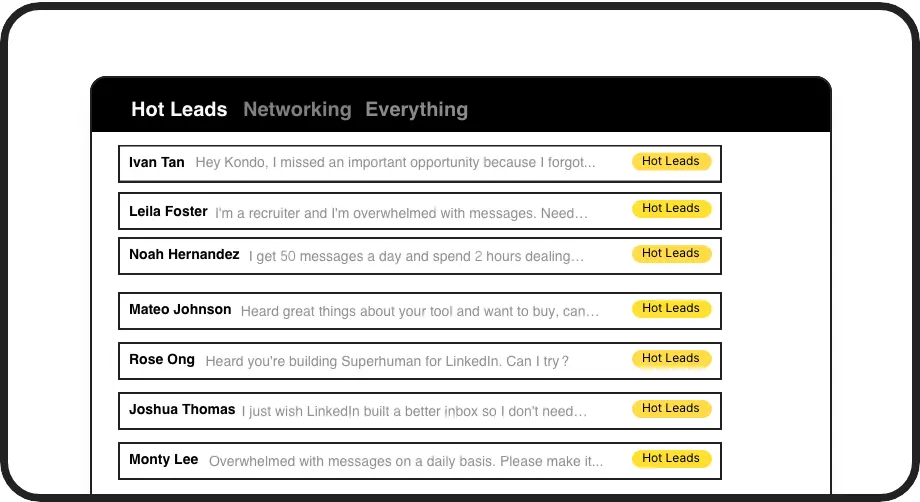
Label & Prioritize Leads
Categorize conversations with custom labels like 'Hot Lead' or 'Client' and view them in separate inboxes. Never lose an opportunity in the clutter again.

Perfect Follow-up Timing
Set reminders to bring conversations back to the top of your inbox exactly when needed. Maintain consistent follow-up cadence without relying on memory.
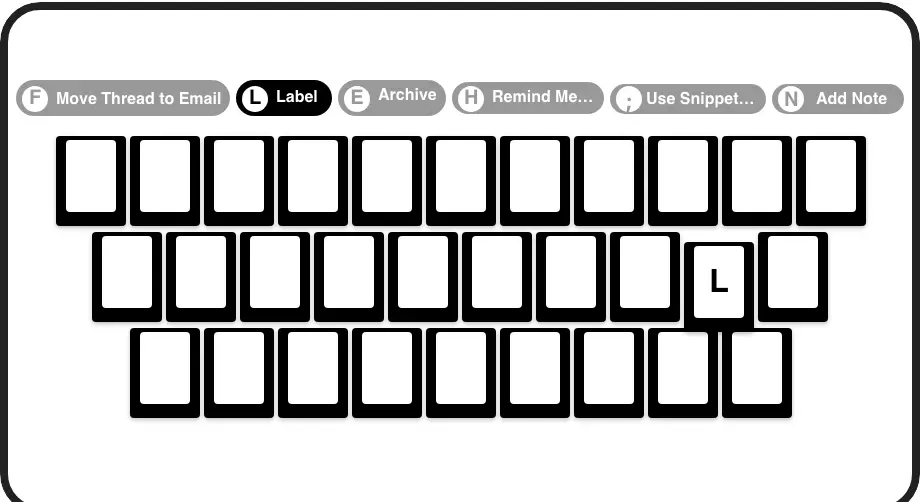
Lightning-Fast Navigation
Process your inbox at 2x speed with keyboard shortcuts for archiving, labeling, reminders, and more - all without touching your mouse.
LinkedIn left your inbox in 2000. Bring it into 2026.
Get the upgrade every power user's been waiting decades for.


Speed Up. Close More. Stress Less.
70%
Faster inbox processing
Zero
Missed opportunities
5+ hours
Saved weekly
FAQs
Is Kondo safe to use with my LinkedIn account?
Yes, Kondo is completely safe and compliant with LinkedIn's terms. It works as a native desktop app that doesn't scrape data, inject code, or automate prohibited LinkedIn actions. Your account security is our top priority.
How does Kondo help me prioritize my Sales Navigator messages?
Kondo lets you apply custom labels to conversations (like 'Hot Lead' or 'Follow Up') and view them in separate inboxes. This organization system ensures important messages don't get buried and you can focus on high-value conversations first.
Can I integrate Kondo with my CRM system?
Yes, Kondo's Business tier offers CRM integration through webhooks, Zapier, Make.com, and native integrations with HubSpot, Salesforce, Notion, Google Sheets, and more. You can sync conversation data automatically, eliminating manual data entry.
How do reminders work in Kondo?
Reminders (or Snooze) let you temporarily archive a conversation and set a specific time for it to reappear at the top of your inbox. Simply press 'H', choose when you want to follow up, and Kondo will automatically bring the conversation back when it's time.
What keyboard shortcuts does Kondo offer for Sales Navigator?
Kondo provides numerous shortcuts including: 'J/K' to navigate conversations, 'E' to archive, 'H' for reminders, 'L' to apply labels, 'I' to view profiles, ';' to use snippets, and many more. These shortcuts dramatically speed up your workflow and inbox management.