
Private Notes for LinkedIn Profiles: Organize & Recall Key Candidate Insights
Attach crucial context directly to LinkedIn conversations with labels and never lose important candidate information again.
What people say
LinkedIn Notes Frustration
Tracking candidate information in LinkedIn messages is chaotic and inefficient, leading to missed opportunities.
Lost Candidate Details
Critical candidate insights get buried in endless LinkedIn conversations, making follow-ups inconsistent and unprofessional.
Scattered Notes
Switching between LinkedIn and external note systems wastes time and creates disjointed candidate records.
Missed Follow-ups
Without integrated reminders, promising candidates slip through the cracks when messages get buried in your inbox.
Integrated LinkedIn Notes That Transform Your Recruiting
Kondo brings private notes directly to your LinkedIn conversations, making candidate tracking seamless and efficient.
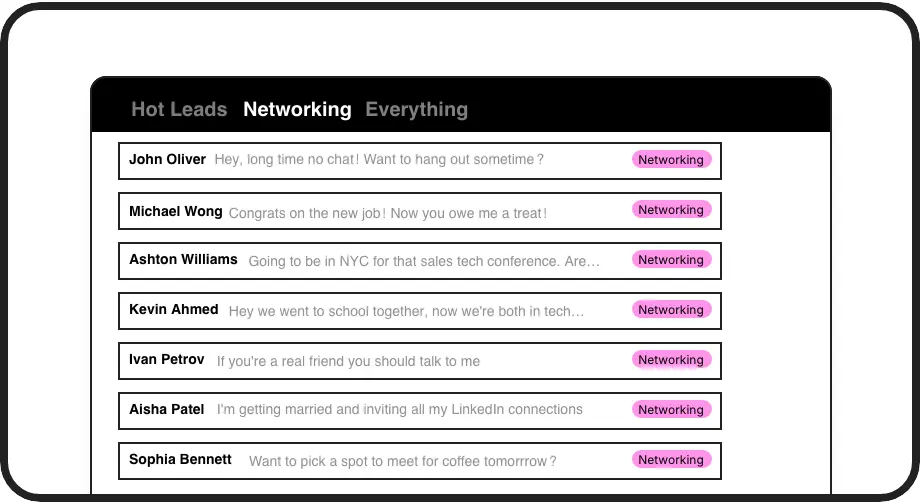
Organize With Labels
Add private notes as labels to categorize candidates by role, status, or priority. Create split inboxes to quickly access relevant conversations without endless scrolling.
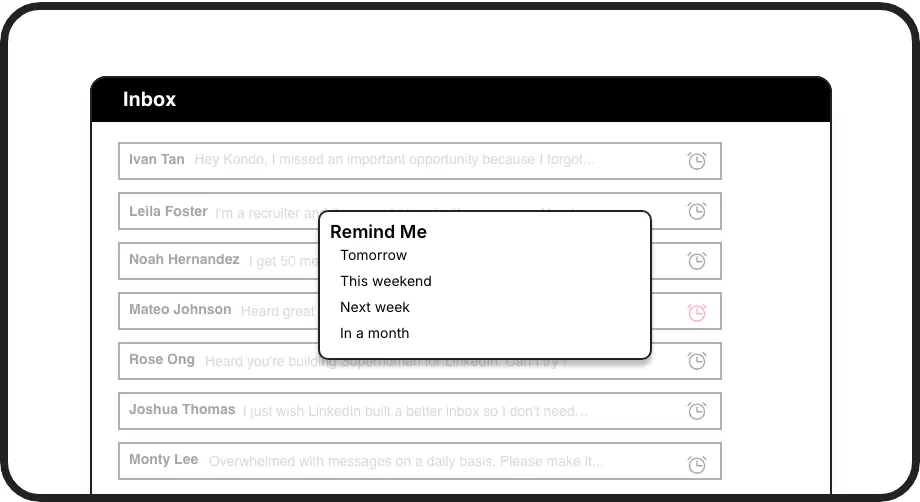
Smart Follow-ups
Set reminders that bring candidate conversations back to the top of your inbox exactly when needed. Never miss a follow-up or lose track of promising talent.
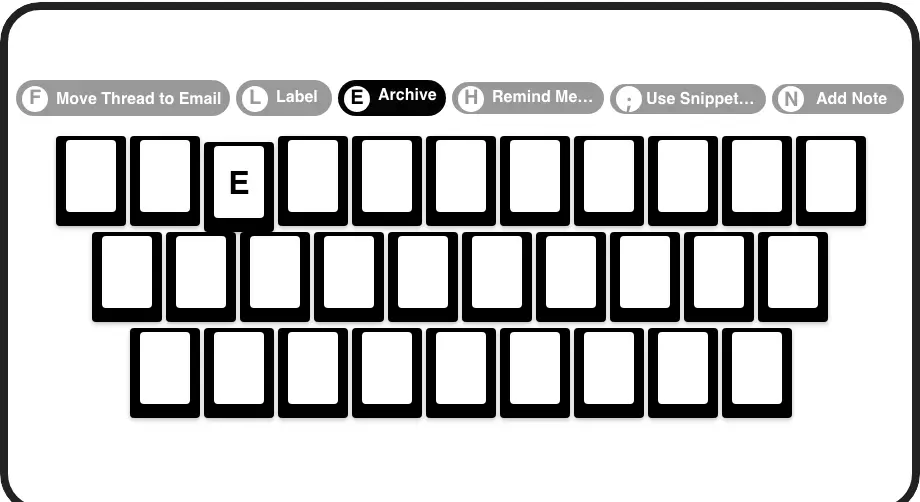
Lightning-Fast Notes
Add notes and context to profiles with simple keyboard shortcuts. Navigate, label, and set reminders without taking your hands off the keyboard.
LinkedIn left your inbox in 2000. Bring it into 2026.
Get the upgrade every power user's been waiting decades for.


Organize, Remember, Convert
100%
Candidate context retained
75%
Less time organizing
2x
Follow-up consistency
FAQs
How does Kondo's private notes feature work with LinkedIn profiles?
Kondo allows you to add private notes to LinkedIn conversations through custom labels. These labels organize your candidates into separate inboxes and provide context that only you can see. You can quickly apply these labels using keyboard shortcuts, making it easy to track important candidate information without them seeing your notes.
Can I set reminders for candidate follow-ups?
Yes! Kondo's reminder feature lets you set follow-up reminders for any candidate conversation. Simply use the 'H' shortcut to snooze a conversation until a specific time. When that time arrives, the conversation automatically resurfaces at the top of your inbox, ensuring you never miss important follow-ups with promising candidates.
Will candidates see my private notes and labels?
No, all notes, labels, and reminders you create in Kondo are completely private and visible only to you. Candidates will never see the organizational system you've created to track their information. This allows you to maintain professional conversations while keeping your personal notes and reminders separate.
Is Kondo compliant with LinkedIn's terms of service?
Yes, Kondo is a native desktop application that works alongside LinkedIn without scraping data or injecting code. It doesn't automate prohibited LinkedIn actions and maintains compliance with LinkedIn's terms of service while enhancing your messaging experience.
Can I integrate my LinkedIn notes with other recruiting tools?
With Kondo's Business tier, you can sync your LinkedIn conversation data, including your notes and labels, to external systems like HubSpot, Notion, Google Sheets, and more through webhooks or native integrations. This creates a seamless connection between your LinkedIn recruiting activities and your other workflow tools.