
Your Personal CRM for LinkedIn: Never Lose a Lead Again
Turn your messy LinkedIn inbox into a powerful relationship manager with labels, reminders, and CRM sync.
What people say
LinkedIn Inbox Chaos
Managing professional relationships in LinkedIn's cluttered inbox leads to missed opportunities and wasted time.
Buried Important Messages
Critical messages from leads and clients get lost under notifications and low-priority conversations.
Missed Follow-ups
Without a system for reminders, timely follow-ups fall through the cracks, causing lost opportunities.
Manual CRM Updates
Copying LinkedIn conversations to your CRM wastes hours weekly and leads to incomplete data.
Transform Your LinkedIn Inbox Experience
Kondo brings speed, organization, and automation to your LinkedIn messaging, helping you manage relationships more effectively.
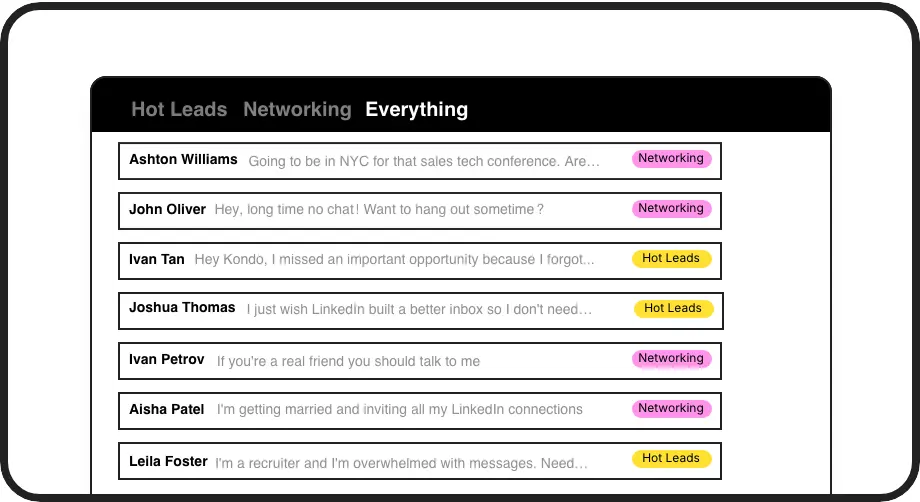
Organize with Labels
Categorize conversations with custom labels like 'Hot Lead' or 'Candidate' and view them in separate inboxes. Never lose important messages in the clutter again.
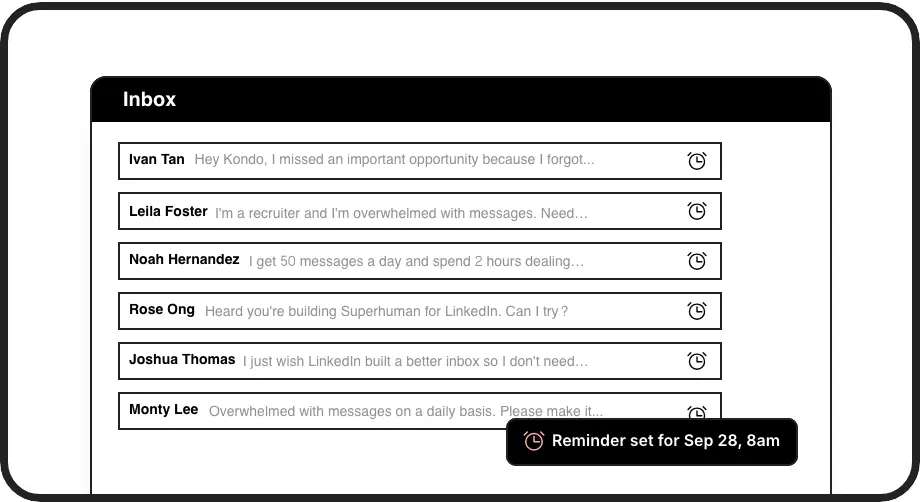
Smart Follow-ups
Set reminders that bring conversations back to the top of your inbox at the perfect time. Ensure timely follow-ups without relying on external tools or memory.
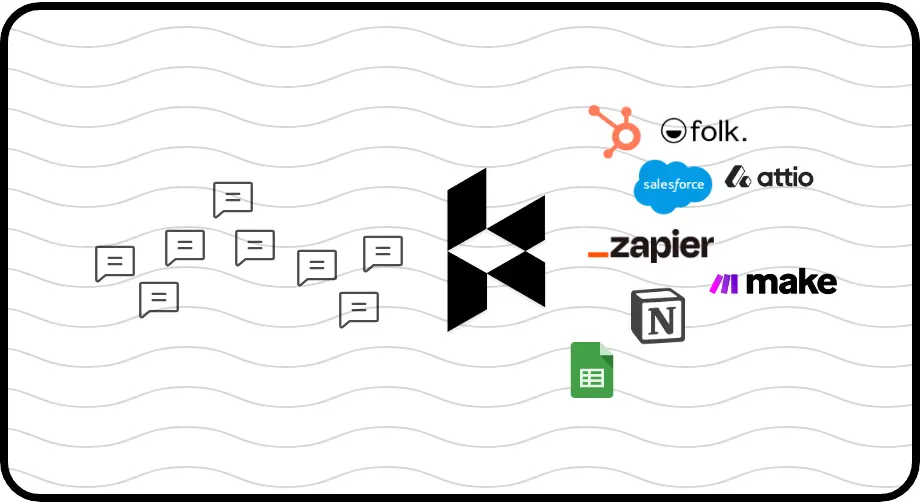
Seamless CRM Sync
Automatically push LinkedIn conversations to HubSpot, Salesforce, Notion, and more. Eliminate manual data entry and maintain complete visibility of your relationships.
LinkedIn left your inbox in 2000. Bring it into 2026.
Get the upgrade every power user's been waiting decades for.


Save Time, Close More, Never Miss Out
70%
Less inbox overwhelm
5+ hours
Saved weekly
100%
Follow-ups completed
FAQs
How does Kondo's personal CRM differ from traditional CRM systems?
Kondo is specifically designed for LinkedIn messaging, bringing CRM functionality directly to your LinkedIn inbox without leaving the platform. Unlike traditional CRMs that require manual data entry, Kondo lets you label conversations, set reminders, and sync to your main CRM systems automatically, right where your conversations happen.
Is Kondo secure to use with my LinkedIn account?
Yes, Kondo is completely secure. It's a native desktop app that doesn't scrape data, inject code, or automate prohibited LinkedIn actions. Kondo operates within LinkedIn's terms of service and prioritizes the security of your account and data.
Can Kondo integrate with my existing CRM system?
Yes, Kondo's Business tier offers integration options with popular CRMs and tools. It supports webhooks, Zapier, and Make.com for custom integrations, plus native integrations with HubSpot, Notion, Google Sheets, Attio, and Clarify. You can sync the latest message or entire conversation history, either manually or automatically.
How quickly can I get started with Kondo's personal CRM features?
You can start using Kondo's core personal CRM features immediately after installation. The intuitive interface and keyboard shortcuts make it easy to begin labeling conversations, setting reminders, and organizing your LinkedIn inbox right away. Most users report becoming proficient with Kondo's workflow within just a day of use.
Can I customize labels and organization in Kondo's personal CRM?
Absolutely. Kondo allows you to create custom labels with personalized icons and colors to match your workflow. You can apply multiple labels to conversations (e.g., Lead > Hot), customize sidebar visibility, and create a personalized organization system that perfectly suits your relationship management needs.