
LinkedIn Messaging Tool for Lead Success
Kondo organizes your cluttered LinkedIn inbox with labels, reminders, and keyboard shortcuts. Never miss important leads or candidates hidden in your DMs again.
What people say
LinkedIn Inbox Chaos
Missed messages mean lost opportunities and revenue.
Buried Important Messages
Critical leads and client messages get lost under a flood of notifications and less important chats.
Delayed Responses
Without proper organization, follow-ups fall through the cracks, damaging relationships and conversion rates.
Wasted Time
Hours spent scrolling through unorganized conversations looking for priority messages that need attention.
Organize, Prioritize, and Never Miss a Lead
Kondo transforms your chaotic LinkedIn inbox into a streamlined, high-speed communication hub with powerful productivity tools.
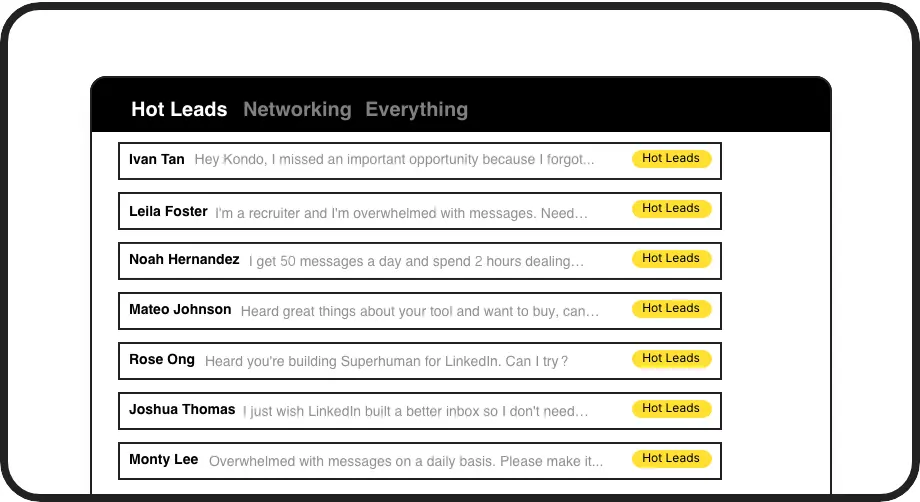
Smart Message Labels
Categorize conversations with custom labels like 'Hot Lead' or 'Candidate' to instantly declutter your inbox and focus on what matters most.
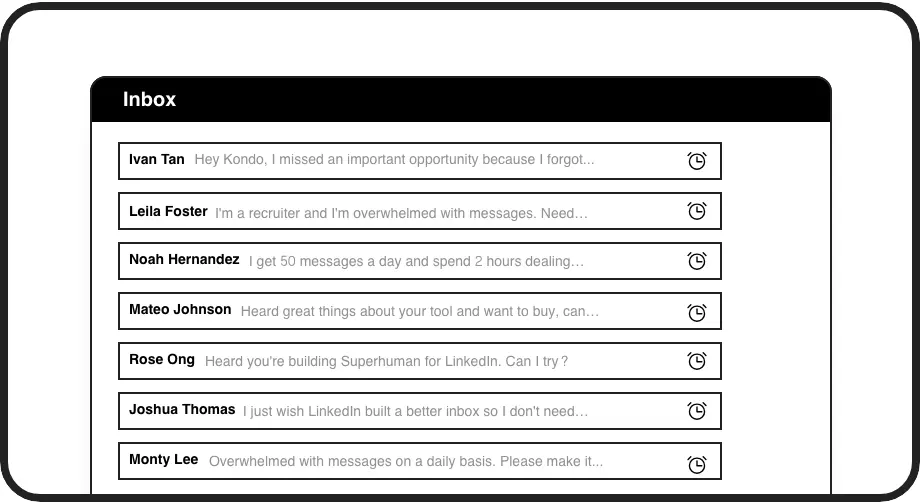
Timed Follow-ups
Set reminders that bring conversations back to the top of your inbox exactly when needed. Never forget to follow up with a promising lead.
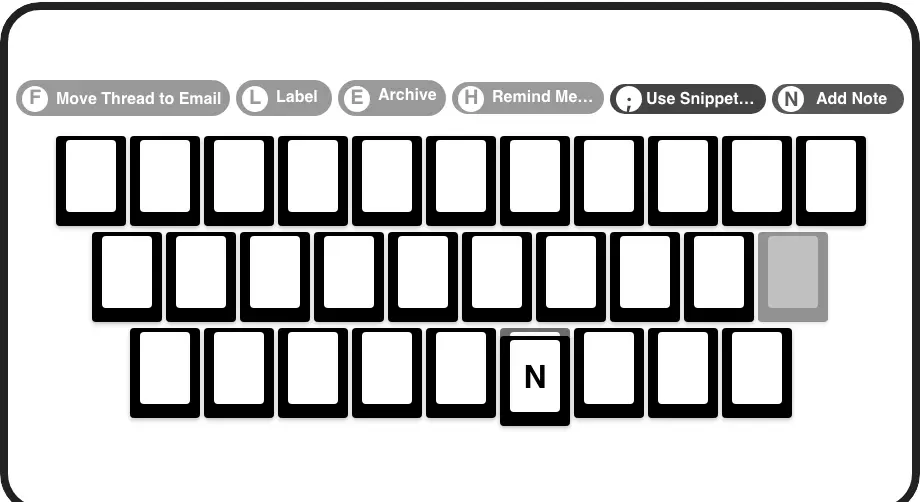
Speed Through DMs
Process your inbox at lightning speed with keyboard shortcuts for archiving, labeling, reminders, and more without touching your mouse.
LinkedIn left your inbox in 2000. Bring it into 2026.
Get the upgrade every power user's been waiting decades for.


Boost Response Rates, Save Time, Close More
100%
Follow-up Completion
5hrs
Saved Weekly
Zero
Missed Opportunities
FAQs
How does Kondo differ from LinkedIn's native messaging?
Kondo adds organization tools that LinkedIn lacks: custom labels for categorizing messages, reminder functionality, keyboard shortcuts, reusable message templates, and the ability to view messages in separate inboxes by priority. This transforms the chaotic native experience into a structured, productivity-focused workflow.
Is Kondo safe to use with my LinkedIn account?
Yes, Kondo is a native desktop application that doesn't scrape, inject code, or automate prohibited LinkedIn actions. It works alongside LinkedIn to enhance the messaging experience while respecting LinkedIn's terms of service.
Can I sync my LinkedIn conversations with my CRM?
Yes, Kondo's Business tier offers CRM and system sync capabilities. You can integrate with tools like HubSpot, Salesforce (via Zapier/Make), Google Sheets, or Notion using webhooks or native integrations to automatically log LinkedIn activity and conversation details.
Can I use Kondo with Sales Navigator?
Yes, Kondo combines your regular LinkedIn inbox with your Sales Navigator inbox into a single, unified view, eliminating the need to switch between two separate inboxes. This feature is available on the Business plan.
How do snippets work in Kondo?
Kondo's snippets feature lets you save frequently used messages as templates with variables like {firstName} for personalization. Insert them quickly with the ';' shortcut to save time on repetitive typing while maintaining personalized communication with your connections.