
LinkedIn Message Snippets for Faster Outreach
Save hours on repetitive LinkedIn messages with Kondo's snippets. Create, save, and deploy personalized templates instantly using the ';' key.
What people say
LinkedIn DMs Slowing You Down?
Repetitive messaging wastes precious time and creates inconsistency in your outreach.
Copy-Paste Overwhelm
Constantly retyping the same messages to leads or candidates leads to wasted hours and decreased productivity.
Messaging Inconsistency
Manually crafted messages vary in quality and effectiveness, resulting in unpredictable responses from prospects.
Missed Opportunities
Slow response times and disorganized follow-ups cause potential leads to slip through the cracks.
Streamline LinkedIn Messaging with Kondo
Transform your LinkedIn DM experience with powerful productivity tools designed for high-volume outreach.
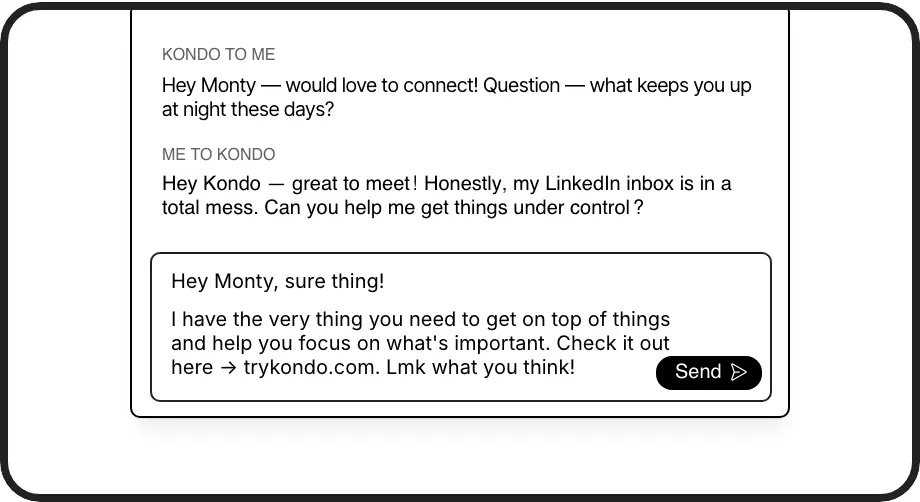
Message Templates at Your Fingertips
Create personalized templates with variables like {firstName} and insert them instantly with the ';' key. Save time on repetitive messages while maintaining a personal touch.
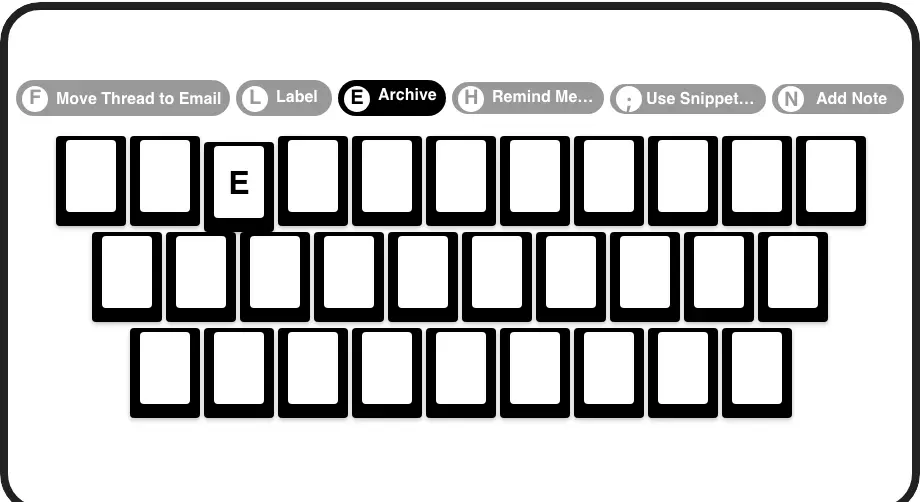
Lightning-Fast Navigation
Process your LinkedIn inbox at record speed with keyboard shortcuts. Archive, snooze, label, and insert snippets without touching your mouse.
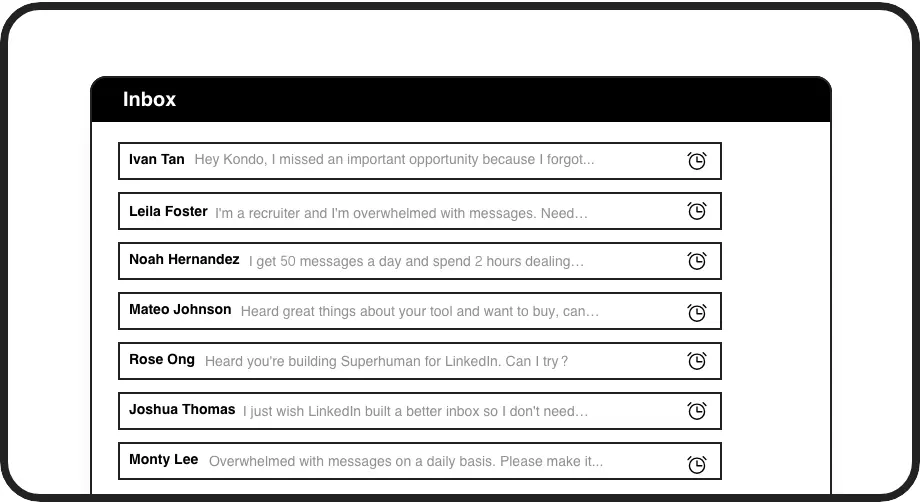
Never Miss Follow-Ups
Set reminders to bring important conversations back to the top of your inbox at the perfect time. Ensure consistent follow-up without manual tracking.
LinkedIn left your inbox in 2000. Bring it into 2026.
Get the upgrade every power user's been waiting decades for.


Work Smarter, Not Harder
70%
Less Time Messaging
2x
Outreach Capacity
100%
Follow-up Consistency
FAQs
How do message snippets work in Kondo?
Kondo's message snippets let you create reusable templates with variables like {firstName} for personalization. Simply type ';' in any LinkedIn message to access your snippets library, select the template you need, and it automatically inserts with all variables filled in. This eliminates repetitive typing while maintaining personalized communication.
Can I customize my message snippets?
Yes, Kondo allows you to create fully customized message snippets. You can add variables for personalization (like {firstName}), include formatting, and organize snippets for different scenarios like initial outreach, follow-ups, or qualification questions.
Is Kondo safe to use with my LinkedIn account?
Absolutely. Kondo is a native desktop application that works alongside LinkedIn without scraping data or injecting code. It doesn't automate prohibited LinkedIn actions and respects LinkedIn's terms of service, making it a safe productivity tool for professional use.
Can I track which snippets perform best?
While Kondo doesn't include built-in analytics for snippet performance, you can organize your snippets with labels and use Kondo's labeling feature to track conversations that used specific templates, giving you a manual way to monitor which messages generate the best responses.
Does Kondo work with Sales Navigator?
Yes, Kondo integrates with Sales Navigator, allowing you to view and manage both your regular LinkedIn inbox and Sales Navigator messages in one unified interface. This eliminates switching between separate inboxes and streamlines your sales outreach process.