
LinkedIn Message Labelling for Lead Management
Organize, prioritize, and never lose a hot lead again. Kondo transforms your cluttered LinkedIn inbox into a streamlined system with custom labels and split inboxes.
What people say
Inbox Chaos Costs Opportunities
LinkedIn's native inbox makes it easy to miss critical messages, leading to lost leads and wasted time.
Buried Important Messages
Critical leads get buried under notifications and less important chats, causing missed opportunities and revenue loss.
No Message Organization
Without labelling capabilities, every conversation gets equal priority, making it impossible to focus on high-value leads.
Manual Follow-up Tracking
Relying on memory or external tools to follow up leads to inconsistent communication and dropped conversations.
Organize Your LinkedIn Inbox Like a Pro
Kondo brings structure and speed to your LinkedIn messaging workflow with powerful organizational tools designed for sales professionals.
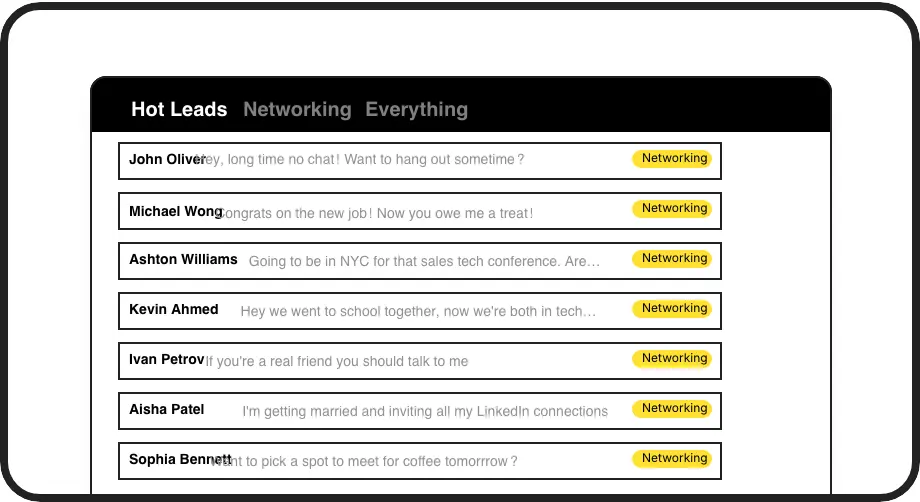
Custom Message Labels
Create labels like 'Hot Lead' or 'Follow Up' and view them in separate inboxes. Instantly prioritize conversations that matter most and prevent valuable leads from getting lost.
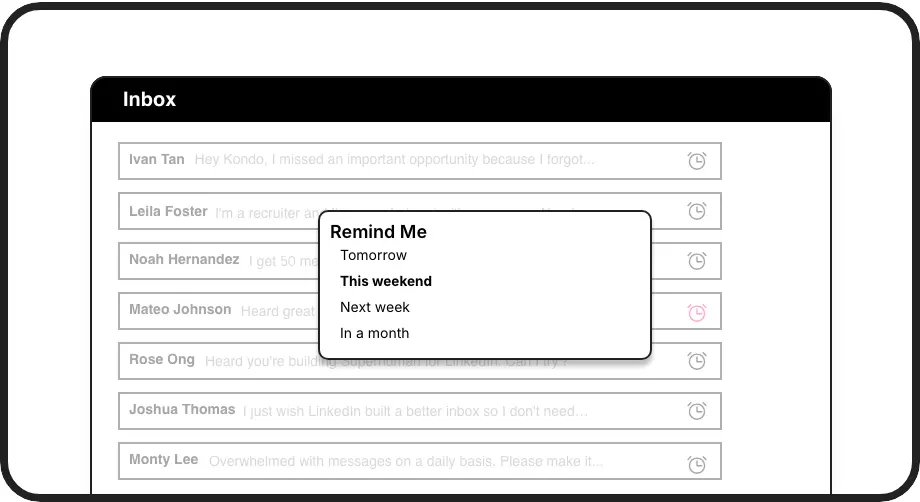
Smart Follow-up Reminders
Set reminders with one keystroke and messages reappear at the top of your inbox when due. Never forget to follow up with important prospects again.
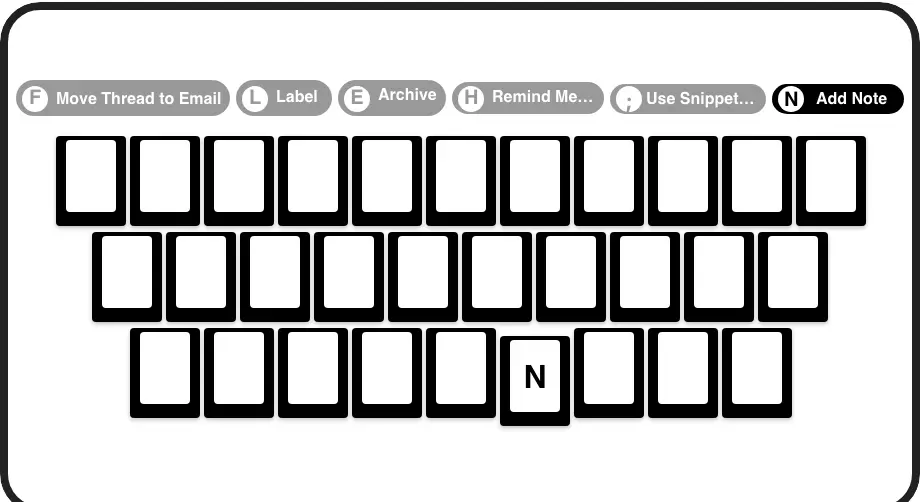
Speed Through Messages
Process your inbox at lightning speed with shortcuts for labelling (L), archiving (E), reminders (H), and more. Save hours weekly compared to LinkedIn's click-heavy interface.
LinkedIn left your inbox in 2000. Bring it into 2026.
Get the upgrade every power user's been waiting decades for.


More Leads, Less Chaos, Zero Missed Opportunities
75%
Less Time Managing Messages
100%
Follow-up Consistency
Zero
Lost Lead Opportunities
FAQs
How does LinkedIn message labelling work in Kondo?
Kondo allows you to create custom labels (like 'Hot Lead', 'Client', or 'Candidate') and apply them to LinkedIn conversations with a simple keyboard shortcut (L). These labelled conversations appear in dedicated, split inboxes, making it easy to prioritize and focus on what matters most.
Can I create my own custom labels for different types of leads?
Yes! Kondo lets you create fully customizable labels with your own naming conventions, colors, and icons. You can apply multiple labels to conversations (e.g., 'Lead > Hot') and customize which labels appear in your sidebar for quick access.
Does Kondo integrate with my existing CRM system?
Kondo's Business tier offers CRM integration through webhooks and native connections with HubSpot, Salesforce (via Zapier/Make), Google Sheets, Notion, and more. This allows you to automatically sync LinkedIn conversation data, including labels and notes, eliminating manual data entry.
How does Kondo help with lead follow-ups?
Kondo's reminder feature (accessed with the H shortcut) lets you set specific times for conversations to resurface at the top of your inbox. You can choose preset times or custom dates, ensuring timely follow-ups without relying on memory or external tools. Reminders automatically cancel if a new message arrives before the due time.
Is Kondo compliant with LinkedIn's terms of service?
Yes, Kondo is a native desktop app that works alongside LinkedIn without scraping data, injecting code, or automating prohibited actions. It enhances your LinkedIn messaging experience while maintaining compliance with LinkedIn's terms.