
Mass Message on LinkedIn Without Risking Your Account
Kondo transforms your cluttered LinkedIn inbox into a high-speed communication hub. Send personalized messages at scale using snippets with variables while staying safe and compliant.
What people say
LinkedIn Messaging Chaos
Opportunities buried, responses delayed, time wasted.
Buried Important Messages
Critical messages from leads and candidates get lost in notification clutter, resulting in missed opportunities.
Manual Message Creation
Typing the same outreach messages repeatedly wastes hours each week and leads to inconsistent communication.
Disorganized Follow-ups
Without a system to track conversations, important follow-ups fall through the cracks and prospects go cold.
Send Mass Messages Smarter, Not Riskier
Kondo helps you scale outreach safely with powerful tools designed for LinkedIn power users.
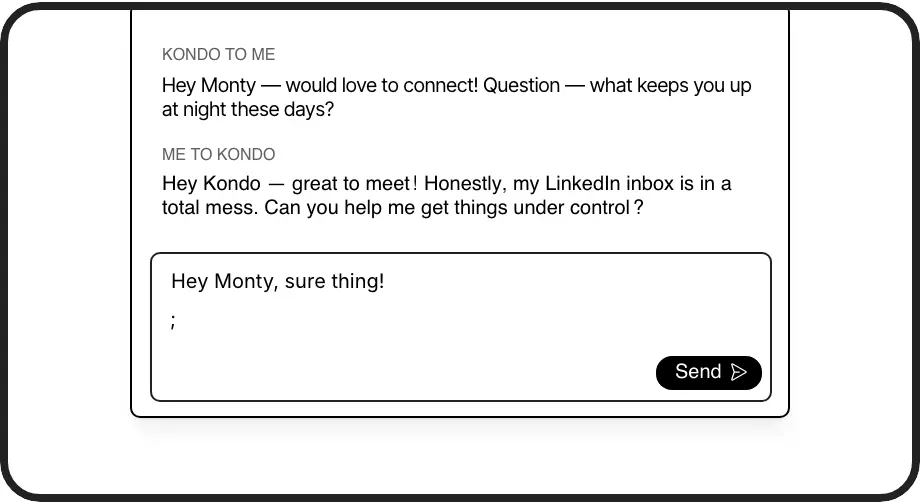
Message Snippets
Save common messages as smart templates with auto-fill name variables. Send personalized mass messages quickly without copy-pasting or risking account flags.
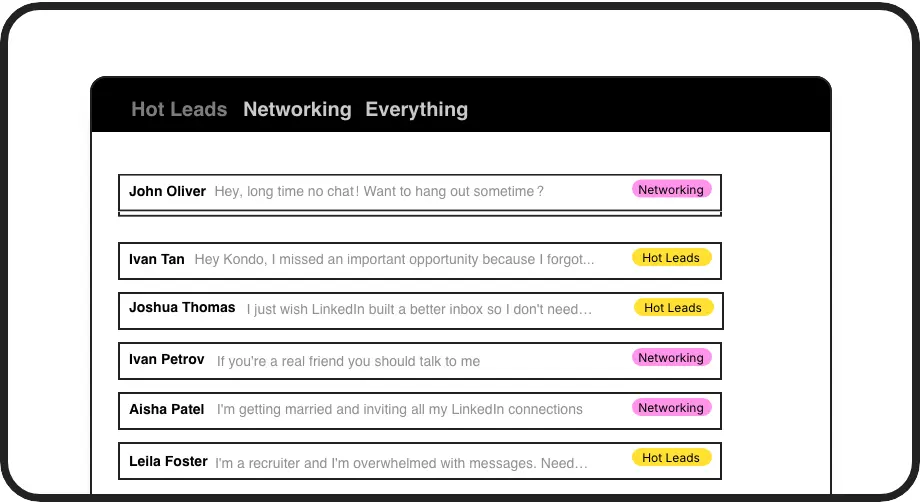
Label & Organize DMs
Apply custom labels to conversations and view them in separate inboxes. Keep track of hot leads, candidates, and clients without missing important replies.
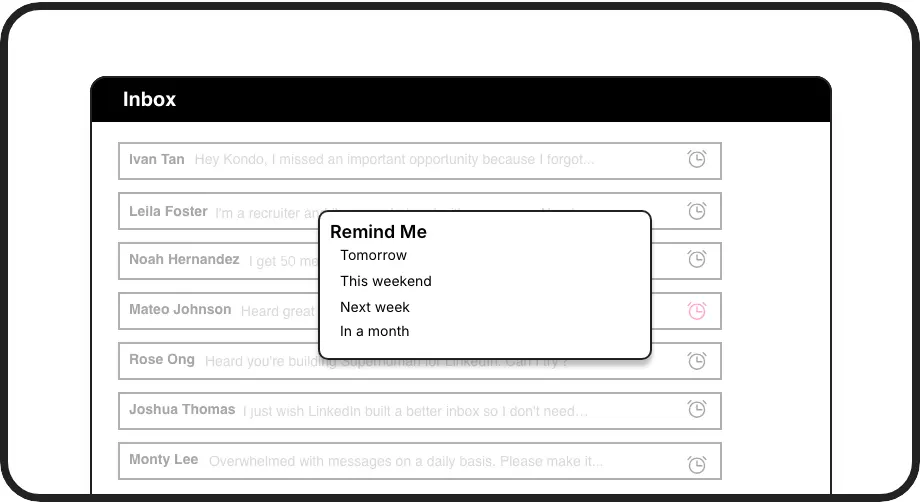
Automated Reminders
Set follow-up reminders that bring conversations back to the top of your inbox exactly when needed. Never forget to follow up with important prospects again.
LinkedIn left your inbox in 2000. Bring it into 2026.
Get the upgrade every power user's been waiting decades for.


Scale, Personalize, Convert
70%
Faster Message Creation
Zero
Missed Opportunities
10hrs
Saved Weekly
FAQs
Is Kondo's mass messaging safe for my LinkedIn account?
Yes, Kondo is completely safe. Unlike risky automation tools, Kondo doesn't scrape LinkedIn or inject code. It helps you send messages efficiently using snippets with variables for personalization, but you still send each message individually, keeping your account safe while scaling outreach.
How do snippets work for mass messaging on LinkedIn?
Kondo's snippets let you save message templates with variables like {firstName}. When messaging leads, simply type ';' to access your snippets, select the appropriate template, and the recipient's information is automatically filled in. This creates personalized mass messages without typing the same content repeatedly.
Can I track responses to my LinkedIn mass messages?
Absolutely. Kondo's labeling system allows you to categorize conversations (e.g., 'Hot Lead,' 'Interested,' 'Follow Up') and view them in separate inboxes. You can also set reminders to follow up with specific contacts at the right time, ensuring no conversation falls through the cracks.
Does Kondo integrate with my CRM for LinkedIn messaging?
Yes, Kondo's Business tier offers CRM system sync. You can integrate with HubSpot, Salesforce (via Zapier/Make), Google Sheets, Notion, and other tools to automatically log LinkedIn conversation data, ensuring your outreach activities are tracked in your core systems.
How does Kondo help me send LinkedIn messages faster?
Kondo speeds up messaging with keyboard shortcuts, snippets with variables, and an organized inbox workflow. Navigate conversations with J/K keys, archive with E, set reminders with H, and insert snippets with ';' – all without touching your mouse. This workflow dramatically reduces time spent on repetitive messaging tasks.