
Manage Fundraising Conversations on LinkedIn Without Missing Donors
Organize potential donors with labels and smart reminders to secure more funding.
What people say
Donor Messages Getting Lost
LinkedIn's cluttered inbox makes tracking fundraising conversations nearly impossible.
Missed Opportunities
Critical donor messages get buried under notifications, leading to lost funding opportunities.
Disorganized Follow-ups
Without proper organization, potential donors fall through the cracks when they need timely responses.
Manual Tracking
Tracking donor conversations across spreadsheets and notes wastes time and creates inconsistency.
Streamline Fundraising Conversations on LinkedIn
Transform your cluttered LinkedIn inbox into an organized fundraising tool with these powerful features.
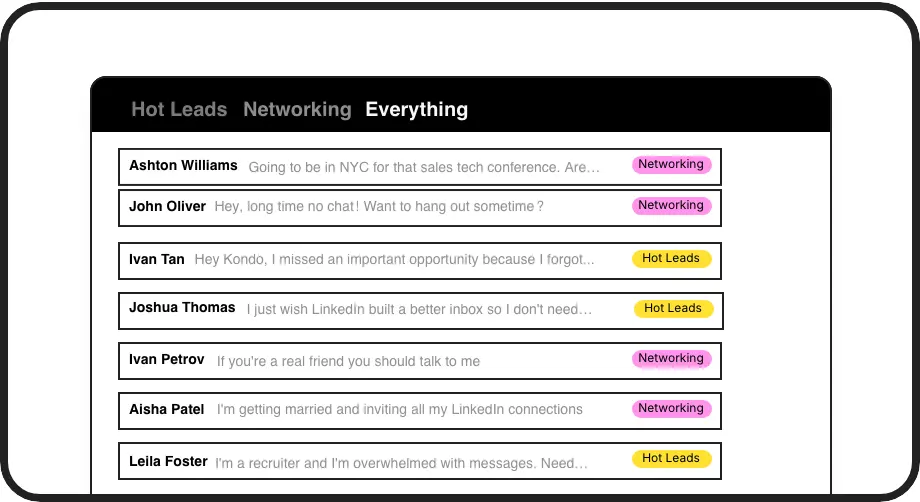
Label Donor Conversations
Categorize donors with custom labels like 'Major Donor' or 'Follow-up Required' and view them in separate, prioritized inboxes for better fundraising management.
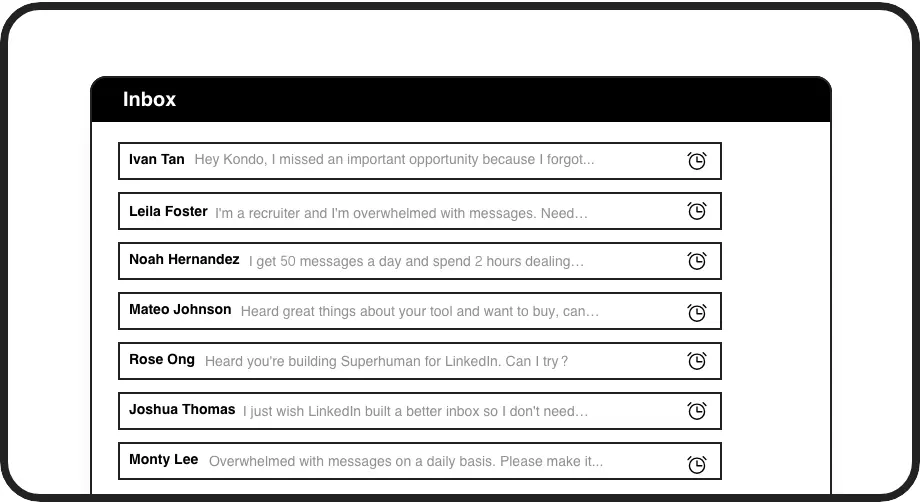
Donor Follow-up Reminders
Set timely follow-up reminders that bring important donor conversations back to the top of your inbox exactly when needed, ensuring no fundraising opportunity is missed.
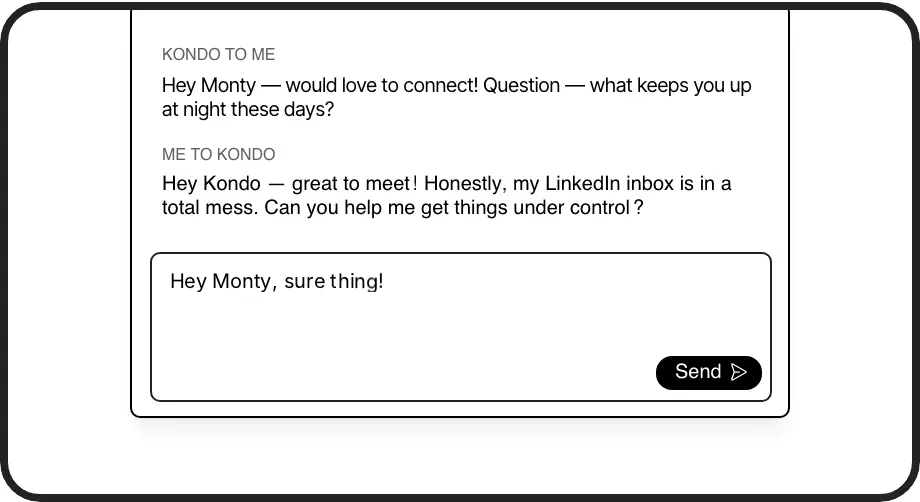
Fundraising Message Templates
Save and reuse personalized fundraising messages with auto-filled donor names. Maintain consistent outreach without repetitive typing for every potential donor.
LinkedIn left your inbox in 2000. Bring it into 2026.
Get the upgrade every power user's been waiting decades for.


Raise More. Miss Less. Save Time.
100%
Donor follow-up rate
5hrs
Saved weekly
Zero
Missed donor messages
FAQs
How does Kondo help with managing fundraising conversations?
Kondo transforms your LinkedIn inbox by allowing you to label donor conversations, set follow-up reminders, and use message templates. This helps you prioritize important donors, never miss follow-ups, and maintain consistent communication without the manual work of tracking everything separately.
Is Kondo compliant with LinkedIn's terms of service?
Yes. Kondo is a native desktop app that works alongside LinkedIn without scraping data or injecting code. It doesn't automate prohibited LinkedIn actions, ensuring your account remains secure while enhancing your messaging experience.
Can I categorize different types of donors in my LinkedIn messages?
Absolutely. Kondo's labeling system allows you to create custom labels like 'Major Donor,' 'Foundation Contact,' or 'Corporate Sponsor' and view these conversations in separate inboxes. You can apply multiple labels to create hierarchies (e.g., Donor > Major) for even better organization.
How do reminders work for donor follow-ups?
With Kondo, you can set a reminder on any donor conversation using the 'H' shortcut. Choose preset times or custom dates. The conversation temporarily disappears and automatically returns to the top of your inbox at the scheduled time, ensuring timely follow-ups with potential donors.
Can I save my commonly used fundraising messages for reuse?
Yes. Kondo's snippets feature lets you save frequently used fundraising messages as templates that can be quickly inserted using the ';' shortcut. These templates can include variables like {firstName} that automatically personalize your messages to each donor, saving time while maintaining a personal touch.