
Set Long Term Reminders on LinkedIn That Actually Work
Never lose a lead again with Kondo's snooze feature that brings important messages back at the perfect time.
What people say
LinkedIn Follow-Ups Falling Through?
Sales pros and recruiters lose opportunities daily in their cluttered LinkedIn inbox.
Buried Opportunities
Critical messages from potential leads get lost under a flood of notifications, costing you valuable deals.
Manual Tracking
Juggling LinkedIn conversations with external reminder systems leads to missed follow-ups and lost connections.
Follow-Up Anxiety
Without a reliable system, the fear of forgetting important long-term follow-ups creates constant stress.
Never Miss a LinkedIn Follow-Up Again
Kondo transforms your LinkedIn inbox with powerful tools designed to ensure perfect follow-up timing every time.
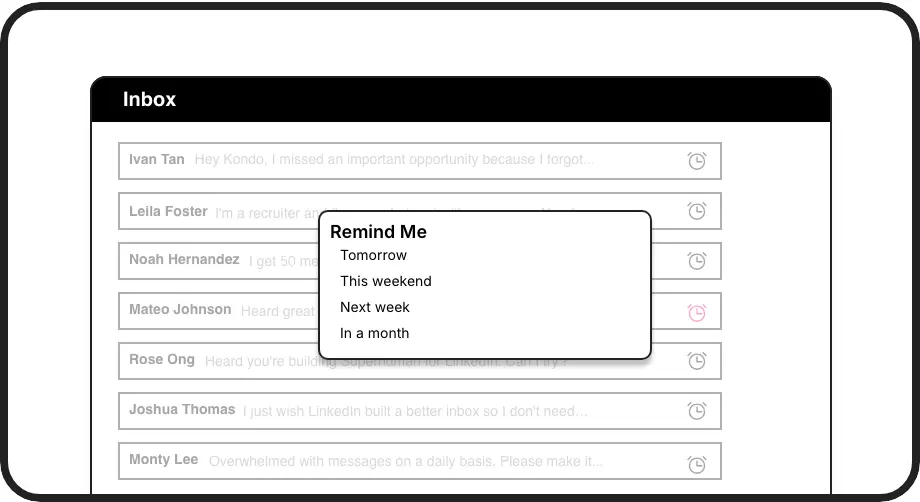
Smart Follow-Up Reminders
Set reminders with a simple keyboard shortcut (H). Messages disappear and resurface exactly when needed, ensuring timely follow-ups without external tools.
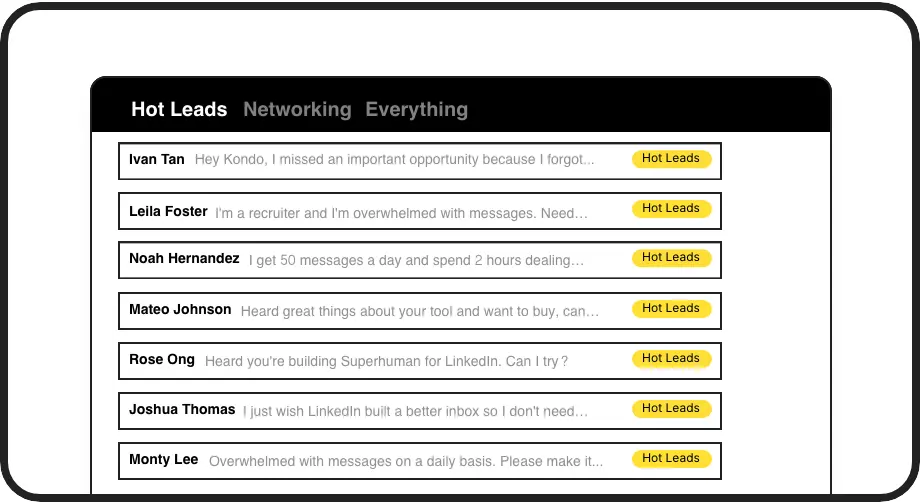
Organized Conversations
Apply custom labels like 'Hot Lead' or 'Follow Up' to categorize conversations in separate inboxes, preventing important messages from getting buried.
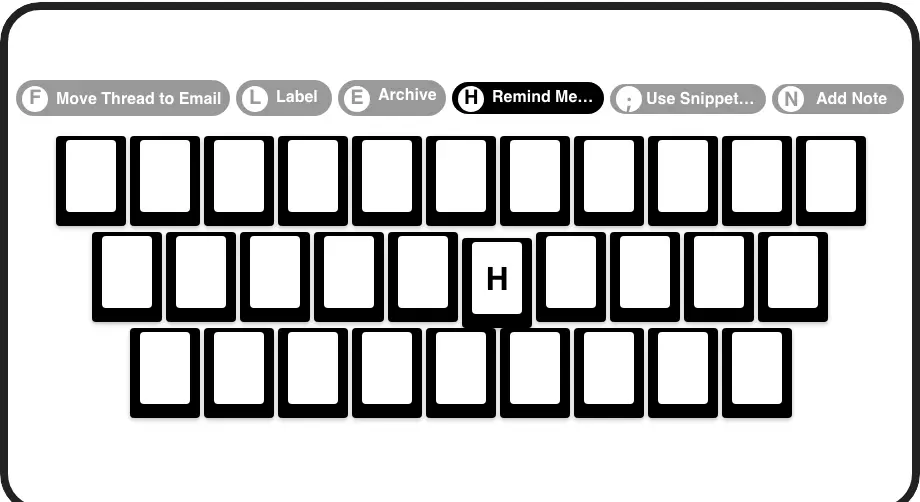
Speed-Focused Workflow
Navigate, archive, set reminders, and apply labels with quick keyboard shortcuts, dramatically reducing the time spent managing your LinkedIn inbox.
LinkedIn left your inbox in 2000. Bring it into 2026.
Get the upgrade every power user's been waiting decades for.


Follow Up Faster, Smarter, Better
100%
Follow-ups delivered
5hrs
Saved weekly
Zero
Missed opportunities
FAQs
How do long term reminders on LinkedIn work with Kondo?
With Kondo, you can set a reminder on any LinkedIn conversation by pressing 'H' (or clicking the reminder icon). Choose a preset time (tomorrow, weekend, next week, in a month) or set a custom date. The conversation disappears from your inbox and automatically resurfaces at the top when it's time to follow up. If the recipient responds before the reminder date, the reminder automatically cancels.
Can I customize when my LinkedIn reminders appear?
Yes! Kondo offers preset options like 'Tomorrow,' 'This weekend,' 'Next week,' and 'In a month,' along with the ability to set custom dates and times for your long-term reminders. This flexibility ensures you can create the perfect follow-up cadence for your sales or recruiting workflow.
Is Kondo compliant with LinkedIn's terms of service?
Absolutely. Kondo is a native desktop app that doesn't scrape LinkedIn data, inject code, or automate prohibited LinkedIn actions. It works alongside LinkedIn to enhance your messaging experience while respecting all platform guidelines and terms of service.
Can I use Kondo with my existing CRM system?
Yes, Kondo's Business tier offers CRM and system sync capabilities. You can integrate with HubSpot, Salesforce (via Zapier/Make), Google Sheets, Notion, and more using webhooks or native integrations. This allows you to log LinkedIn activity and conversation details automatically.
What happens if someone replies before my reminder date?
If a contact replies to your conversation before your scheduled reminder date, Kondo automatically cancels that reminder. The conversation will appear in your inbox normally with the new message, ensuring you never miss a response and don't waste time on unnecessary follow-ups.