
LinkedIn Productivity Tool That Turns SDRs into Sales Machines
Never lose hot leads in your LinkedIn inbox again. Label, prioritize, and follow up effortlessly.
What people say
LinkedIn Inbox Chaos
Sales teams are drowning in LinkedIn messages, missing opportunities that directly impact revenue.
Lost Opportunities
Hot leads get buried under networking messages and notifications, resulting in missed connections and lost sales.
Disorganized Follow-ups
Without structured reminders, critical follow-ups fall through the cracks, breaking your sales cadence and momentum.
Time-Consuming Workflow
Manual tracking and copy-pasting between LinkedIn and CRM wastes hours weekly that could be spent selling.
Transform Your LinkedIn Inbox into a Sales Machine
Kondo brings speed, organization and automation to your LinkedIn messaging, helping sales teams close more deals with less effort.
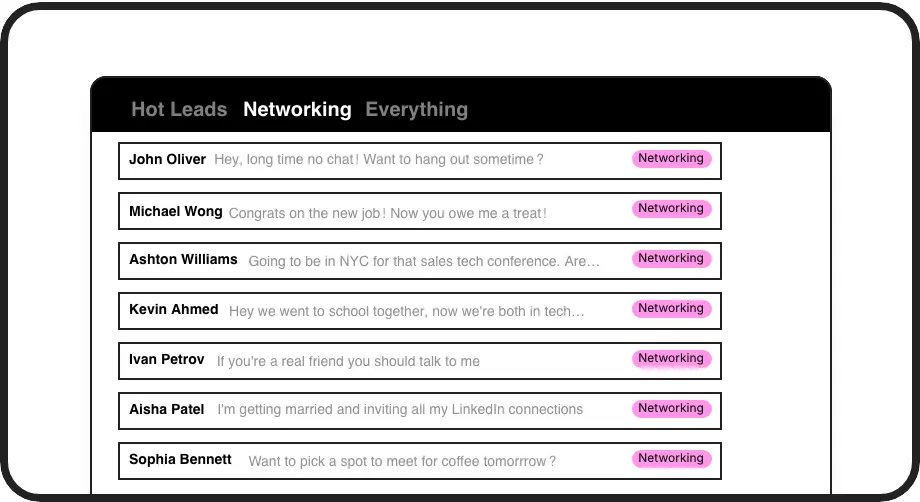
Never Lose Hot Leads
Apply custom labels like 'Hot Lead' or 'Client' to organize conversations in separate inboxes. Instantly prioritize what matters most without endless scrolling.

Perfect Timing, Every Time
Set follow-up reminders that bring conversations back to the top of your inbox exactly when needed. Never forget a follow-up or lose a deal to poor timing.
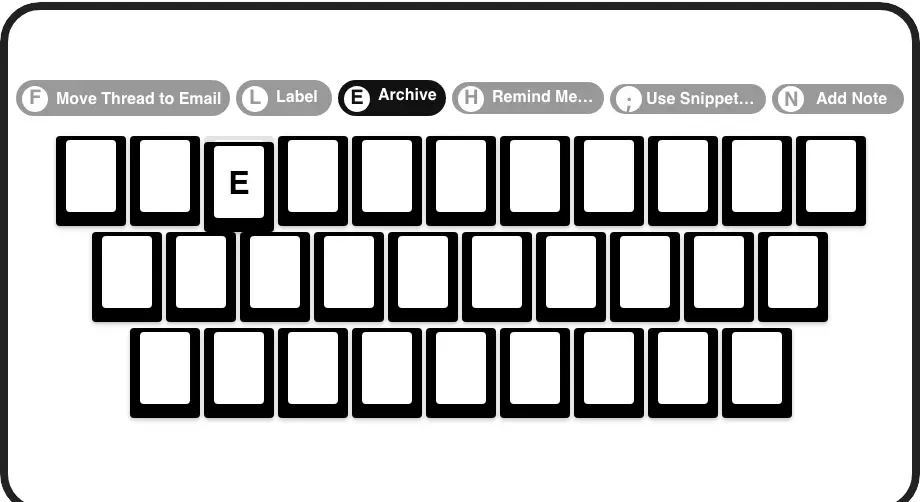
Lightning-Fast Workflow
Process your inbox at superhuman speed with keyboard shortcuts for everything. Navigate, archive, snooze, and label conversations without touching your mouse.
LinkedIn left your inbox in 2000. Bring it into 2026.
Get the upgrade every power user's been waiting decades for.


More Deals, Less Hassle, Better Results
60%
Faster inbox processing
Zero
Missed opportunities
5+ hours
Saved weekly
FAQs
How does Kondo keep my LinkedIn data secure?
Kondo is a native desktop app that works directly with your LinkedIn account. We don't scrape data, inject code, or automate prohibited LinkedIn actions. Your data stays private and secure, and we comply fully with LinkedIn's terms of service.
Can I sync my LinkedIn conversations to my CRM?
Yes! With our Business tier, Kondo integrates with popular CRMs like HubSpot and Salesforce (via Zapier/Make), as well as tools like Google Sheets, Notion, Attio, and Clarify. You can sync the latest messages or entire conversation histories automatically.
How do labels and split inboxes work?
You can create custom labels (like 'Hot Lead', 'Client', 'Prospect') and apply them to conversations using the 'L' shortcut. Kondo then organizes these conversations into separate inboxes, making it easy to focus on your highest-priority messages without distractions.
What are snippets and how do they save time?
Snippets are reusable message templates that can be inserted quickly using the ';' shortcut. They support variables like {firstName} that automatically personalize your messages. This eliminates repetitive typing for common responses, follow-ups, or outreach templates.
Can my entire sales team use Kondo?
Absolutely! Kondo is designed for sales teams of all sizes. Each team member can organize their own LinkedIn inbox with custom labels, reminders, and snippets. The Business tier allows for CRM integration, giving managers visibility into team LinkedIn activity without manual logging.