
LinkedIn Productivity Tool for Marketing Managers: Never Miss a Lead Again
Organize chaotic LinkedIn DMs with labels, reminders, and shortcuts to capture every marketing opportunity.
What people say
LinkedIn Inbox Chaos
Marketing managers lose valuable leads and opportunities in the clutter of LinkedIn's native messaging system.
Missed Opportunities
Important leads and connections get buried under notifications and spam, causing lost business and delayed responses.
Time-Consuming Searches
Finding and following up with specific contacts wastes hours scrolling through disorganized conversations.
No Prioritization
LinkedIn's native inbox treats all messages equally, making it impossible to focus on high-value marketing leads first.
Transform Your LinkedIn Inbox for Marketing Success
Kondo brings organization, automation, and speed to your LinkedIn messaging workflow, helping marketing managers capture every opportunity.
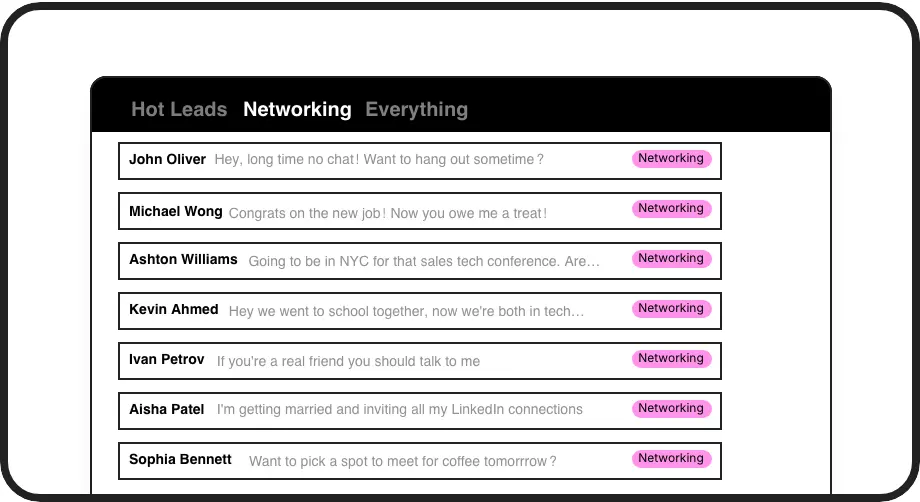
Smart Inbox Organization
Label conversations as 'Hot Lead', 'Client', or 'Partner' and view them in separate inboxes. Prevent marketing opportunities from getting lost in the clutter.
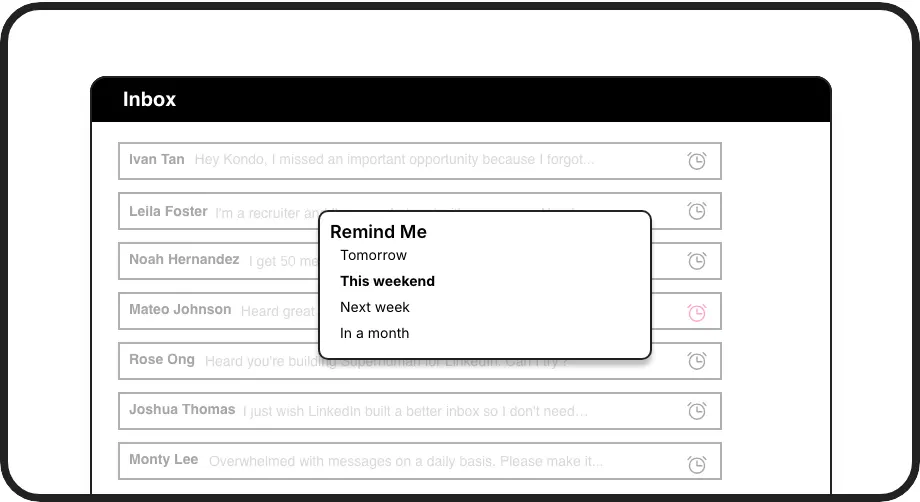
Automated Follow-ups
Set reminders to follow up with prospects at the perfect time. Messages reappear at the top of your inbox when due, ensuring no marketing lead goes cold.
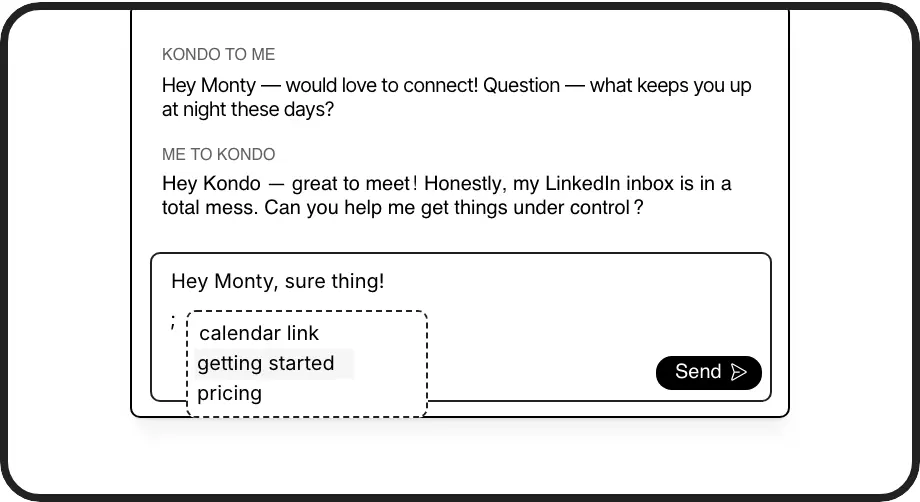
Message Templates
Save campaign messages, product details, and pricing as snippets that auto-fill recipient names. Respond to inquiries consistently without retyping the same content.
LinkedIn left your inbox in 2000. Bring it into 2026.
Get the upgrade every power user's been waiting decades for.


Capture Leads. Save Time. Boost Results.
100%
Lead capture rate
5hrs
Saved weekly
2x
Response efficiency
FAQs
How does Kondo help marketing managers specifically?
Kondo helps marketing managers organize LinkedIn messages by priority, set reminders for campaign follow-ups, and use message templates for consistent brand communication. This prevents leads from getting lost, ensures timely follow-up with prospects, and streamlines repetitive messaging tasks.
Is Kondo safe to use with my LinkedIn account?
Yes, Kondo is completely safe. It's a native desktop app that doesn't scrape, inject code, or automate prohibited LinkedIn actions. Kondo works alongside LinkedIn while respecting its terms of service.
Can I categorize messages from different marketing campaigns?
Absolutely. Kondo's labeling system allows you to create custom labels for different marketing campaigns, lead sources, or priority levels. You can even apply multiple labels to create hierarchical organization (e.g., 'Lead > Campaign A') and view them in dedicated split inboxes.
How do message snippets work for marketing content?
Snippets let you save frequently used marketing messages, campaign details, pricing information, and follow-up templates. Access them with the ';' shortcut and they auto-fill with variables like {firstName} for personalization. This ensures consistent messaging while saving time on repetitive typing.
Can Kondo integrate with my marketing tools and CRM?
Yes, the Business Tier offers CRM & System Sync capabilities. Kondo can integrate with HubSpot, Salesforce (via Zapier/Make), Google Sheets, Notion, and other systems using webhooks or native integrations. This allows you to automatically log LinkedIn conversations and lead interactions in your marketing stack.