
LinkedIn Productivity Tool Built for Busy Founders
Never miss investor or client messages again. Organize, prioritize, and follow up seamlessly.
What people say
LinkedIn Inbox Chaos
Founders lose critical opportunities hidden in cluttered LinkedIn inboxes daily.
Missed Opportunities
Important investor and client messages get buried under notifications, leading to lost deals and partnerships.
Time Wasted
Hours spent scrolling through unorganized DMs trying to find important conversations that need follow-up.
Delayed Responses
Without a system, critical messages go unanswered for days, damaging relationships and reputation.
Superhuman-like Speed for Your LinkedIn Inbox
Kondo transforms your cluttered LinkedIn inbox into a streamlined communication hub with powerful organization tools.
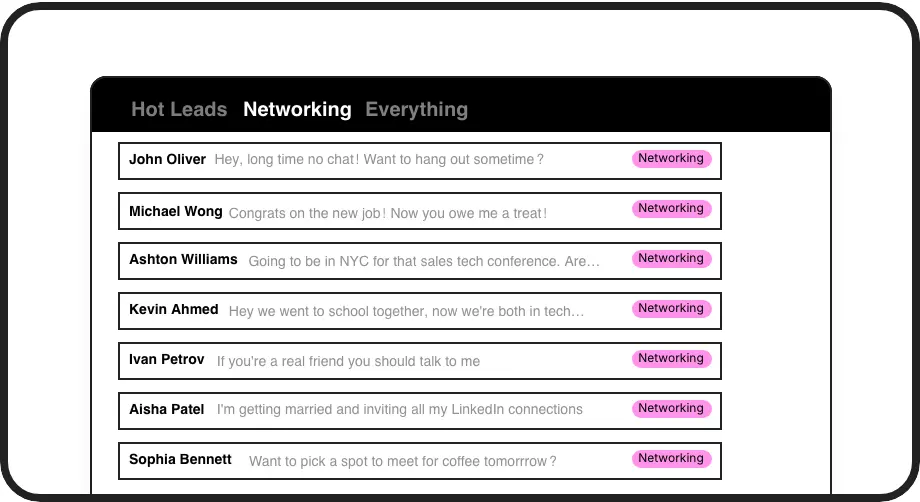
Prioritize What Matters
Create custom labels for investors, clients, and leads. View conversations in separate inboxes so hot opportunities never get lost in the noise.
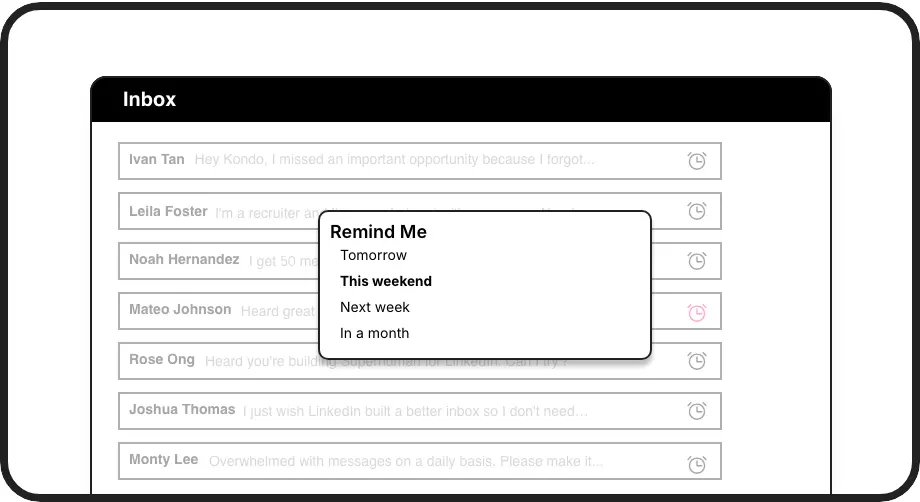
Never Miss Follow-ups
Set reminders with one keystroke. Messages disappear until the follow-up time, then resurface automatically at the top of your inbox when it's time to respond.
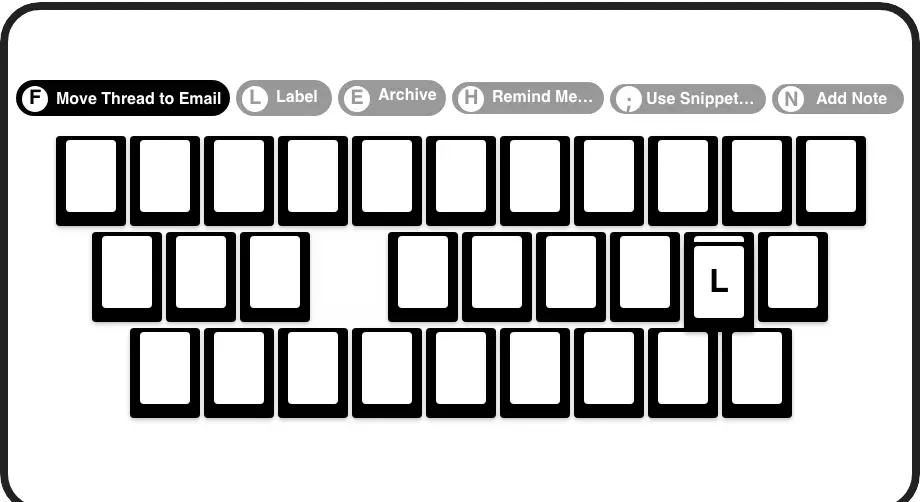
Lightning-Fast Workflow
Process your inbox at record speed with shortcuts for everything. Archive, snooze, label, and navigate without ever touching your mouse.
LinkedIn left your inbox in 2000. Bring it into 2026.
Get the upgrade every power user's been waiting decades for.


Save Time, Close More, Stress Less
80%
Less Inbox Time
Zero
Missed Opportunities
100%
Follow-ups Delivered
FAQs
How does Kondo differ from the native LinkedIn messaging experience?
Kondo adds productivity features missing in LinkedIn's native inbox: custom labels for organizing conversations, reminders that bring messages back to the top of your inbox, keyboard shortcuts for faster processing, and message snippets for quick replies. These tools help founders manage high-volume inboxes without missing important opportunities.
Is Kondo secure and compliant with LinkedIn's terms?
Yes, Kondo is a native desktop application that doesn't scrape data, inject code, or automate prohibited LinkedIn actions. It works alongside LinkedIn's platform to enhance your messaging experience while respecting platform guidelines and protecting your data.
Can I integrate Kondo with my existing CRM system?
Yes, Kondo's Business tier includes CRM & System Sync that integrates with HubSpot, Salesforce (via Zapier/Make), Google Sheets, Notion, and other systems. This allows you to push LinkedIn conversation data to your existing tools, eliminating manual data entry and providing visibility across platforms.
How do labels and split inboxes work?
You can create custom labels (e.g., 'Hot Lead', 'Investor', 'Client') and assign them to conversations with a simple keyboard shortcut. Kondo then organizes these labeled conversations into separate inboxes, allowing you to focus on priority messages first. You can customize label colors/icons and apply multiple labels to create groups.
How do reminders work in Kondo?
With a quick keyboard shortcut (H), you can set a reminder on any conversation. Choose preset times or custom dates, and the message disappears until the specified time. When the reminder is due, the conversation automatically resurfaces at the top of your inbox. If a new message arrives before the due time, the reminder cancels automatically.