
Your LinkedIn Message Personalization Shortcut: Save Hours Daily
Stop copy-pasting templates. Insert personalized messages with variables like {firstName} in seconds.
What people say
LinkedIn Outreach Challenges
Personalized messages drive results, but they're incredibly time-consuming to create at scale.
Repetitive Typing Waste
Constantly rewriting or copy-pasting similar messages consumes hours that could be spent engaging with prospects.
Personalization Bottlenecks
Manual customization limits your outreach volume, forcing a choice between personalization and scale.
Inconsistent Messaging
Without templates, your outreach quality varies message-to-message, weakening your brand and conversion rates.
Scale Personalized Outreach In Seconds
Kondo's productivity tools transform your LinkedIn messaging workflow, letting you reach more prospects with truly personalized messages.
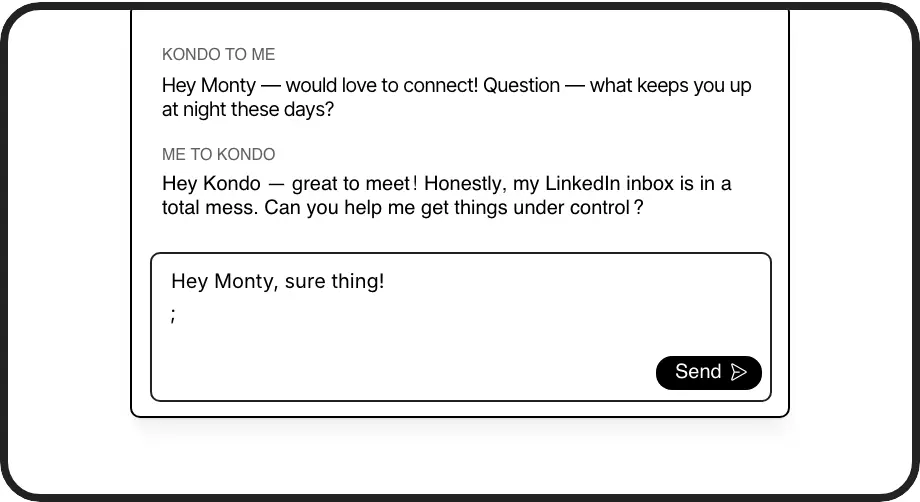
Smart Message Templates
Create reusable templates with dynamic variables like {firstName} that auto-populate. Insert them with a simple ';' shortcut during any conversation.
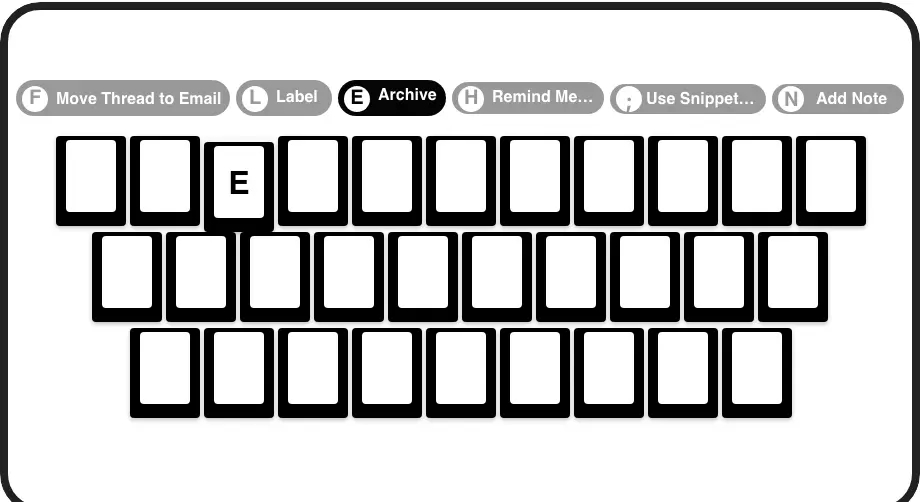
Lightning-Fast Navigation
Process your inbox at superhuman speed with keyboard shortcuts for everything. Archive, label, set reminders, and insert templates without touching your mouse.
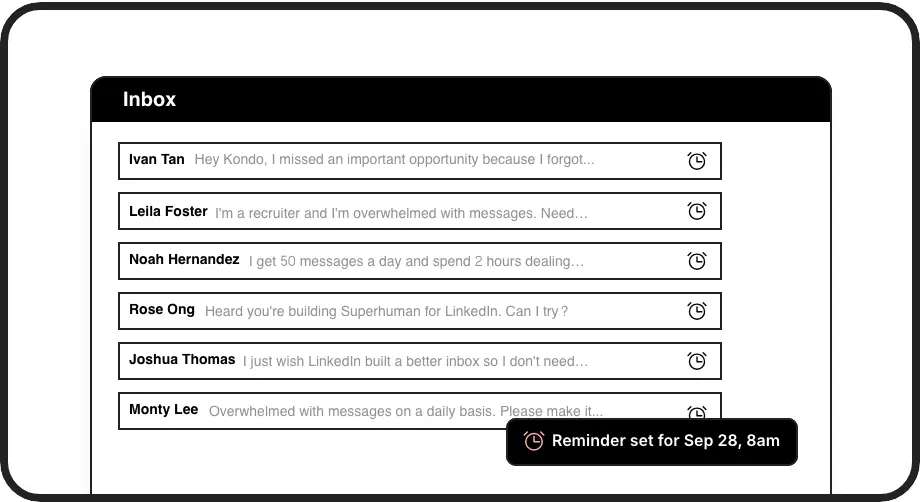
Automated Follow-ups
Set precise follow-up reminders with a single keystroke. Conversations reappear at the top of your inbox exactly when you need to re-engage.
LinkedIn left your inbox in 2000. Bring it into 2026.
Get the upgrade every power user's been waiting decades for.


Work Smarter, Reach Further, Convert More
75%
Less typing time
3x
More personalized outreach
100%
Follow-up consistency
FAQs
How do Kondo's snippets work for LinkedIn message personalization?
Kondo's Snippets feature lets you save message templates with dynamic variables like {firstName}. When you're in a LinkedIn conversation, simply type the ';' shortcut followed by your snippet name. The template inserts instantly with variables automatically filled with the recipient's information, saving you from repetitive typing while maintaining personalization.
Is Kondo compliant with LinkedIn's terms of service?
Yes. Kondo is a native desktop app that enhances your LinkedIn messaging experience without scraping data, injecting code, or automating prohibited actions. It works alongside LinkedIn's platform to provide organizational and productivity features while respecting LinkedIn's terms of service.
Can I use keyboard shortcuts with Kondo's personalization features?
Absolutely. Kondo offers keyboard shortcuts for all functions, including snippet insertion. Type ';' to access your snippet library, then select the template you want. You can also use shortcuts like 'E' to archive messages, 'H' to set reminders, and 'L' to apply labels, allowing for fast inbox management without moving your hands from the keyboard.
How do I track my LinkedIn outreach with Kondo?
Kondo provides several tracking methods: label conversations (e.g., 'Hot Lead', 'Candidate') to organize them in separate inboxes, set reminders for follow-ups that return to your inbox at the right time, and with the Business tier, sync conversation data to your CRM system to maintain a complete record of your LinkedIn activity.
Can I use Kondo to personalize messages for both sales and recruiting?
Yes. Kondo's snippets work for any type of LinkedIn outreach. Sales professionals can create templates for prospecting, follow-ups, and meeting requests, while recruiters can save templates for candidate outreach, interview scheduling, and role descriptions. Each snippet can include variables to personalize automatically for each recipient.