
Conquer Your LinkedIn Inbox with Lightning-Fast Shortcuts.
Kondo provides keyboard shortcuts to navigate, organize, and reply to DMs 10x faster.
What people say
Is Your LinkedIn Inbox Holding You Back?
You're losing deals and hours to a clunky LinkedIn inbox not built for speed.
Endless Inbox Scrolling
Wasting precious hours daily clicking and scrolling through endless messages, slowing down your entire LinkedIn workflow.
Repetitive Task Overload
Tediously typing the same replies and performing common actions manually drains your valuable time and mental energy.
Opportunities Slip Through
Crucial follow-ups and hot leads get buried in the clutter, leading to lost deals and missed opportunities daily.
Transform Your LinkedIn Inbox Workflow
Kondo equips you with powerful tools to manage your LinkedIn DMs with unparalleled speed and organization, turning chaos into clarity.
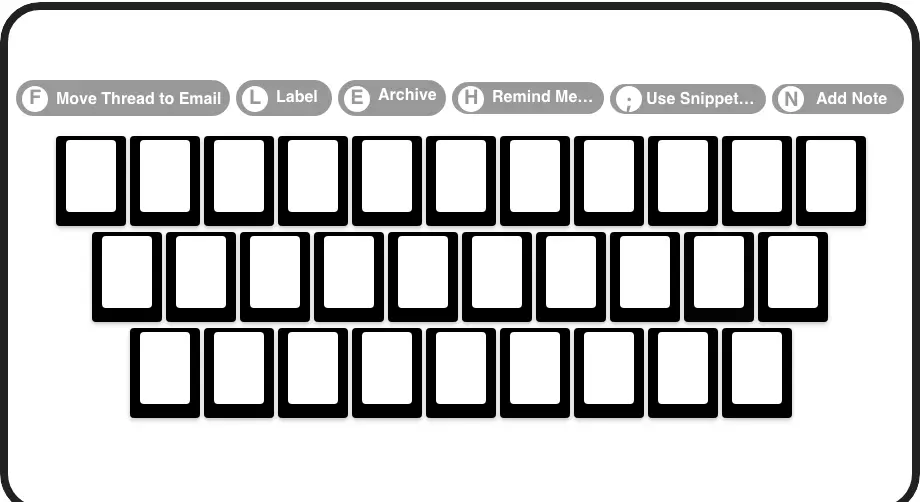
Fly with Shortcuts
Navigate your LinkedIn DMs, archive, snooze, label, and reply at lightning speed using intuitive keyboard shortcuts. Drastically reduce your inbox time and become a LinkedIn power user. It's like Superhuman, but for LinkedIn messages.
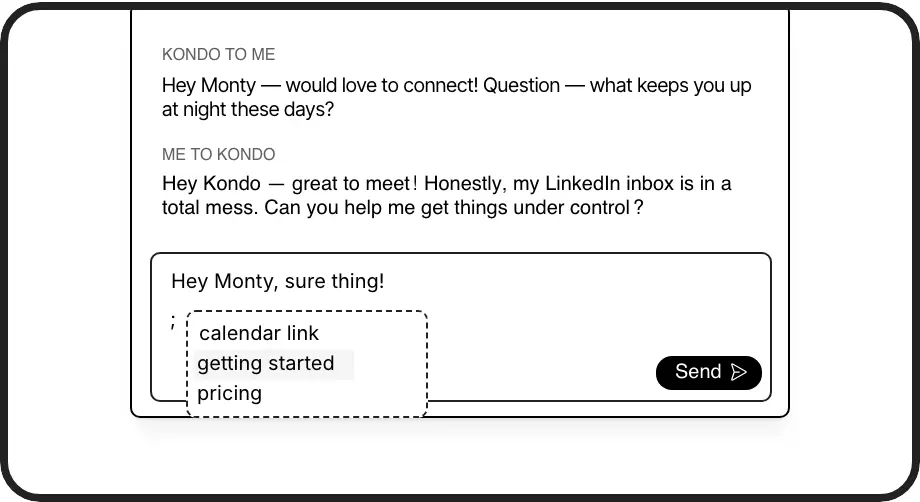
Instant Smart Replies
Save frequently used messages as templates. Insert them instantly into replies with a simple command, automatically personalizing with variables like {firstName}. Stop repetitive typing and ensure consistent, quick communication.
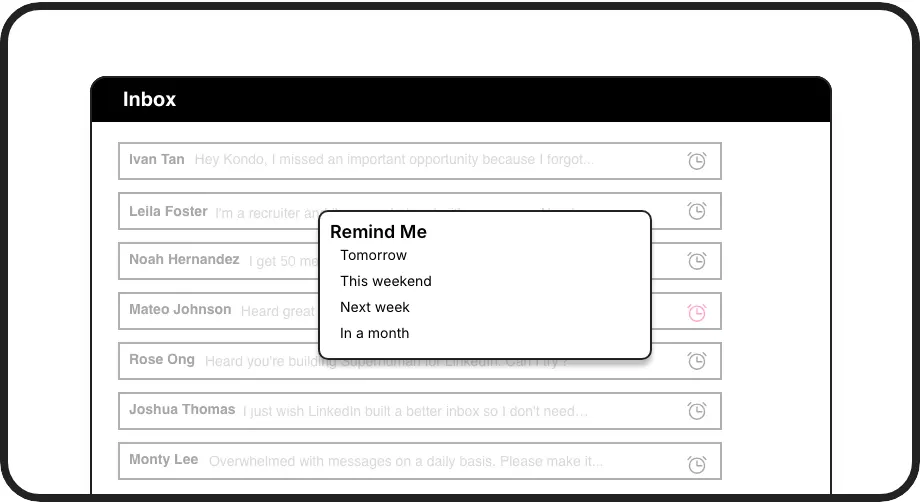
Never Miss Follow-ups
Effortlessly snooze conversations with a shortcut. Messages reappear at the top of your inbox at your chosen time, ensuring you never miss a follow-up. Keep your pipeline warm and opportunities alive.
LinkedIn left your inbox in 2000. Bring it into 2026.
Get the upgrade every power user's been waiting decades for.


Work Smarter, Not Harder on LinkedIn
5+ hrs
saved per week
10x
faster inbox actions
Zero
missed important DMs
FAQs
Are keyboard shortcuts hard to learn?
Not at all! Kondo's shortcuts are intuitive, often mirroring common productivity apps. We provide a handy cheat sheet (Cmd/Ctrl+K then 'Shortcuts'), and you'll pick them up naturally as you experience the speed benefits. Most users feel proficient within a day.
How do shortcuts speed up my workflow?
Instead of multiple clicks for actions like archiving, replying, or setting reminders, Kondo lets you do them with single key presses. This drastically reduces time spent on repetitive tasks, allowing you to process your inbox significantly faster and focus on meaningful conversations.
Can I customize keyboard shortcuts?
Currently, Kondo offers a standardized set of highly optimized keyboard shortcuts designed for maximum efficiency. While direct customization isn't available now, we continuously evaluate user feedback for future enhancements. The Command Palette (Cmd/Ctrl+K) also offers quick access to all actions.
Is Kondo safe for my LinkedIn account?
Yes, Kondo is designed with safety first. It enhances your existing browser session for a better inbox experience and doesn't perform unauthorized automated actions, scrape data, or inject disruptive code that would violate LinkedIn's terms of service.
What if I forget a shortcut?
No problem! Press `Cmd+K` (or `Ctrl+K` on Windows) to open the Command Palette. From there, you can type Shortcuts to see a list of all commands, or directly type the action you want to perform, like Remind Me or Apply Label.