
Never Miss LinkedIn Follow Ups With Automatic Reminders
Kondo's smart reminders resurface important LinkedIn conversations at the perfect time, ensuring no lead slips through the cracks.
What people say
LinkedIn DM Chaos
Your most valuable leads and opportunities are drowning in an overwhelming LinkedIn inbox.
Forgotten Follow-ups
Critical follow-up messages slip through the cracks, leading to lost sales opportunities and damaged relationships.
Buried Hot Leads
Important messages get buried under the daily avalanche of notifications and less important conversations.
Manual Tracking
Relying on memory or external tools to remember follow-ups creates anxiety and wastes valuable time.
Follow Up At The Perfect Time, Every Time
Kondo transforms your LinkedIn inbox with powerful tools designed to ensure timely follow-ups and organized conversations.
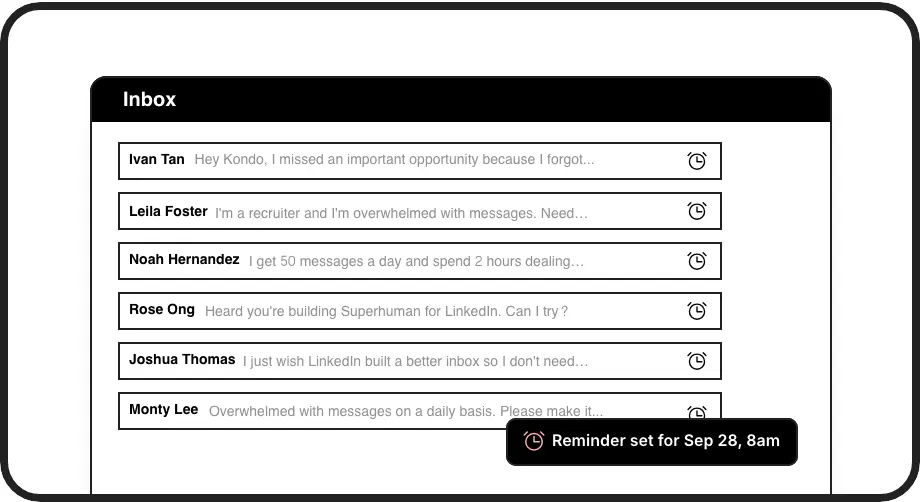
Smart Follow-up Reminders
Set reminders with a single keystroke. Messages disappear until they're due, then automatically resurface at the top of your inbox exactly when needed.
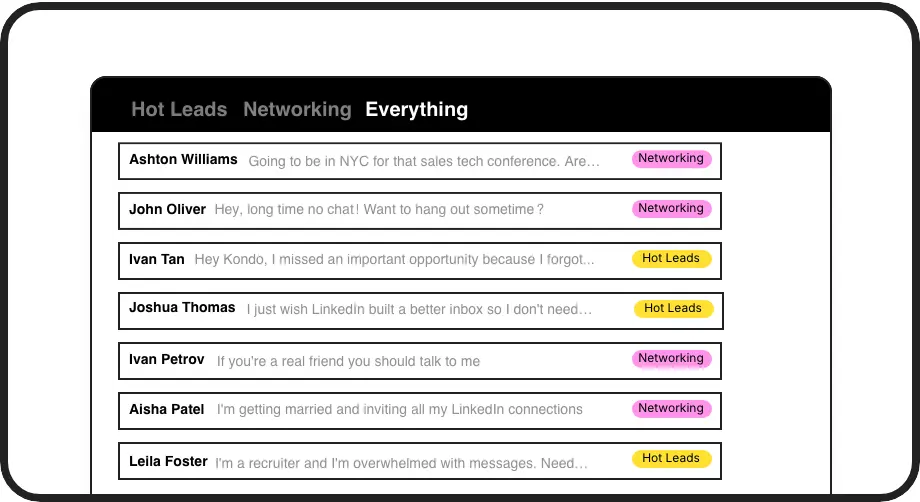
Organized Conversations
Label and sort conversations into separate inboxes for hot leads, clients, and candidates. Never lose an important message in the clutter again.
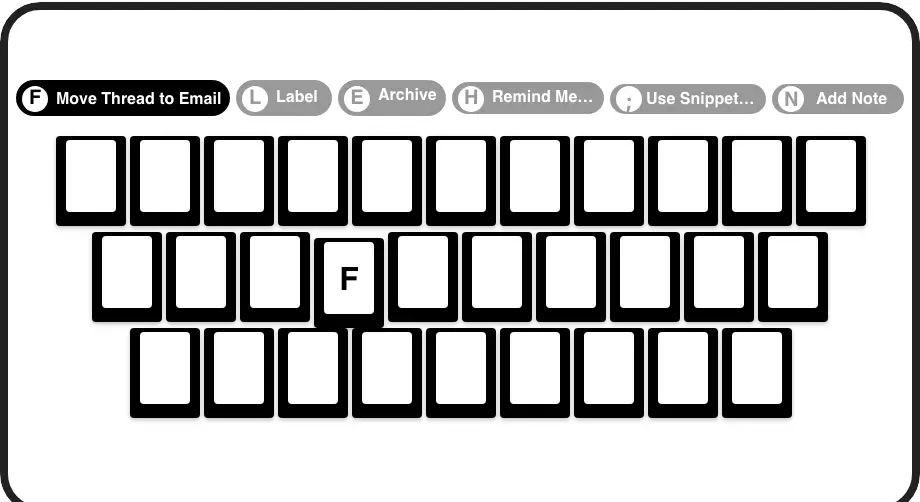
Lightning-Fast Workflow
Process your LinkedIn inbox at record speed with keyboard shortcuts. Set reminders with 'H', archive with 'E', and apply labels with 'L'.
LinkedIn left your inbox in 2000. Bring it into 2026.
Get the upgrade every power user's been waiting decades for.


More Follow-ups, More Deals, Less Work
100%
Follow-ups completed
3x
Faster response time
0
Missed opportunities
FAQs
How do follow-up reminders work in Kondo?
With Kondo, you can set a reminder on any LinkedIn conversation using the 'H' shortcut. Choose from preset times (tomorrow, 3 days, next week) or set a custom date/time. The conversation disappears from your inbox and automatically resurfaces at the top when it's due, ensuring you never forget to follow up.
Can I organize my LinkedIn messages by lead priority?
Yes! Kondo lets you create custom labels like 'Hot Lead,' 'Prospect,' or 'Client' and apply them to conversations using the 'L' shortcut. You can then view messages in separate, prioritized inboxes, making it easy to focus on your most valuable leads first.
Will Kondo work with my existing CRM system?
Kondo's Business Tier offers integration with popular CRMs and tools including HubSpot, Salesforce (via Zapier/Make), Google Sheets, and Notion using webhooks or native integrations. This allows you to automatically sync LinkedIn conversation data without manual entry.
Is Kondo safe to use with my LinkedIn account?
Yes, Kondo is a native desktop application that prioritizes safety and compliance. It does not scrape LinkedIn data, inject code, or automate prohibited LinkedIn actions. Kondo simply enhances your messaging experience while adhering to LinkedIn's terms of service.
How much time can I save using Kondo?
Users report significant time savings by implementing Kondo's Inbox Zero workflow. The combination of reminders, labels, and keyboard shortcuts dramatically reduces the time spent managing LinkedIn messages, allowing you to focus on meaningful conversations instead of inbox management.