
Kondo: Your Simplified LinkedIn ATS.
Kondo brings ATS-like organization to your LinkedIn DMs using powerful labels.
What people say
Your LinkedIn Inbox: A Black Hole for Recruiters?
Juggling multiple roles, clients, and candidates in LinkedIn's native inbox is a recipe for disaster.
Candidate-Client Chaos
Candidates, clients, and prospects all mixed up. You waste hours sifting through messages, losing valuable placement time daily.
Lost Track of Stages
Which candidate was for which role? Which stage are they in? Forgetting critical details costs you promising placements and income.
Opportunities Vanish
Promising candidates and important client updates get buried. Missed follow-ups mean lost opportunities and damaged reputation.
Organize Your Recruitment From LinkedIn Inbox
Kondo gives independent recruiters the power of an ATS and CRM, directly within LinkedIn, to manage candidates and clients effortlessly.
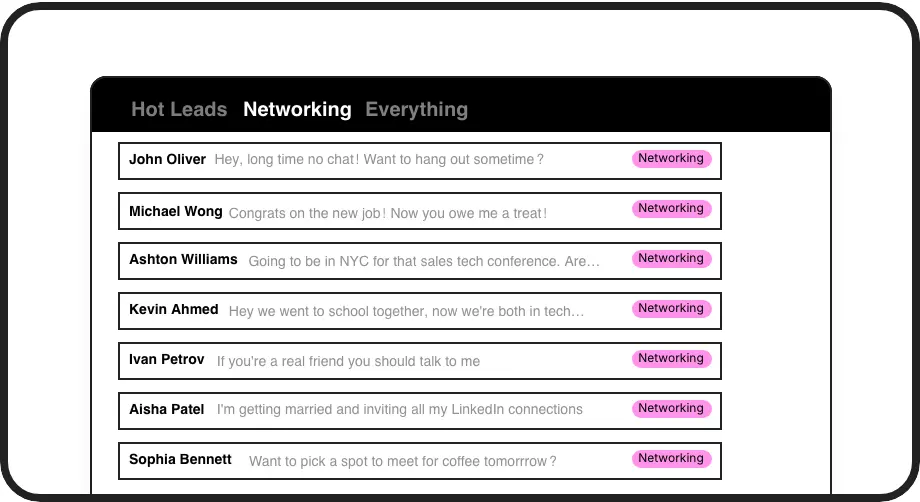
Your LinkedIn ATS
Create custom labels for roles, clients, or candidate stages (e.g., 'Java Dev', 'Client ABC', 'Screening'). View each in a dedicated inbox, transforming your messy DMs into an organized, filterable candidate and client management system.
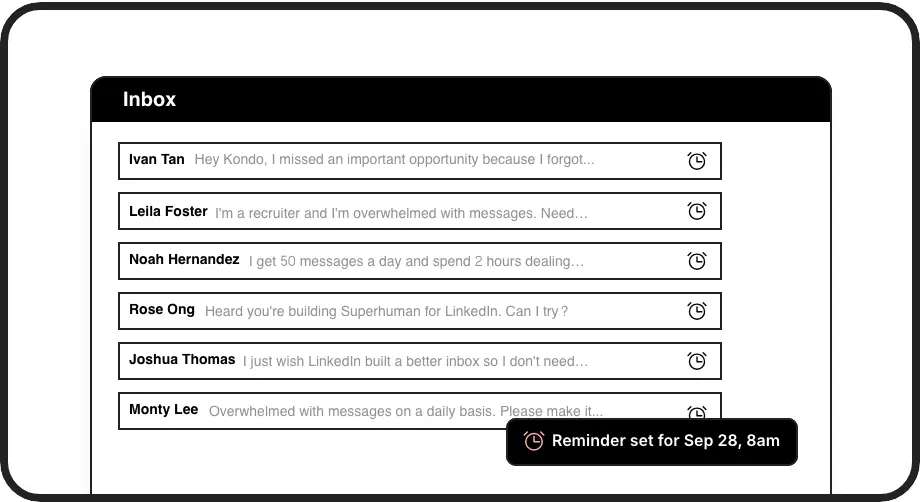
Timely Follow-ups
Never miss a follow-up. Snooze conversations with candidates or clients (e.g., 'Follow up next Tuesday'). Kondo brings them back to your inbox at the right time, ensuring you stay on top of every opportunity.
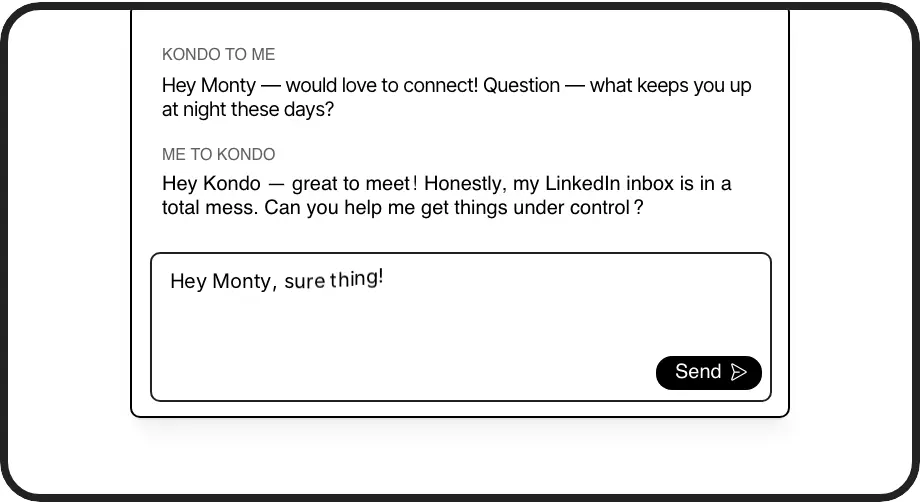
Instant Message Snippets
Save hours by using pre-written templates for common outreach, replies, or scheduling messages. Personalize with variables like {firstName}. Perfect for consistent, efficient communication with candidates and clients at scale.
LinkedIn left your inbox in 2000. Bring it into 2026.
Get the upgrade every power user's been waiting decades for.


Stop Drowning, Start Placing More Candidates
50%+
candidates managed
2 Hrs
time saved daily
1-2+
placements per month
FAQs
How does Kondo manage candidates and clients?
Kondo allows you to create custom labels like 'Client-Active', 'Candidate-TechLead', or 'Candidate-Sourced-ProjectX'. This turns your LinkedIn inbox into a structured system, separating client communications from candidate pipelines, much like a dedicated ATS, but right within LinkedIn.
Can I track candidate stages with Kondo?
Yes! Use labels to define stages (e.g., 'Sourced', 'Screening', 'Interviewing', 'Offer'). You can even use multi-labels like 'ProjectY-Screening'. This gives you a clear visual overview of your candidate pipeline for each role, directly in your LinkedIn DMs.
Is Kondo safe with LinkedIn Recruiter?
Kondo is designed to be safe. It doesn't automate actions LinkedIn prohibits or scrape data in a risky way. It enhances your existing LinkedIn messaging interface to make you more efficient, not to perform actions as a bot. Read more at trykondo.com/safe.
How is Kondo different from a full ATS?
Kondo enhances your LinkedIn inbox to function like a lightweight, agile ATS for your DMs. While full ATS platforms offer broader HR features, Kondo focuses on streamlining your LinkedIn communication, organizing candidates and clients with labels, and ensuring timely follow-ups, without needing complex integrations.
Can Kondo help manage candidate outreach?
Absolutely. Use snippets for personalized outreach messages, set follow-up reminders so no candidate is missed, and label incoming replies to quickly sort new prospects. Kondo helps you manage high-volume sourcing and engagement efficiently.