
Lightweight CRM for LinkedIn: Never Lose a Lead Again
Label conversations, set reminders, and sync to your CRM - all without leaving LinkedIn.
What people say
LinkedIn Inbox Chaos
Your LinkedIn inbox is where opportunities go to die.
Lost Sales Opportunities
Hot leads get buried under notifications and low-priority messages, resulting in missed sales and revenue.
Follow-up Failures
Without a system, crucial follow-ups are forgotten, leading to dropped conversations and damaged relationships.
Manual CRM Updates
Constantly switching between LinkedIn and your CRM wastes hours on tedious copy-pasting and data entry.
Transform LinkedIn Into Your Lightweight CRM
Kondo brings speed, organization, and reliability to your LinkedIn messaging workflow without complex setup.
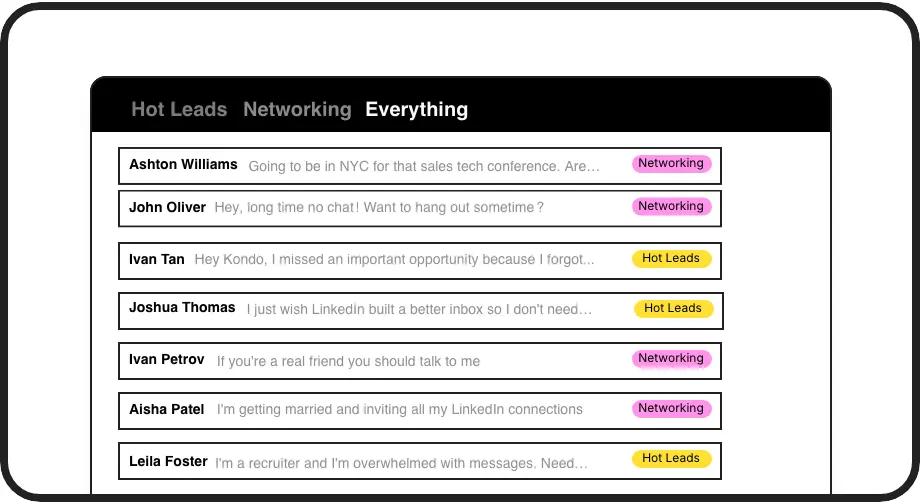
Smart Lead Labeling
Categorize conversations with custom labels like 'Hot Lead' or 'Client' and view them in separate, prioritized inboxes so important messages never get lost.
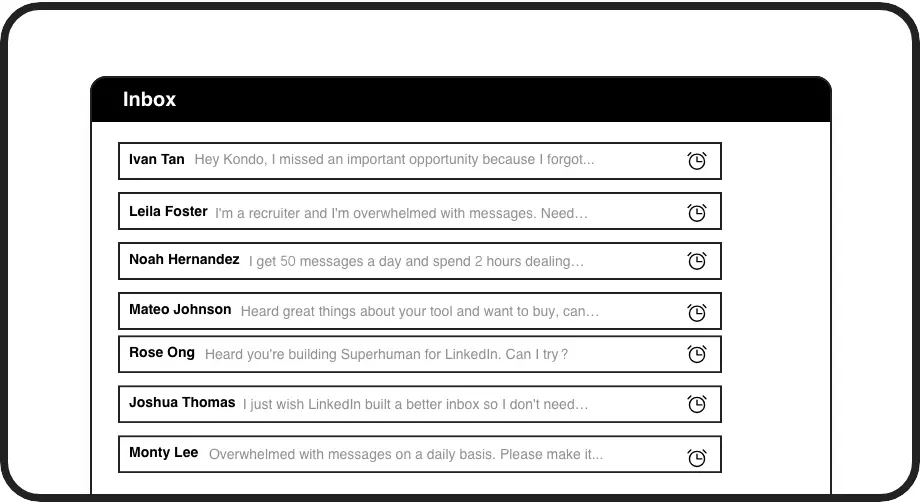
Automated Follow-ups
Set reminders that bring conversations back to the top of your inbox at the perfect time. Never forget a follow-up or lose a deal to poor timing.
Seamless CRM Integration
Automatically sync LinkedIn conversations to HubSpot, Salesforce, Notion, or Google Sheets without manual data entry, keeping your systems in perfect harmony.
LinkedIn left your inbox in 2000. Bring it into 2026.
Get the upgrade every power user's been waiting decades for.


Speed Up. Scale Up. Close More.
75%
Less time managing leads
2x
More follow-ups completed
8+ hours
Saved weekly
FAQs
How is Kondo different from a full CRM system?
Kondo is a lightweight CRM that works directly inside LinkedIn, focusing specifically on organizing your LinkedIn messaging inbox. Unlike complex CRMs, Kondo requires no setup, training, or migration - it simply enhances your existing LinkedIn workflow with labeling, reminders, and optional CRM syncing.
Can I sync my LinkedIn conversations to my existing CRM?
Yes! Kondo's Business tier includes CRM & System Sync that integrates with HubSpot, Salesforce (via Zapier/Make), Google Sheets, Notion, and other systems. You can configure manual or automatic syncing to push conversation data, labels, and notes to your main CRM without copy-pasting.
Is Kondo safe to use with my LinkedIn account?
Absolutely. Kondo is a native desktop application that doesn't scrape data, inject code, or automate prohibited LinkedIn actions. It works alongside LinkedIn's official functions to enhance your experience while maintaining complete compliance with LinkedIn's terms of service.
How long does it take to get started with Kondo?
You can be up and running with Kondo in minutes. The app is designed for immediate productivity with an intuitive interface and helpful keyboard shortcuts. Start labeling conversations and setting reminders right away, with optional CRM integration available when you're ready.
Can my team use Kondo together to manage LinkedIn leads?
Yes, Kondo works great for sales teams. Each team member can organize their own LinkedIn inbox with consistent labeling systems, and with the Business tier CRM sync feature, everyone's LinkedIn activity can be automatically logged to your shared CRM for complete visibility across the team.