
Leads Triage on LinkedIn: Prioritize Hot Prospects, Never Miss Sales
Stop drowning in LinkedIn DMs. Label, sort, and focus on high-value leads that convert.
What people say
LinkedIn DM Chaos
Your best opportunities are buried under a mountain of low-priority messages.
Missed Hot Leads
Critical sales opportunities get buried in the clutter, resulting in lost revenue and missed connections.
No Prioritization
LinkedIn's native inbox treats all messages equally, forcing you to manually hunt for important conversations.
Time-Consuming Sorting
Hours wasted scrolling through messages to find the conversations that actually matter to your pipeline.
Triage LinkedIn Leads with Precision
Kondo transforms your chaotic LinkedIn inbox into a streamlined sales machine with powerful organization tools.
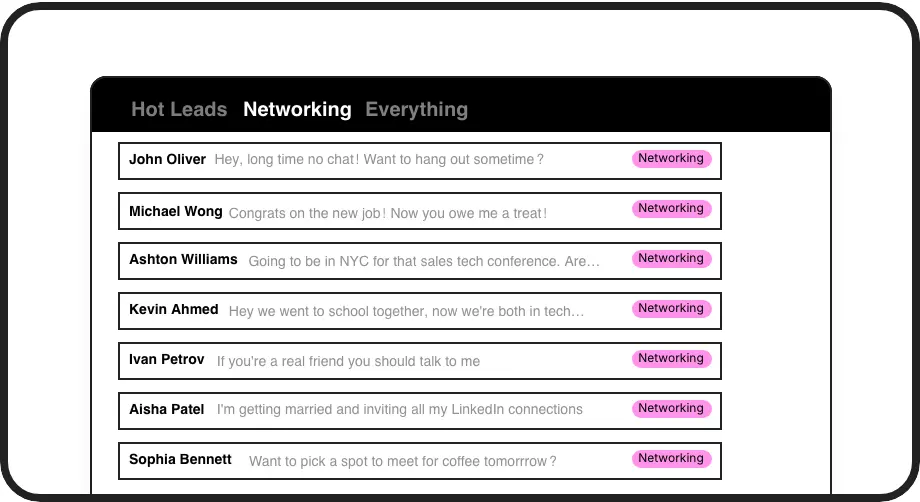
Smart Lead Labeling
Apply custom labels like 'Hot Lead' or 'Follow Up' to instantly categorize conversations and view them in separate, prioritized inboxes.
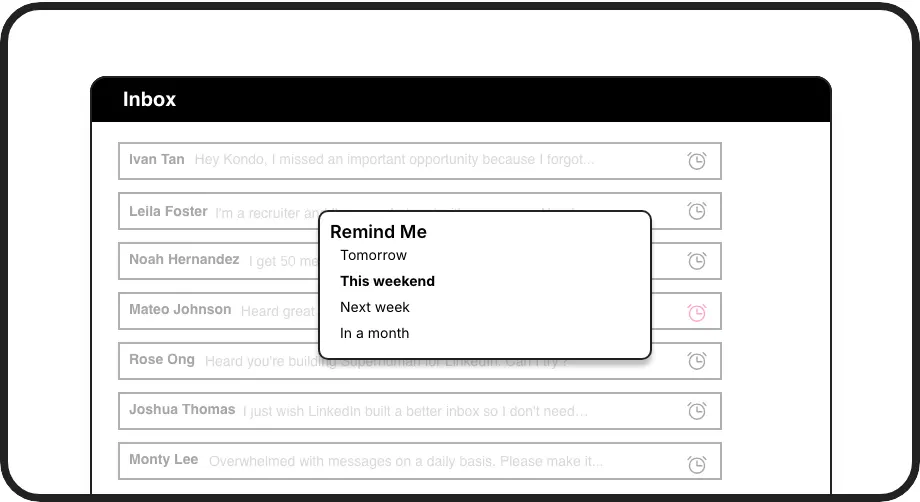
Never Miss Follow-ups
Set follow-up reminders that resurface conversations exactly when needed. Messages reappear at inbox top, ensuring timely responses to promising leads.
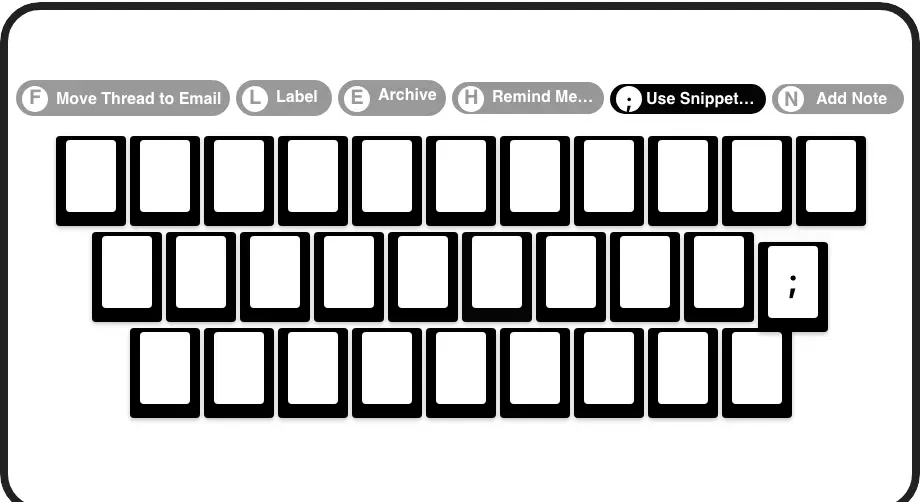
Lightning-Fast Workflow
Process LinkedIn leads at 2x speed with shortcuts for labeling, archiving, and setting reminders - all without touching your mouse.
LinkedIn left your inbox in 2000. Bring it into 2026.
Get the upgrade every power user's been waiting decades for.


More Sales. Less Chaos. Zero Missed Opportunities.
60%
Less Time Sorting
100%
Follow-ups Completed
Zero
Hot Leads Missed
FAQs
How does Kondo's lead triage system work on LinkedIn?
Kondo helps you organize LinkedIn messages with custom labels (like 'Hot Lead') and split inboxes. You can quickly categorize conversations, set follow-up reminders, and use keyboard shortcuts to process messages faster. This ensures important leads are never buried and always receive timely responses.
Is Kondo safe to use with my LinkedIn account?
Yes, Kondo is completely safe. It's a native desktop application that doesn't scrape LinkedIn data, inject code, or automate prohibited actions. Kondo respects LinkedIn's terms of service while enhancing your messaging experience.
Can I sync my LinkedIn conversations with my CRM?
Yes, Kondo's Business tier offers CRM & System Sync that integrates with tools like HubSpot, Salesforce (via Zapier/Make), Google Sheets, or Notion. This allows you to automatically log LinkedIn activity and conversation details, eliminating manual data entry.
How do reminders work for lead follow-ups?
With Kondo, you can set reminders (or snooze) conversations with the 'H' shortcut. Choose preset times or custom dates. The message disappears and automatically resurfaces at the top of your inbox when it's due. If a new message arrives before the reminder time, the reminder is automatically canceled.
Can I use templates for common responses to leads?
Absolutely. Kondo's Snippets feature lets you save frequently used messages as templates that can be quickly inserted with the ';' shortcut. These snippets support variables like {firstName} for personalization, saving you time while maintaining a personal touch with leads.