
Hyper Personalized LinkedIn Messages That Scale & Convert
Save time while boosting reply rates with Kondo's smart snippets, variables, and productivity tools for LinkedIn DMs.
What people say
Generic Messages Fail
Cookie-cutter LinkedIn outreach wastes time and leads to missed opportunities.
Low Response Rates
Generic templates get ignored, causing qualified leads and candidates to slip through the cracks.
Time-Consuming Process
Manually personalizing messages for each prospect drains hours from your week with repetitive typing.
Lost Opportunities
Important messages get buried in a cluttered LinkedIn inbox, leading to missed follow-ups and lost deals.
Personalize at Scale with Kondo
Transform your LinkedIn outreach with tools designed to personalize messages efficiently while keeping conversations organized.
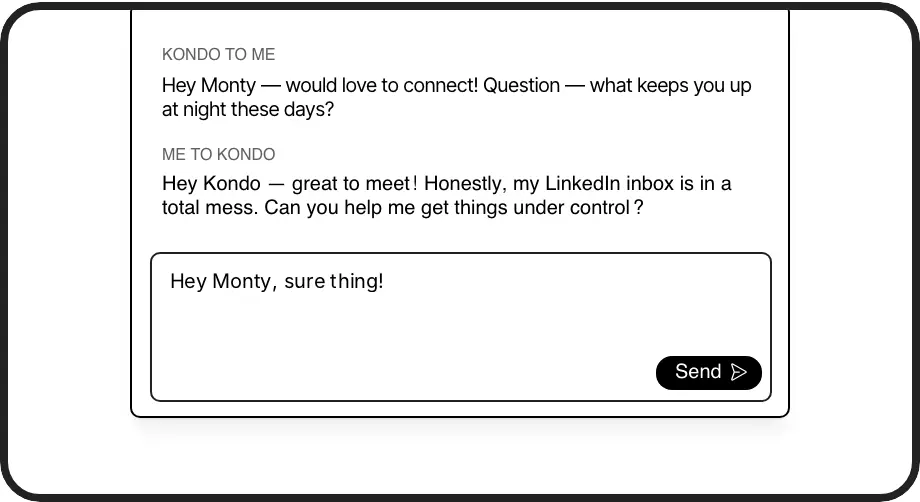
Smart Message Templates
Create reusable message templates with dynamic variables like {firstName} that auto-fill, delivering personalized outreach in seconds without repetitive typing.
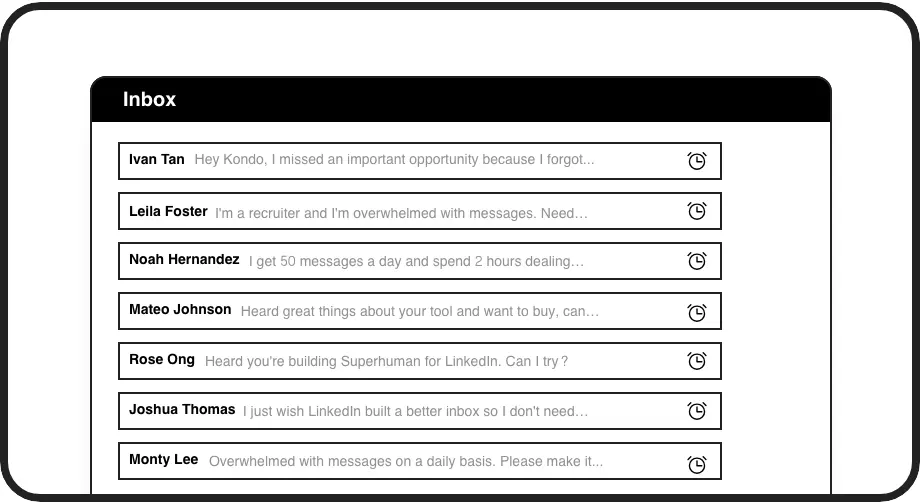
Timely Follow-ups
Set reminders that bring conversations back to the top of your inbox at the perfect moment, ensuring no follow-up opportunity is ever missed.
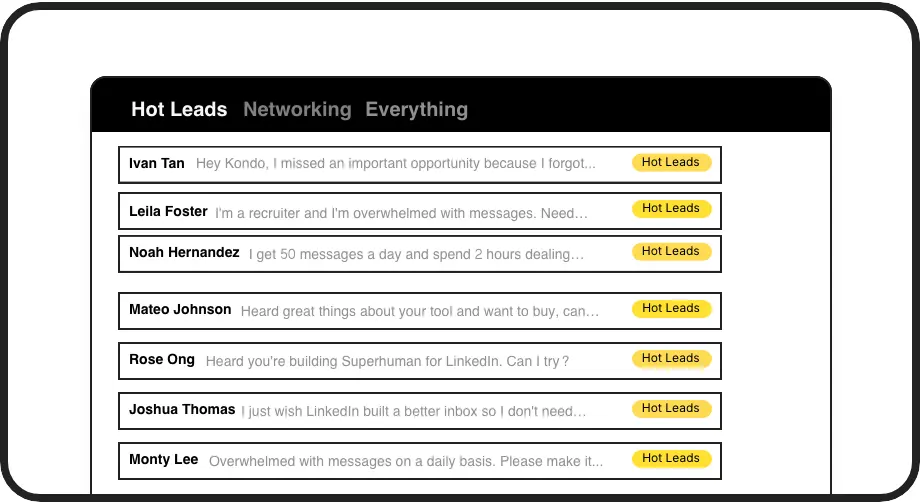
Organized Conversations
Label and categorize important prospects in separate inboxes (Hot Lead, Client, Candidate), preventing high-value conversations from getting buried.
LinkedIn left your inbox in 2000. Bring it into 2026.
Get the upgrade every power user's been waiting decades for.


More Replies, Less Work, Better Results
3x
Higher response rates
8hrs
Saved weekly
100%
Follow-ups nailed
FAQs
How does Kondo help me create hyper-personalized LinkedIn messages?
Kondo provides a snippets feature that lets you save message templates with variables like {firstName}. These auto-fill when used, giving you the perfect balance of personalization and efficiency. You can create multiple templates for different scenarios, insert them with a simple shortcut (';'), and maintain a personal touch while saving hours of repetitive typing.
Will Kondo work with my existing LinkedIn workflow?
Yes, Kondo integrates seamlessly with your LinkedIn messaging experience. It enhances the native interface with labels, reminders, snippets, and keyboard shortcuts without disrupting your existing workflow. Kondo is designed as a native desktop app that respects LinkedIn's terms of service and doesn't scrape or automate prohibited actions.
Can I use Kondo to track my LinkedIn conversations?
Absolutely. Kondo's labeling system lets you categorize conversations (e.g., Hot Lead, Client, Candidate) and view them in separate inboxes. The Business Tier offers CRM integration capabilities, allowing you to sync conversation data with systems like HubSpot, Salesforce (via Zapier/Make), Google Sheets, or Notion using webhooks or native integrations.
How does Kondo ensure I don't miss important messages?
Kondo transforms your cluttered LinkedIn inbox into an organized workspace with labeled conversations and split inboxes for different priorities. The reminder feature lets you snooze conversations and have them reappear at the top of your inbox at a specified time. With keyboard shortcuts for quick processing, you can maintain Inbox Zero and ensure no important message gets lost.
Can I send voice notes through Kondo?
Yes, Kondo allows you to record and send LinkedIn voice notes directly from your desktop, overcoming LinkedIn's mobile-only limitation for this feature. This adds another dimension to your personalized outreach, letting you connect with prospects and candidates in a more personal way without switching to your phone.