
Founder LinkedIn Tool: Never Miss Critical Investor & Partner Messages
Organize high-stakes DMs with labels, reminders, and shortcuts built for founders who can't afford to miss opportunities.
What people say
LinkedIn Chaos Costs Founders
Your LinkedIn inbox is burying opportunities that could make or break your startup.
Buried Investor Messages
Critical investor DMs get lost among connection requests and notifications, potentially costing you funding opportunities.
Missed Follow-ups
Without a system, you forget to follow up with key partners and leads, letting valuable relationships go cold.
Time-Consuming Inbox
Hours wasted scrolling through unorganized messages instead of focusing on building your business.
Founder-Focused LinkedIn Tools
Kondo transforms your chaotic LinkedIn inbox into an organized communication hub designed for high-stakes founder conversations.
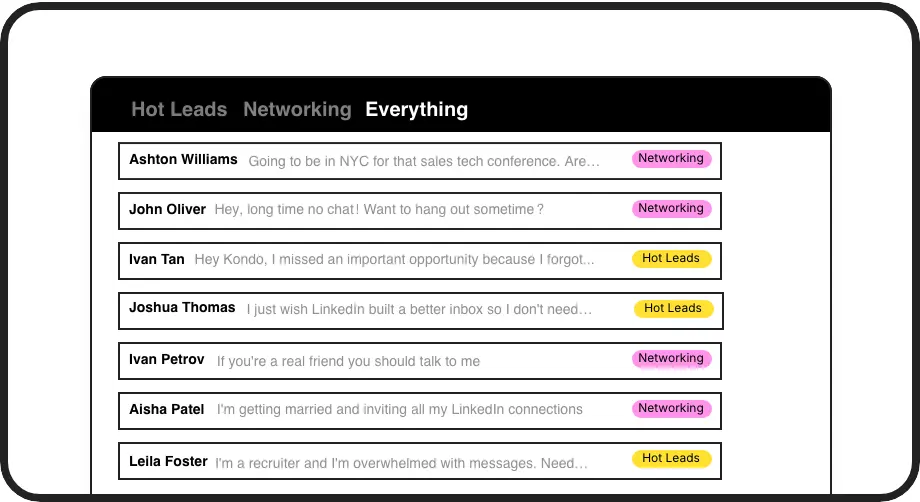
Label Critical Contacts
Create custom labels for investors, partners, and candidates. View them in separate inboxes so hot opportunities never get buried again.
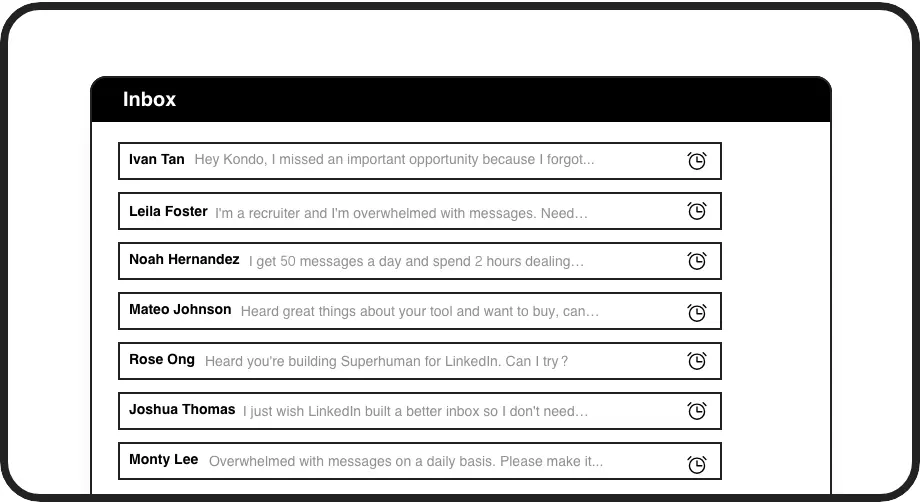
Smart Follow-ups
Set reminders that bring important conversations back to the top of your inbox exactly when needed. Never drop the ball on key relationships.
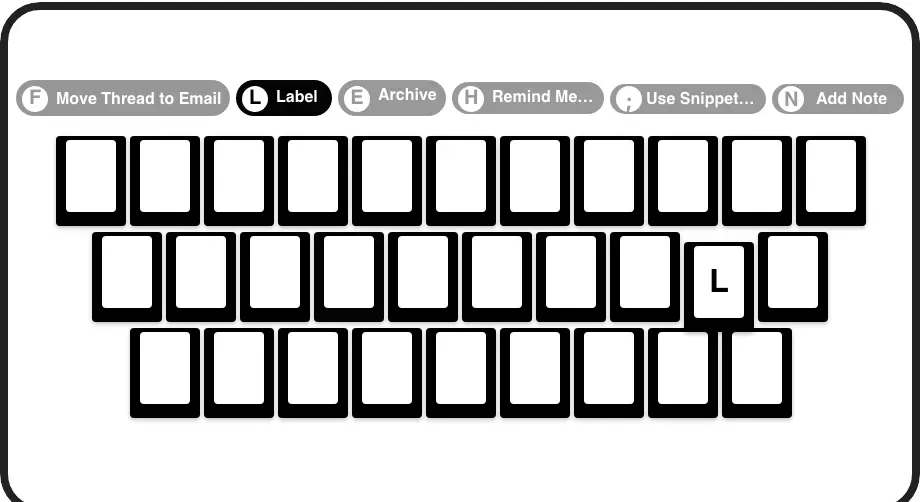
Founder Speed
Process your inbox at lightning speed with keyboard shortcuts. Archive, label, snooze, and more without touching your mouse.
LinkedIn left your inbox in 2000. Bring it into 2026.
Get the upgrade every power user's been waiting decades for.


Save Time. Close Deals. Build Relationships.
70%
Less Time Managing
Zero
Missed Opportunities
5hrs
Saved Weekly
FAQs
How does Kondo organize my LinkedIn messages?
Kondo lets you apply custom labels to conversations (investors, partners, candidates) and view them in separate inboxes. You can set reminders for follow-ups and use keyboard shortcuts to process messages quickly. This prevents important messages from getting buried and ensures you never miss critical opportunities.
Is Kondo secure and compliant with LinkedIn's terms?
Yes, Kondo is a native desktop application that doesn't scrape LinkedIn or inject code into the platform. It doesn't automate prohibited LinkedIn actions, making it safe and compliant with LinkedIn's terms of service.
Can I integrate Kondo with my existing CRM system?
Yes, the Business tier offers CRM and system sync capabilities. You can integrate Kondo with HubSpot, Salesforce (via Zapier/Make), Google Sheets, Notion, and other tools using webhooks or native integrations. This automatically logs LinkedIn activity and conversation details.
How do Kondo's reminders work for founder follow-ups?
You can set reminders (or 'snooze') for any conversation using the 'H' shortcut. Choose preset times or custom dates. The message disappears and resurfaces at the top of your inbox when due. Reminders automatically cancel if a new message arrives before the due time.
Can I save common investor or partner messages as templates?
Yes, Kondo's Snippets feature lets you save frequently used messages as templates that can be quickly inserted with the ';' shortcut. Snippets can include variables like the recipient's first name, saving you time on repetitive typing while maintaining personalization.