
Flag High-Priority LinkedIn Conversations to Never Miss Leads
Organize your LinkedIn inbox with custom labels and reminders to prioritize hot leads and critical follow-ups.
What people say
LinkedIn Inbox Chaos
Your valuable leads are getting buried in a cluttered LinkedIn inbox, costing you opportunities and time.
Missed Opportunities
Critical messages from potential clients get buried under notifications, leading to lost sales and damaged relationships.
Disorganized Follow-ups
Without a system to track high-priority conversations, you forget to follow up with hot leads at the right time.
Productivity Drain
Scrolling through hundreds of messages to find important conversations wastes hours of your valuable selling time.
Flag and Prioritize LinkedIn Conversations That Matter
Kondo brings order to your LinkedIn inbox with powerful organization tools designed for sales professionals.
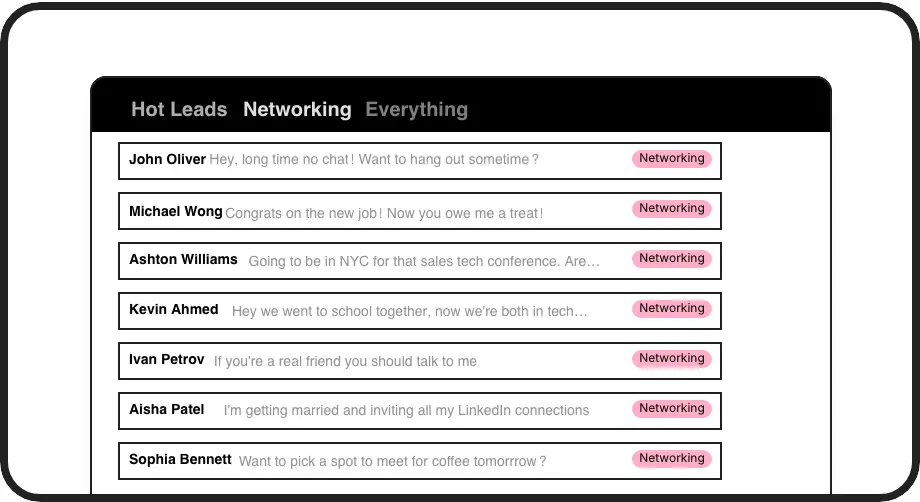
Custom Priority Labels
Flag high-priority conversations with custom labels like 'Hot Lead' or 'Client'. View them in separate inboxes so important messages never get lost again.
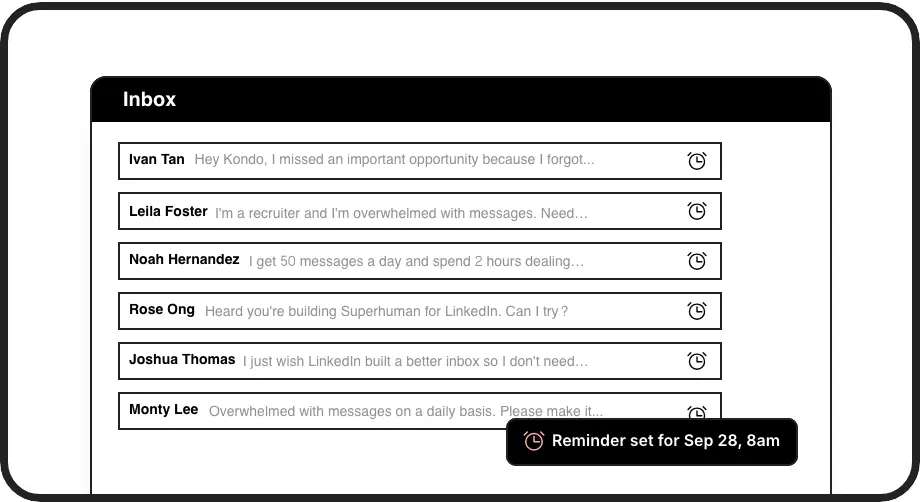
Smart Follow-up Reminders
Set reminders on important conversations that reappear at the top of your inbox exactly when needed. Never miss a follow-up with a hot prospect again.
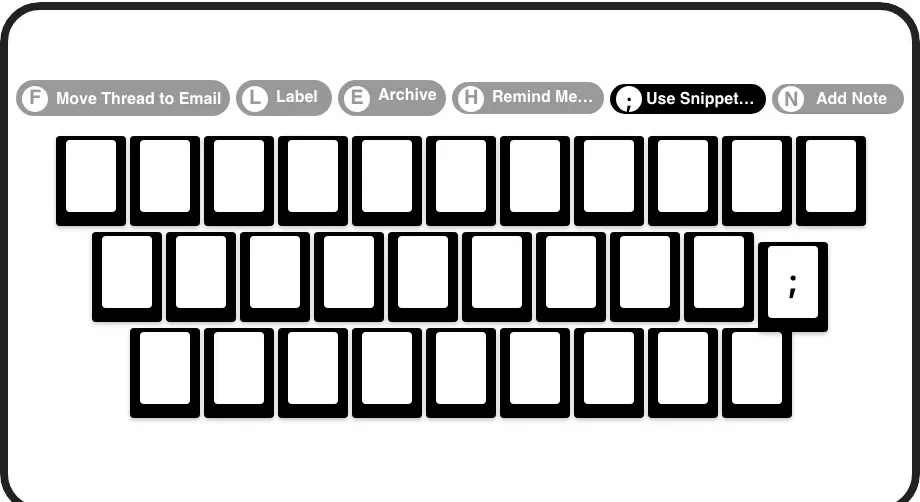
Lightning-Fast Flagging
Apply priority labels and set reminders with single-key shortcuts. Process your LinkedIn inbox at 2x speed without touching your mouse.
LinkedIn left your inbox in 2000. Bring it into 2026.
Get the upgrade every power user's been waiting decades for.


Prioritize, Follow-up, Close More Deals
100%
Follow-up Consistency
5hrs
Saved Weekly
Zero
Missed Hot Leads
FAQs
How does Kondo help me flag high-priority LinkedIn conversations?
Kondo lets you create custom labels (like 'Hot Lead', 'Client', or 'Urgent') that visually flag important conversations. You can view these labeled conversations in separate inboxes and apply multiple labels to create a priority system. Combined with keyboard shortcuts, you can quickly flag messages as you process your inbox.
What happens when I set a reminder on an important LinkedIn conversation?
When you set a reminder (using the 'H' shortcut), the conversation temporarily disappears from your main inbox. It automatically resurfaces at the top of your inbox at your specified time, ensuring you never forget to follow up. If the contact responds before your reminder time, the reminder automatically cancels.
Can I flag conversations from my mobile device?
Kondo is designed as a desktop application to enhance your productivity while working on LinkedIn from your computer. The labeling and reminder features are optimized for desktop workflow, giving you maximum efficiency when processing your inbox.
Is Kondo safe to use with my LinkedIn account?
Yes, Kondo is built as a native desktop app that does not scrape, inject code, or automate prohibited LinkedIn actions. It works alongside LinkedIn's native functions while enhancing them with additional productivity features.
Can I sync my flagged LinkedIn conversations with my CRM?
Yes, Kondo's Business tier offers CRM & System Sync capabilities. You can push LinkedIn conversation data, including your custom labels and notes, to external systems like HubSpot, Salesforce (via Zapier/Make), Google Sheets, or Notion using webhooks or native integrations.