
Find Important Conversations in Your LinkedIn Inbox Instantly
Never miss key candidate messages again with Kondo's labels, reminders, and organized inbox system.
What people say
LinkedIn Inbox Chaos
Your best opportunities are buried under a pile of low-priority messages, costing you valuable time and potential deals.
Missed Opportunities
Critical messages from top candidates get buried in the clutter, leading to lost hiring opportunities and delayed responses.
Time Wasted Searching
Constantly scrolling through a disorganized inbox to find important conversations drains hours from your productive week.
Follow-up Failures
Without a system for tracking conversations, promising leads fall through the cracks when follow-ups are forgotten.
Find What Matters in Your LinkedIn Inbox
Kondo transforms your chaotic LinkedIn messages into an organized system where important conversations are always at your fingertips.
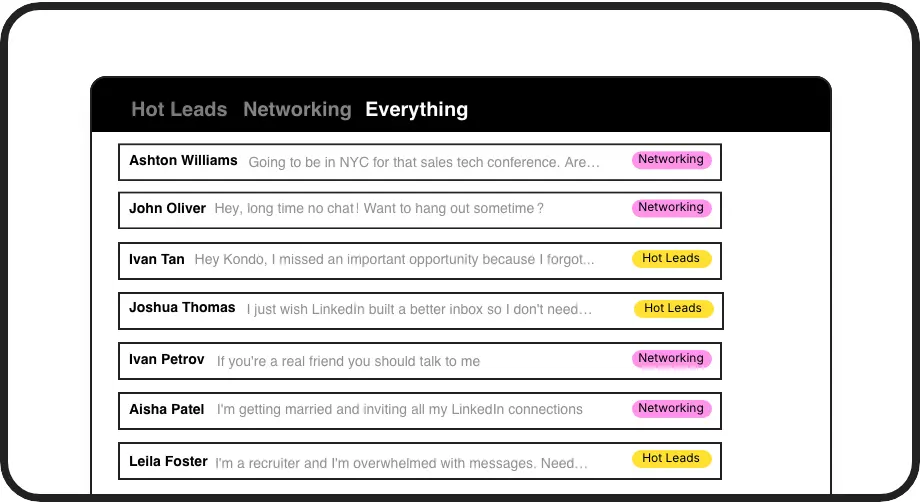
Label Priority Conversations
Apply custom labels like 'Top Candidate' to instantly categorize and find important conversations in dedicated inboxes, preventing critical messages from getting lost.
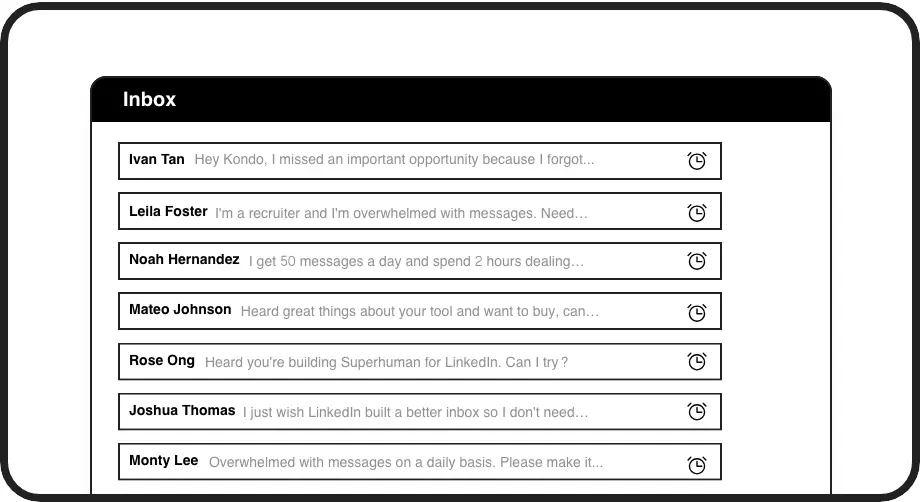
Smart Follow-up Reminders
Set reminders that bring conversations back to the top of your inbox at the perfect time, ensuring you never miss following up with promising candidates.
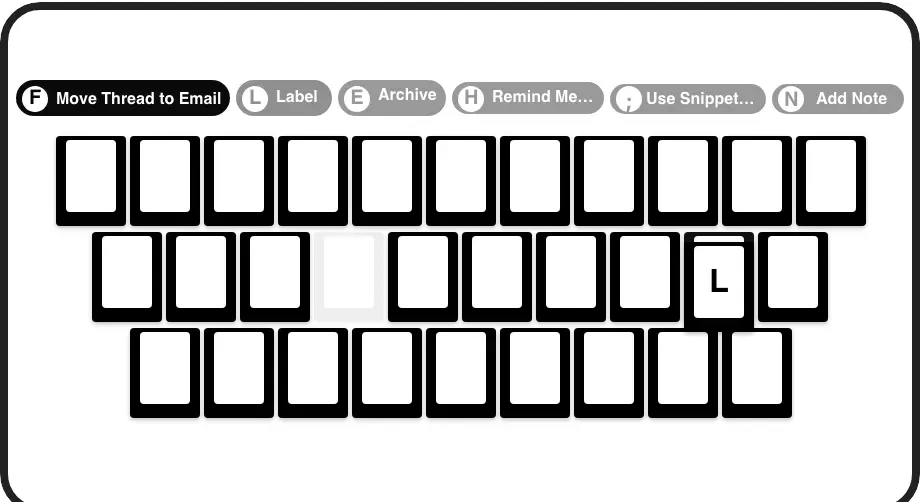
Lightning-Fast Navigation
Process your inbox at superhuman speed with keyboard shortcuts for every action—archive, remind, label, and more with just a single keypress.
LinkedIn left your inbox in 2000. Bring it into 2026.
Get the upgrade every power user's been waiting decades for.


Find, Focus, Follow Through
70%
Less Time Searching
100%
Follow-ups Completed
0
Important Messages Missed
FAQs
How does Kondo help me find important conversations in my LinkedIn inbox?
Kondo lets you apply custom labels (like 'Top Candidate' or 'Hot Lead') to conversations and view them in separate, prioritized inboxes. This instantly surfaces important messages and prevents them from getting lost in the clutter. You can also use keyboard shortcuts to quickly navigate and set reminders that bring conversations back to your attention at the perfect time.
Is Kondo safe to use with my LinkedIn account?
Yes, Kondo is a native desktop application that doesn't scrape, inject code, or automate prohibited LinkedIn actions. It works alongside LinkedIn's platform while respecting their terms of service and your data privacy.
Can I organize different types of conversations in my LinkedIn inbox?
Absolutely. With Kondo's custom labels feature, you can create categories like 'Hot Lead,' 'Client,' or 'Candidate' and apply them to relevant conversations. You can even use multiple labels to create hierarchies (e.g., Lead > Hot) for even more organization. Each label creates a dedicated inbox view, making it easy to focus on specific conversation types.
How do reminders work in Kondo for LinkedIn messages?
Reminders (or Snooze) let you temporarily archive a conversation and set a specific time for it to reappear at the top of your inbox. Simply press 'H' to set a reminder, choose a preset time or custom date, and the message will automatically resurface when it's time to follow up. If the person replies before the reminder date, the reminder automatically cancels.
Can I connect Kondo to my other business tools?
Yes, Kondo's Business tier offers CRM & System Sync that lets you push LinkedIn conversation data to external systems like HubSpot, Salesforce (via Zapier/Make), Google Sheets, or Notion. This bridges the gap between LinkedIn DMs and your core business systems, automating data entry and providing visibility across platforms.