
Filter Your LinkedIn Messages to Find Hot Leads Faster
Stop missing opportunities in your cluttered inbox with Kondo's powerful labeling and filtering system.
What people say
LinkedIn Inbox Chaos
When important messages get buried, opportunities vanish and relationships suffer.
Buried Hot Leads
Critical messages from potential clients disappear under a flood of notifications, resulting in lost revenue opportunities.
Manual Searching
Endless scrolling and searching through LinkedIn messages wastes valuable time you could spend closing deals.
Missed Follow-ups
Without a system to track conversations, important follow-ups fall through the cracks, damaging your professional reputation.
Transform LinkedIn Messages Into a Sales Machine
Kondo brings structure and efficiency to your LinkedIn inbox with powerful tools designed for sales professionals.
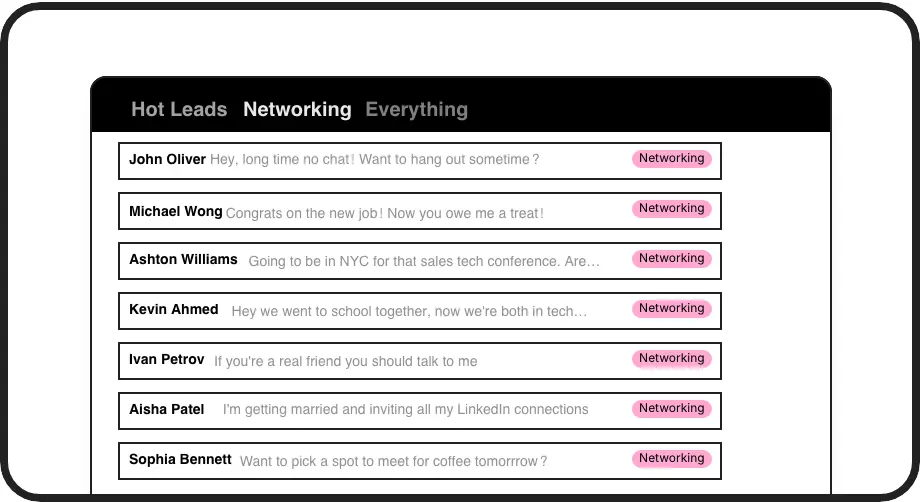
Label Hot Leads
Create custom labels like 'Hot Lead' or 'Follow Up' to organize conversations into separate inboxes. Never lose an important lead in the clutter again.
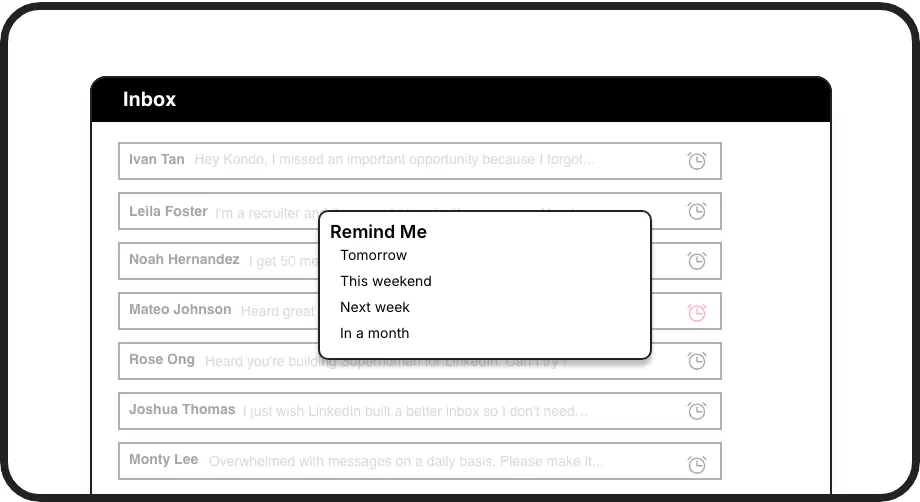
Smart Reminders
Snooze conversations to resurface at the perfect time. Set follow-ups for tomorrow, next week, or custom dates with a single keyboard shortcut.
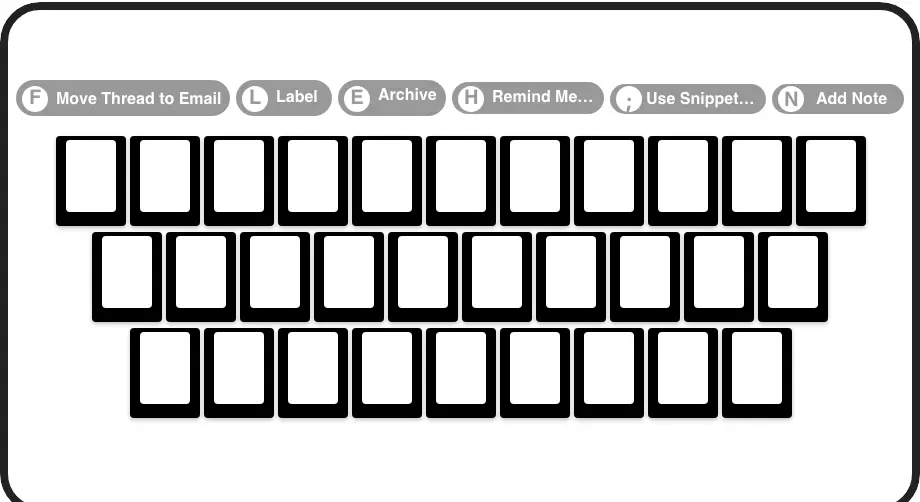
Speed Through Messages
Process your inbox at lightning speed with shortcuts for everything. Archive, label, remind, and more with just a keystroke, saving hours every week.
LinkedIn left your inbox in 2000. Bring it into 2026.
Get the upgrade every power user's been waiting decades for.


Find, Filter, Follow Up. All Faster.
80%
Less Time Filtering
Zero
Missed Hot Leads
5hrs+
Saved Weekly
FAQs
How does Kondo help me filter LinkedIn messages better than native LinkedIn?
Kondo introduces custom labels and split inboxes that LinkedIn doesn't offer. You can create dedicated views for hot leads, prospects, and clients, making filtering instantaneous. With keyboard shortcuts, you can quickly label and organize conversations, turning a cluttered inbox into a structured system that ensures important messages are always visible.
Is Kondo safe to use with my LinkedIn account?
Absolutely. Kondo is a native desktop app that doesn't scrape, inject code, or automate prohibited LinkedIn actions. It works alongside LinkedIn's official systems while adding productivity features that respect LinkedIn's terms of service.
Can I search for specific messages or conversations in Kondo?
Yes. Kondo enhances your ability to find specific conversations through its labeling system. By applying custom labels to conversations, you create an instant filtering system. This means you can quickly access all conversations labeled as 'Hot Lead' or 'Follow Up' without manually searching through your entire message history.
How do reminders work for following up with leads?
Kondo's reminder system allows you to temporarily archive a conversation and set a specific time for it to reappear at the top of your inbox. Simply use the 'H' shortcut, select when you want to follow up, and the message will resurface automatically at that time. If the lead responds before the reminder, it automatically cancels.
Can Kondo sync my LinkedIn conversations with my CRM?
Yes, with Kondo's Business tier, you can sync LinkedIn conversation data to CRMs like HubSpot, Salesforce (via Zapier/Make), as well as tools like Google Sheets and Notion. This keeps all your lead communication in one place and eliminates manual data entry between LinkedIn and your sales systems.