
Declutter Your LinkedIn Inbox & Never Miss a Lead Again
Organize conversations with labels and reminders to focus on high-priority leads and opportunities.
What people say
LinkedIn Inbox Chaos
Your valuable leads and opportunities are getting buried in the noise.
Lost Opportunities
Critical messages from leads and clients get buried, resulting in missed revenue and damaged relationships.
Time Drain
Hours wasted scrolling through unorganized conversations trying to find important messages and leads.
Follow-up Failures
Without a system, follow-ups fall through the cracks, leaving potential clients and leads feeling ignored.
Transform Your LinkedIn Inbox Experience
Kondo brings speed, structure, and productivity to your LinkedIn messaging, helping you focus on what matters most.
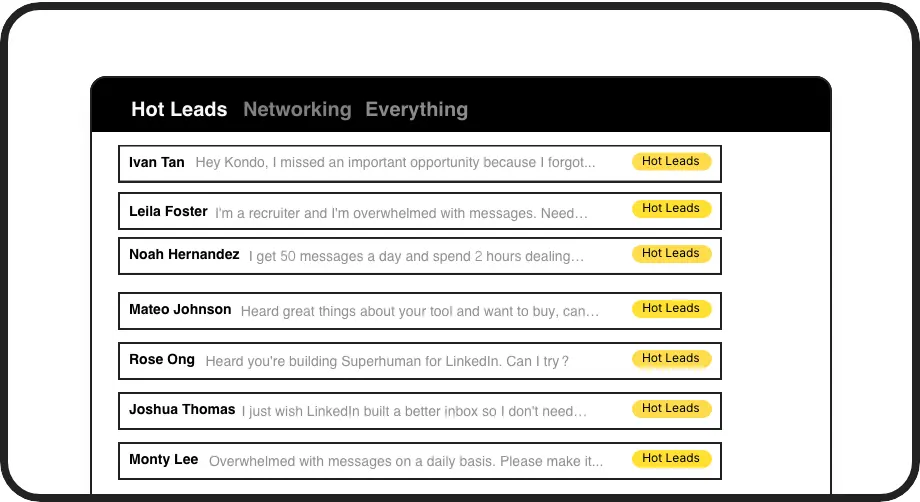
Smart Inbox Organization
Label conversations as 'Hot Lead', 'Client', or 'Candidate' and view them in separate, prioritized inboxes so important messages never get lost again.
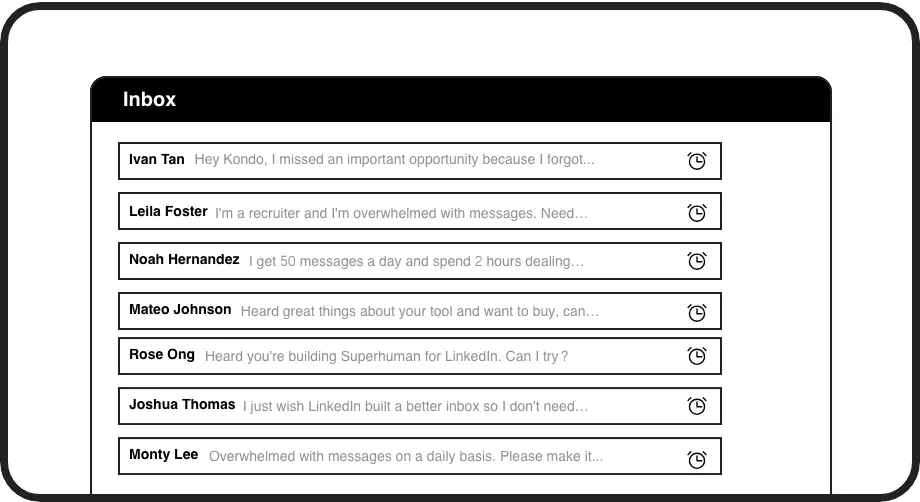
Automated Follow-ups
Set reminders that bring conversations back to the top of your inbox at the perfect time, ensuring you never forget to follow up with a hot lead.
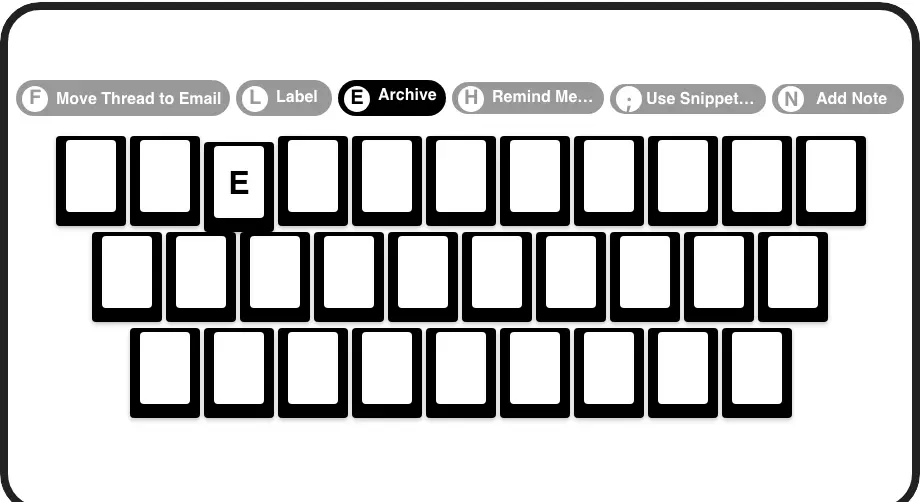
Lightning Fast Workflow
Process your inbox at superhuman speed with keyboard shortcuts for archiving, labeling, setting reminders, and more - all without touching your mouse.
LinkedIn left your inbox in 2000. Bring it into 2026.
Get the upgrade every power user's been waiting decades for.


Save Time, Catch Leads, Close Deals
3hrs
Saved Weekly
Zero
Missed Opportunities
100%
Follow-up Rate
FAQs
How does Kondo help me declutter my LinkedIn inbox?
Kondo lets you categorize conversations with custom labels and split them into separate inboxes, making it easy to prioritize hot leads and important messages. You can set reminders for follow-ups, use keyboard shortcuts for quick navigation, and maintain an organized Inbox Zero workflow.
Is Kondo safe to use with my LinkedIn account?
Yes, Kondo is a native desktop application that doesn't scrape, inject code, or automate prohibited LinkedIn actions. It's designed to work alongside LinkedIn while respecting platform guidelines and protecting your account security.
Can I sync my LinkedIn conversations to my CRM system?
Yes, with Kondo's Business tier, you can integrate with tools like HubSpot, Salesforce (via Zapier/Make), Google Sheets, or Notion using webhooks or native integrations. This automatically logs LinkedIn activity and conversation details, saving manual data entry time.
How do reminders work in Kondo?
Reminders (or Snooze) let you temporarily archive a conversation until you need to follow up. Simply press 'H' to set a reminder for tomorrow, next week, or a custom date. When the time comes, the conversation automatically resurfaces at the top of your inbox, ensuring timely follow-ups.
Can I save and reuse common messages I send frequently?
Absolutely! Kondo's Snippets feature lets you save frequently used messages as templates that can be quickly inserted with the ';' command. Snippets can include variables like the recipient's first name, eliminating repetitive typing while maintaining personalization.