
LinkedIn CRM Sync That Actually Works
Stop losing leads to manual data entry. Kondo automatically syncs LinkedIn conversations, labels, and notes to your CRM, saving hours weekly and ensuring no opportunity slips through the cracks.
What people say
LinkedIn Leads Lost in Translation
Managing LinkedIn conversations is costing you deals and wasting precious time.
Manual Data Entry Nightmare
Copy-pasting LinkedIn conversations into your CRM is tedious, error-prone, and often forgotten, causing lost opportunities and follow-up failures.
Disconnected Communication Channels
When LinkedIn conversations stay separate from your CRM, you lack visibility into the complete customer journey, leading to disjointed sales experiences.
Missed Follow-up Opportunities
Without automated syncing, important LinkedIn conversations get buried, prospects fall through the cracks, and sales cycles unnecessarily lengthen.
Seamless LinkedIn to CRM Integration
Kondo bridges the gap between LinkedIn and your core business systems, eliminating manual work and creating a unified workflow.
Automated CRM Sync
Connect to HubSpot, Salesforce (via Zapier/Make), Notion, Google Sheets and more. Automatically push LinkedIn DMs, notes, and labels to ensure your CRM is always up-to-date.
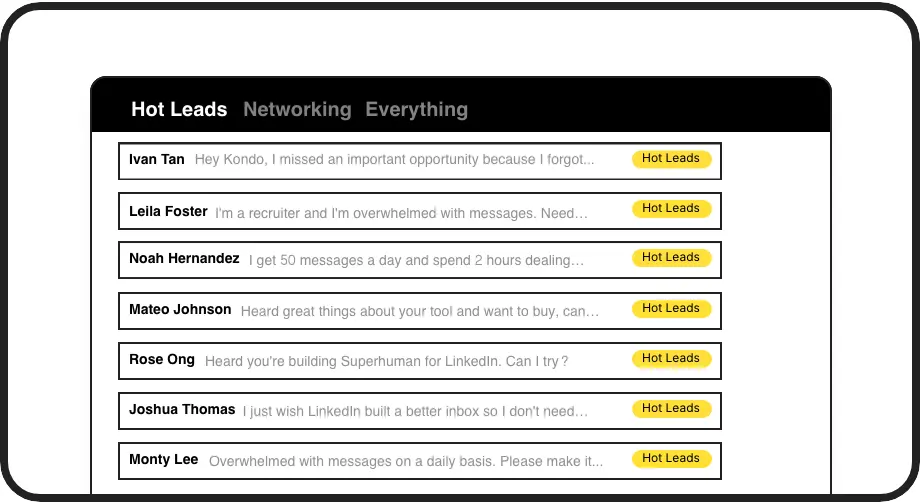
Smart Conversation Labeling
Organize LinkedIn conversations with custom labels like 'Hot Lead' or 'Client' that sync directly to your CRM, creating a consistent view across platforms.
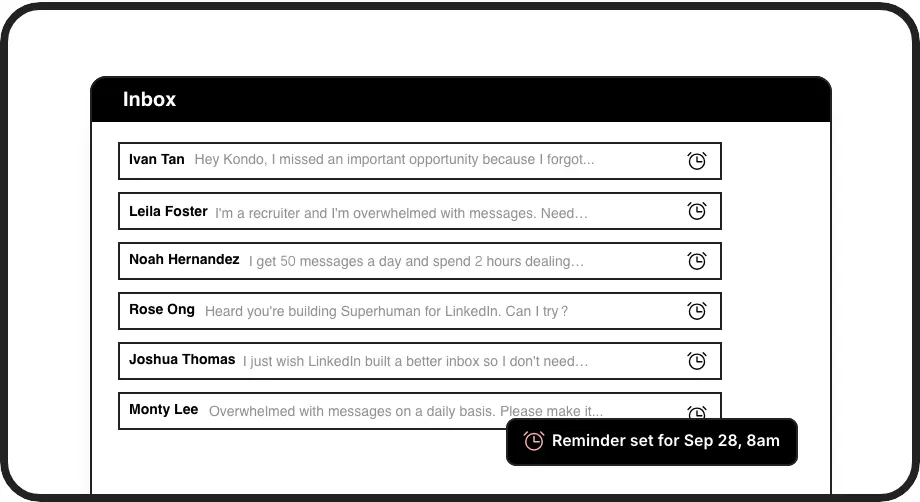
Synchronized Follow-ups
Set follow-up reminders that appear at the top of your LinkedIn inbox when due and automatically update your CRM task list, ensuring no lead gets forgotten.
LinkedIn left your inbox in 2000. Bring it into 2026.
Get the upgrade every power user's been waiting decades for.


Results You Can Measure
6+ hrs
Saved Weekly
100%
Lead Visibility
0
Missed Follow-ups
FAQs
Which CRM systems does Kondo integrate with?
Kondo integrates with popular CRMs including HubSpot and Salesforce (via Zapier/Make), as well as other systems like Notion, Google Sheets, Attio, and Clarify. The CRM sync feature is available on the Business tier and supports both manual and streaming sync options.
How does the LinkedIn CRM sync actually work?
Kondo uses webhooks and native integrations to push LinkedIn conversation data to your CRM. You can sync the latest message or entire conversation history, along with labels, notes, and contact information. The sync can be triggered manually or set to stream updates automatically when conversations change.
Is Kondo compliant with LinkedIn's terms of service?
Yes. Kondo is a native desktop app that doesn't scrape, inject code, or automate prohibited LinkedIn actions. It works alongside LinkedIn to enhance productivity without violating terms of service.
Can I sync conversations from Sales Navigator?
Yes. Kondo can combine your regular LinkedIn inbox with your Sales Navigator inbox in a single view, allowing you to sync all your LinkedIn conversations to your CRM from one place. This feature requires the Business plan.
What information gets synced to my CRM?
Kondo can sync message content, labels applied to conversations, notes, contact information, and timestamps. You have control over what information is synced and when, whether you prefer manual syncing or automatic updates.