
CRM for Founder-Led Sales Teams: LinkedIn to CRM in One Click
Stop losing LinkedIn leads. Kondo syncs DMs to your CRM with labels that prioritize hot prospects.
What people say
LinkedIn Sales Chaos
Founders managing sales face critical challenges that cost deals and waste precious time:
Lost Opportunities
Hot leads buried in cluttered LinkedIn inboxes mean missed connections and lost revenue.
Manual Data Entry
Copy-pasting LinkedIn conversations into your CRM wastes hours better spent closing deals.
Disorganized Follow-ups
Without structured DM organization, follow-ups fall through cracks and sales momentum vanishes.
The CRM Companion Built for Founder-Led Sales
Kondo transforms LinkedIn messaging into a structured sales pipeline with tools that sync perfectly with your existing CRM:
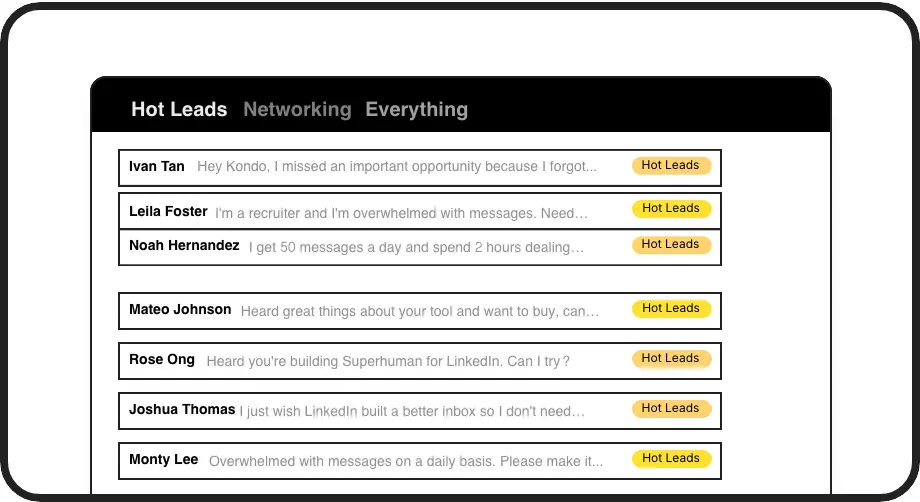
Sales Pipeline Labels
Tag conversations as 'Hot Lead', 'Client', or custom categories. View each in dedicated inboxes so high-value prospects never get buried again.
Automatic CRM Sync
Push LinkedIn conversations directly to HubSpot, Salesforce, Notion or Google Sheets without manual copying. Keep your CRM updated without extra work.
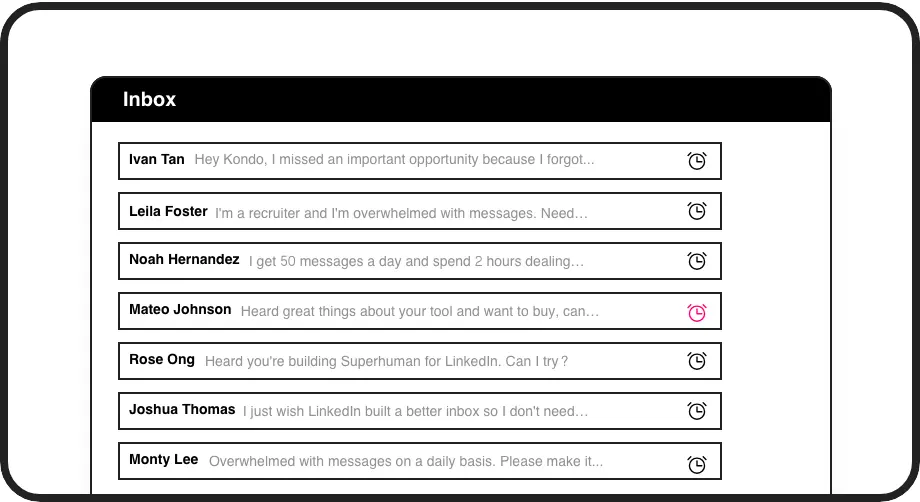
Smart Follow-ups
Set reminders that bring conversations back to inbox-top when it's time to follow up. Perfect timing without depending on calendar alerts or memory.
LinkedIn left your inbox in 2000. Bring it into 2026.
Get the upgrade every power user's been waiting decades for.


Close More Deals, Save More Time
100%
LinkedIn visibility
5+ hours
saved weekly
Zero
missed opportunities
FAQs
How does Kondo sync with my CRM system?
Kondo connects to your CRM via webhooks, Zapier/Make integrations, or native connections with HubSpot, Notion, Google Sheets, Attio, and Clarify. You can configure automatic syncing of LinkedIn messages, labels, and notes, either streaming in real-time or on demand.
Is Kondo safe to use with my LinkedIn account?
Yes. Kondo is a native desktop application that doesn't scrape LinkedIn or inject code. It doesn't automate prohibited LinkedIn actions, ensuring your account remains safe and compliant with LinkedIn's terms of service.
Can my entire sales team use Kondo?
Absolutely. Kondo is designed for founder-led sales teams. Each team member can organize their LinkedIn inbox with custom labels, reminders, and keyboard shortcuts while the Business Tier enables team-wide CRM sync for complete visibility.
How does labeling work for sales conversations?
Kondo allows you to create custom labels (like 'Hot Lead', 'Follow Up', 'Qualified') and apply them to conversations with the 'L' shortcut. You can view all conversations with a specific label in dedicated inboxes, apply multiple labels to create hierarchy, and customize labels with colors and icons.
Can Kondo help with follow-up sequences?
Yes. Kondo's reminder feature lets you temporarily archive conversations and set specific times for them to reappear at inbox-top. This creates an effective follow-up system without external tools. Reminders automatically cancel if a prospect replies before the scheduled time.