
CEO LinkedIn Tool: Never Miss Critical Messages Again
Kondo transforms your cluttered LinkedIn inbox into a streamlined hub for prioritizing high-value connections.
What people say
CEO Inbox Overwhelm
As a CEO, valuable opportunities get buried in your LinkedIn inbox daily:
Lost Opportunities
Important messages from leads and partners disappear in the clutter, resulting in missed business connections.
Time Drain
Hours wasted scrolling through unorganized messages, trying to prioritize what actually matters for your business.
Delayed Responses
Critical follow-ups fall through the cracks, damaging relationships and slowing your business growth.
Superhuman for LinkedIn: CEO Inbox Control
Take command of your LinkedIn communication with tools designed for high-volume, high-value messaging:
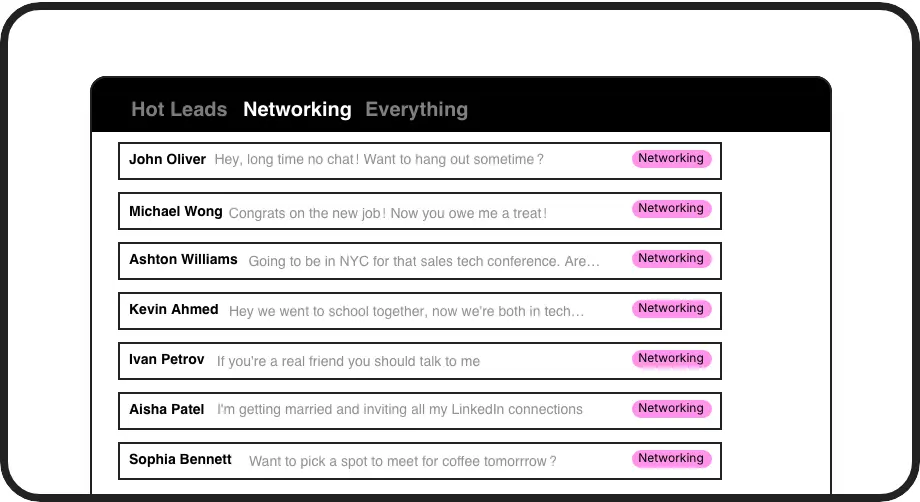
Priority Inbox System
Create custom labels like 'Hot Lead' or 'Key Partner' to instantly organize conversations. View separate inboxes so critical messages never get buried again.
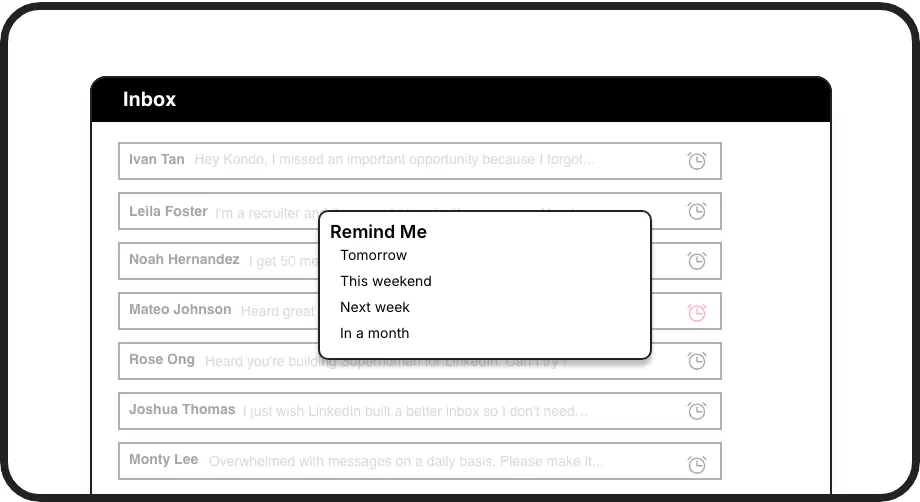
Smart Follow-ups
Set reminders with one keystroke. Messages disappear until your specified time, then resurface at the top of your inbox—ensuring perfect follow-up timing.
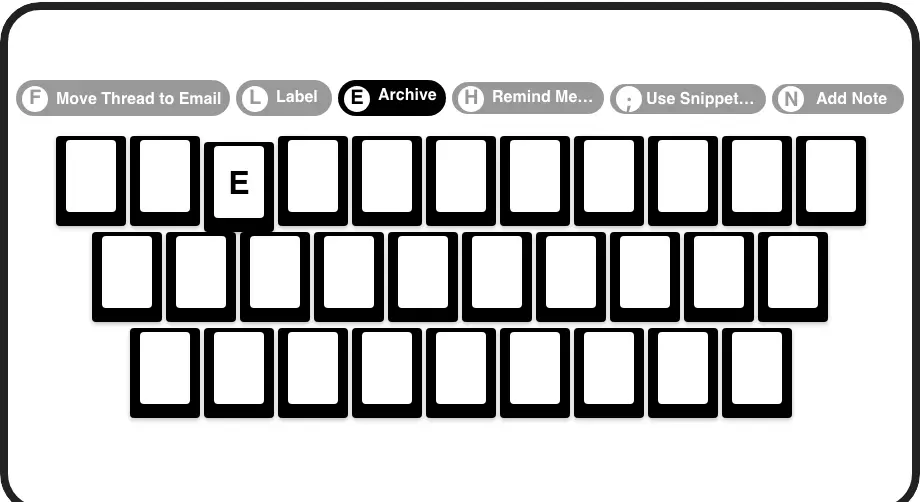
Speed Command Center
Process your inbox at lightning speed with keyboard shortcuts. Archive, label, set reminders, and navigate without touching your mouse—saving hours weekly.
LinkedIn left your inbox in 2000. Bring it into 2026.
Get the upgrade every power user's been waiting decades for.


Reclaim Time, Capture Leads, Grow Faster
75%
Less time managing messages
Zero
Important leads missed
5hrs
Saved weekly
FAQs
Is Kondo safe to use with my LinkedIn account?
Yes, Kondo is a native desktop app that works alongside LinkedIn without scraping or injecting code. It doesn't automate prohibited actions and fully respects LinkedIn's terms of service while enhancing your messaging experience.
How does Kondo help CEOs manage LinkedIn messages better than native LinkedIn?
Kondo gives CEOs tools to prioritize critical conversations with labels and split inboxes, set follow-up reminders, and use keyboard shortcuts for rapid inbox processing. This prevents important messages from getting buried and ensures timely responses to key opportunities.
Can I integrate Kondo with my existing CRM system?
Yes, Kondo's Business tier offers CRM & System Sync that integrates with HubSpot, Salesforce (via Zapier/Make), Google Sheets, Notion, and other systems. This allows you to automatically push LinkedIn conversation data to your existing tools, eliminating manual data entry.
How much time can a CEO expect to save using Kondo?
While results vary based on message volume, CEOs typically save hours each week by using Kondo's organizational features and keyboard shortcuts. The structured approach to inbox management eliminates time spent searching for important messages and ensures consistent follow-ups.
How does Kondo's label system work for organizing high-priority messages?
Kondo allows you to create custom labels (like 'Hot Lead' or 'Key Partner') and apply them with a simple keyboard shortcut. You can then view these conversations in separate, dedicated inboxes, making it easy to focus on your most important messages first.