
Categorize Conversations on LinkedIn to Win Top Talent
Stop losing hot leads in a cluttered inbox with custom labels and split inboxes for every role or client.
What people say
LinkedIn Inbox Chaos
Your best opportunities are buried under an avalanche of messages daily.
Lost Opportunities
Critical messages from top candidates get buried, leading to missed connections and lost talent.
Wasted Time
Hours spent scrolling through unorganized conversations trying to find important leads and follow-ups.
Delayed Responses
Slow response times as you struggle to prioritize conversations, letting competitors snatch top talent.
Organize LinkedIn DMs Like a Pro
Transform your cluttered LinkedIn inbox into a streamlined, high-speed communication hub with these powerful features:
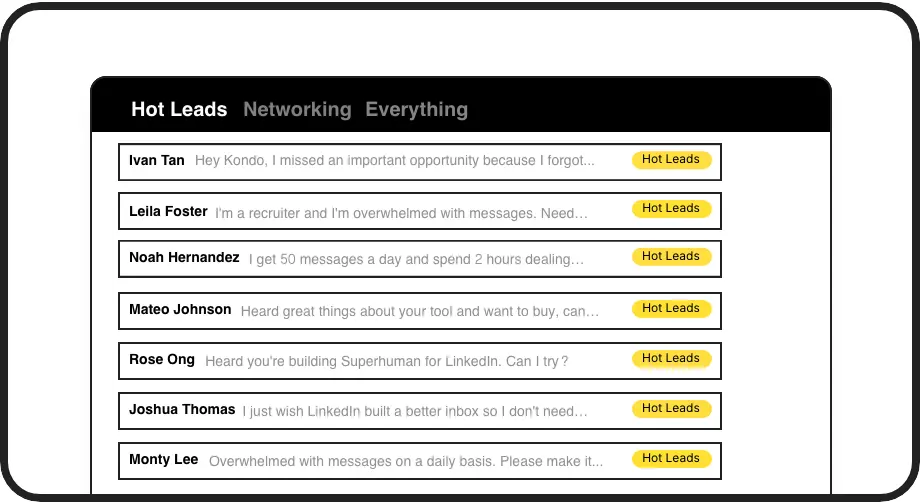
Smart Inbox Organization
Create custom labels for leads, candidates, and clients. View them in separate, prioritized inboxes so hot opportunities never get lost in the clutter.
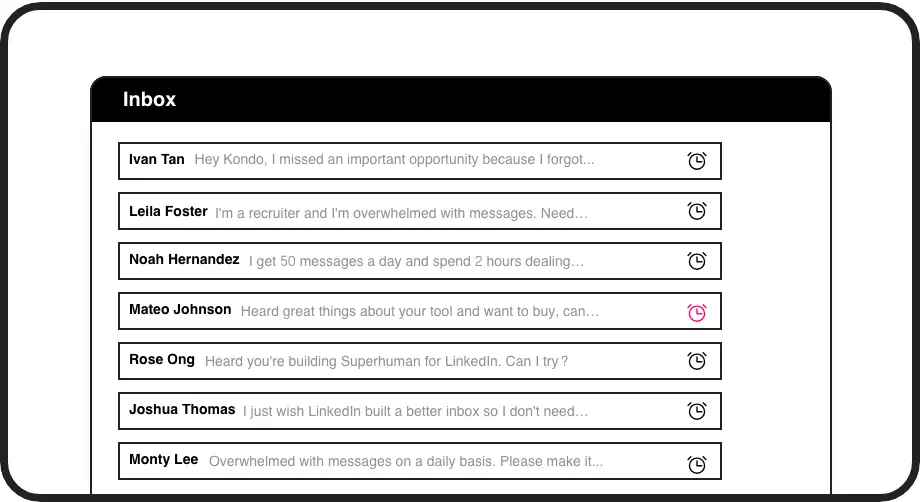
Timely Follow-ups
Set reminders that bring conversations back to the top of your inbox exactly when needed. Never forget to follow up with promising candidates again.
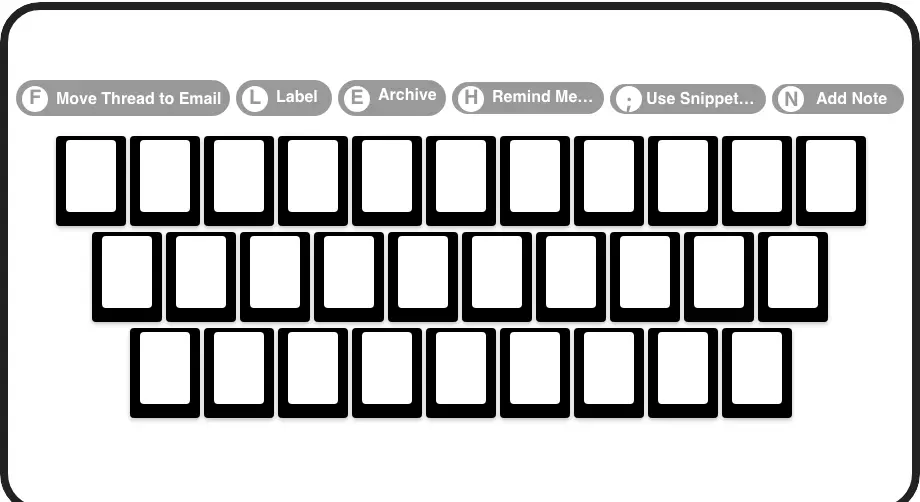
Lightning-Fast Navigation
Process your inbox at record speed with shortcuts for archiving, labeling, setting reminders, and more—all without touching your mouse.
LinkedIn left your inbox in 2000. Bring it into 2026.
Get the upgrade every power user's been waiting decades for.


Respond Faster, Organize Better, Win More
50%
Less Time Sorting
Zero
Missed Messages
2x
Response Speed
FAQs
How does Kondo help me categorize LinkedIn conversations?
Kondo lets you apply custom labels to conversations (like 'Hot Lead', 'Candidate', or 'Client') and view them in separate, prioritized inboxes. You can apply multiple labels to create hierarchies, customize icons/colors, and manage visibility in your sidebar—all designed to prevent important messages from getting lost.
Is Kondo safe to use with my LinkedIn account?
Yes, Kondo is completely safe. It's a native desktop app that doesn't scrape LinkedIn, inject code, or violate LinkedIn's terms of service. It works alongside LinkedIn to enhance your messaging experience without putting your account at risk.
Can I sync my LinkedIn conversations to CRM systems?
Yes, on Kondo's Business tier. You can push LinkedIn conversation data to external systems like HubSpot, Salesforce (via Zapier/Make), Google Sheets, and Notion using webhooks or native integrations. This eliminates manual data entry and ensures your CRM reflects all LinkedIn activity.
How do reminders work in Kondo?
Reminders let you temporarily archive a conversation and set a specific time for it to reappear at the top of your inbox. Simply use the 'H' shortcut, select a preset time (tomorrow, weekend, etc.) or a custom date. If the contact replies before the reminder is due, the reminder automatically cancels.
Can I use message templates in Kondo?
Yes, Kondo's Snippets feature lets you save and reuse common messages with a simple command (';'). These templates can include variables like the recipient's first name, eliminating repetitive typing and ensuring consistency in your messaging.