
Categorize LinkedIn Candidates by Role & Stage in One Click
Stop losing top talent in your messy inbox. Label, organize, and track candidates effortlessly with Kondo.
What people say
Drowning in Candidate Messages?
LinkedIn's native inbox makes it nearly impossible to stay organized during active recruitment cycles.
Buried Top Talent
Promising candidates get lost among hundreds of unorganized LinkedIn messages, causing missed opportunities and delayed responses.
Manual Tracking Chaos
Constantly switching between LinkedIn and spreadsheets to track candidate stages wastes time and leads to information gaps.
Follow-up Failures
Without a structured system, critical candidate follow-ups fall through the cracks, damaging your hiring pipeline and reputation.
Organize Your Recruitment Pipeline with Precision
Kondo transforms your chaotic LinkedIn inbox into a structured recruitment command center with powerful yet simple tools.
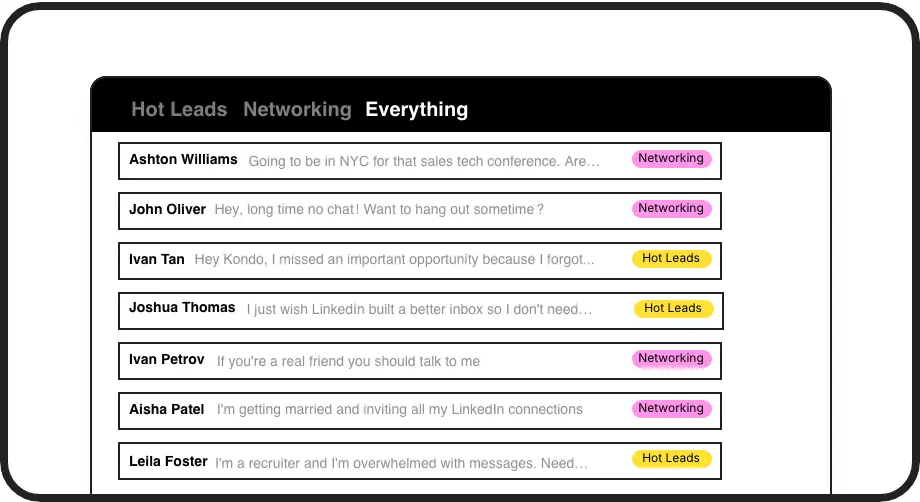
Custom Candidate Labels
Create role-specific labels (Frontend Dev, Sales Rep) and stage labels (Interview, Rejected) to instantly categorize candidates and view them in separate, organized inboxes.

Smart Follow-up Reminders
Set candidate follow-up reminders that resurface conversations exactly when needed. Never miss a scheduled check-in or interview follow-up again.
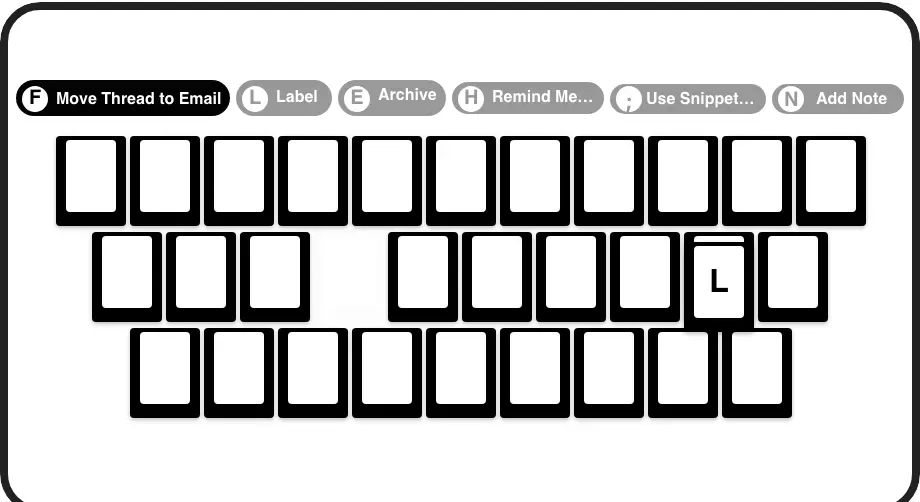
Rapid Candidate Processing
Process hundreds of candidate messages in minutes with keyboard shortcuts. Label (L), archive (E), or set reminders (H) with single keystrokes.
LinkedIn left your inbox in 2000. Bring it into 2026.
Get the upgrade every power user's been waiting decades for.


Recruit Faster. Miss Nothing. Hire Better.
85%
Less Time Organizing
100%
Candidate Follow-ups
0
Missed Top Talent
FAQs
How does Kondo help me categorize candidates on LinkedIn?
Kondo adds custom labeling functionality to your LinkedIn inbox, allowing you to create role-specific labels (e.g., 'Frontend Developer', 'Marketing Manager') and stage labels (e.g., 'To Screen', 'Interview', 'Offer'). You can then view candidates in separate inboxes based on these labels, making it easy to track your recruitment pipeline directly within LinkedIn.
Can I use multiple labels for the same candidate conversation?
Yes! Kondo supports applying multiple labels to a single conversation. This lets you categorize candidates by both role (e.g., 'Frontend Developer') and stage (e.g., 'Interview') simultaneously, creating a robust organizational system without duplicating conversations.
How do I make sure I don't forget to follow up with promising candidates?
Kondo's reminder feature (accessed with the 'H' shortcut) lets you snooze conversations to reappear at the top of your inbox at a specified time. Set reminders for interview follow-ups, feedback deadlines, or check-ins, and the conversation will automatically resurface exactly when needed.
Is Kondo safe to use with my LinkedIn account?
Absolutely. Kondo is a native desktop application that respects LinkedIn's terms of service. It doesn't scrape data, inject code, or automate prohibited LinkedIn actions. Kondo simply enhances your inbox experience while keeping your account secure and compliant.
Can Kondo integrate with my existing applicant tracking system?
Kondo's Business tier offers CRM & System Sync capabilities through webhooks and integrations with Zapier/Make. This allows you to push LinkedIn conversation data to external systems including Google Sheets, Notion, and popular CRMs, though specific ATS integrations depend on their API availability.