LinkedIn Sales Productivity Tools That Prevent Lost Revenue
Label hot leads, snooze follow-ups, and sync to your CRM directly from LinkedIn. Stop losing deals to a cluttered inbox.
What people say
Your Inbox Is Killing Deals
A chaotic LinkedIn inbox buries hot leads, delays responses, and quietly drains your pipeline every day.
Hot Leads Get Buried
Critical messages from prospects drown in notifications, causing delayed responses that cost you the deal.
Follow-Ups Fall Through
Without a reliable reminder system, promising conversations are forgotten and revenue opportunities disappear permanently.
CRM Data Goes Missing
Manually logging LinkedIn conversations is slow and error-prone, leaving your pipeline visibility incomplete and unreliable.
Built for Sales Teams Who Live on LinkedIn
Kondo brings speed and structure to your LinkedIn inbox so every lead is tracked, every follow-up lands on time, and your CRM stays current.
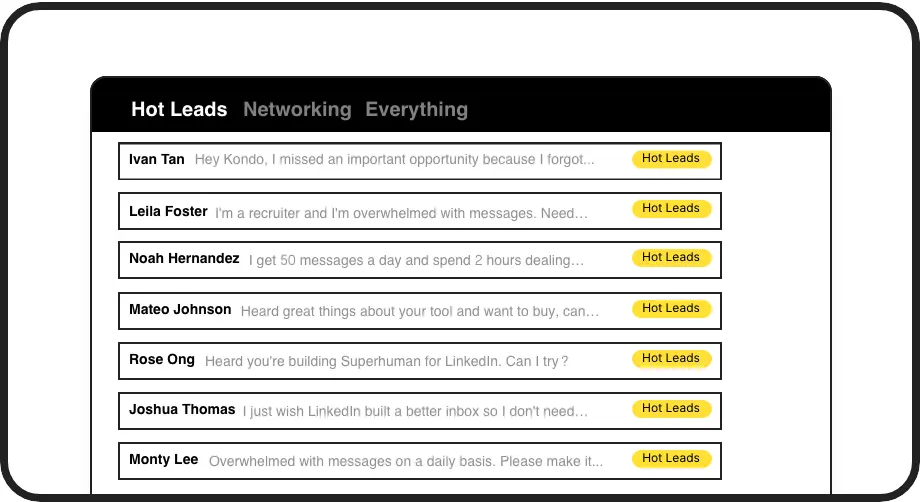
Prioritize Every Hot Lead
Apply custom labels like Hot Lead or Client and view them in dedicated inboxes. Instantly declutter your main view and ensure no high-value conversation ever gets lost in the noise again.

Never Miss a Follow-Up
Snooze any conversation to a specific date and it resurfaces at the top of your inbox right on time. Build a reliable follow-up cadence without relying on memory or external tools.
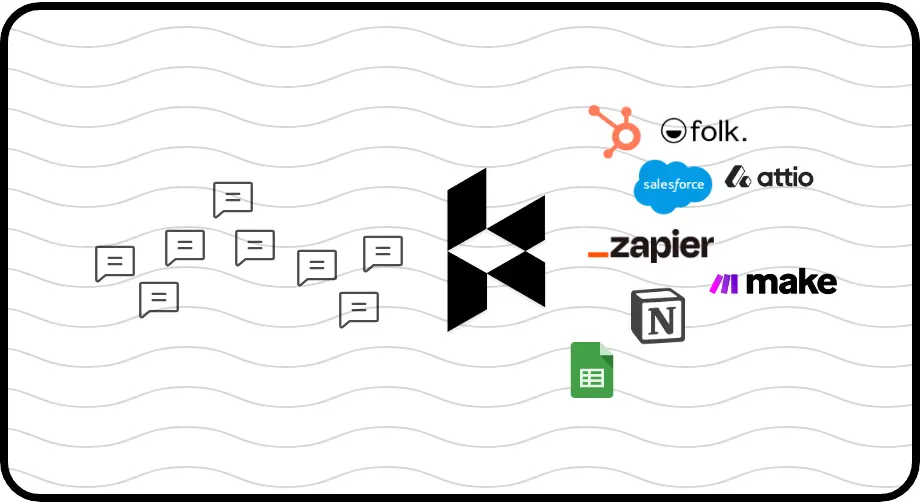
Sync Leads to Your CRM
Push LinkedIn DMs, labels, and notes directly to HubSpot, Salesforce, Notion, Google Sheets, and more. Eliminate manual data entry and keep your revenue pipeline fully visible at all times.
Give Your AI Access to Your LinkedIn Inbox
Let Claude, ChatGPT, or Cursor triage your LinkedIn inbox. Your agent reads messages on your computer, can draft replies, add labels, and set reminders.
Explore the LinkedIn MCP serverlist_chats “pricing”6 foundread_chat× 6set_chat_draft× 6set_chat_label “Hot”× 6
LinkedIn left your inbox in 2000. Bring it into 2026.
Get the upgrade every power user's been waiting decades for.


Less Chaos. More Pipeline. Zero Missed Deals.
0
Hot Leads Missed
100%
Follow-Ups On Time
10hrs
Saved Every Week
FAQs
What makes Kondo a LinkedIn sales productivity tool?
Kondo transforms your LinkedIn inbox into a structured, high-speed communication hub. It lets you label conversations by priority, set follow-up reminders, use keyboard shortcuts to process messages faster, save outreach snippets, and sync activity to your CRM. Together these features eliminate the chaos that causes SDRs and sales professionals to miss leads and lose revenue.
Is Kondo safe to use with my LinkedIn account?
Yes. Kondo is a native desktop app that does not scrape data, inject unauthorized code, or automate any actions prohibited by LinkedIn. It is designed to enhance your manual workflow rather than replace it, keeping your account safe and compliant.
Which CRM systems does Kondo integrate with?
Kondo supports native integrations with HubSpot, Salesforce (via Zapier or Make), Notion, Google Sheets, Attio, and Clarify. You can also use webhooks for custom integrations. CRM and system sync is available on the Business tier.
Can Kondo combine my LinkedIn and Sales Navigator inboxes?
Yes. Kondo brings your standard LinkedIn inbox and your Sales Navigator inbox into a single unified view, so you no longer need to switch between two separate inboxes. This is available on the Business plan.
How do keyboard shortcuts help my sales productivity on LinkedIn?
Kondo's keyboard shortcuts let you archive messages with E, set reminders with H, apply labels with L, and insert message snippets with the semicolon key, all without touching your mouse. This dramatically speeds up how fast you can process a high volume of LinkedIn DMs each day.